


ASUS Vivobook 14 is positioned as a practical laptop for people who spend a lot of time in online meetings, video calls, and remote collaboration. One of its most relevant features is AI Noise Cancellation, which helps keep your voice clear even when the environment around you is not quiet.
This matters because online meetings often break down not because of weak performance, but because of poor audio. With ASUS AI Noise-Canceling, the Vivobook 14 line aims to separate human speech from background noise so conversations sound cleaner and more professional.
Built for clearer online meetings
ASUS says the AI Noise-Canceling feature is designed to suppress background distractions during online calls. That includes common noise such as keyboard typing, mouse clicks, and surrounding sounds that usually interfere with voice quality.
The company also notes that the technology can reduce more than 500 million types of background noise. For users who work from home, study in shared spaces, or join meetings from busy offices, that kind of filtering can make a real difference.
In practical use, the feature helps other participants hear the user more clearly without having to repeat sentences or raise their voice. It also improves the overall meeting experience because communication feels smoother and less interrupted.
How the AI Noise Cancellation works
The system uses artificial intelligence to identify the difference between a person’s voice and unwanted ambient sound. Once it detects the speech pattern, it filters out the rest so the voice signal stays more dominant.
This is especially useful in real-time calls because meeting audio changes constantly. A fan, a door closing, a mechanical keyboard, or nearby conversations can all affect clarity, and AI-based processing helps reduce those disturbances before they reach the call.
For many users, this feature is more useful than relying only on a basic microphone. It turns the laptop into a more capable communication tool without needing extra accessories in most situations.
Models that include the feature
According to the reference material, ASUS AI Noise-Canceling is available on several Vivobook 14-related models. These include ASUS Vivobook 14 M1405, ASUS Vivobook 14 A1407CA, and ASUS Vivobook S14 S3407QA.
The article also mentions that the feature can be activated through the MyASUS app, usually under the Audio section. That makes the setup fairly simple for everyday users who want quick access before a meeting starts.
Here is a simple overview of the related models and capabilities:
| Model | Notable meeting-related feature |
|---|---|
| ASUS Vivobook 14 M1405 | AI Noise-Canceling support |
| ASUS Vivobook 14 A1407CA | AI Noise-Canceling support |
| ASUS Vivobook S14 S3407QA | AI Noise-Canceling support |
This consistency across models suggests ASUS is treating clear communication as a core productivity feature, not just an extra software add-on.
Why it helps productivity
Online meetings have become part of daily work, school, and business communication. A laptop that can automatically reduce noise saves time because users do not need to manage audio problems manually during calls.
It also helps create a more polished impression in professional settings. Clear voice output can matter during interviews, client presentations, remote classes, and internal team discussions where distractions can affect how communication is received.
For people who often join meetings from different places, the feature provides flexibility. Users can continue working from cafes, co-working spaces, or home offices while still keeping their voice intelligible to others on the call.
Other features that support the meeting experience
The ASUS Vivobook 14 line is not focused on audio alone. The reference material highlights a 14-inch IPS display with 2K resolution, which should provide sharp visuals for work, streaming, and light editing.
A clearer display can help during video conferences because it makes documents, faces, and shared content easier to see. That matters when users need to review slides, follow reports, or monitor multiple windows at once.
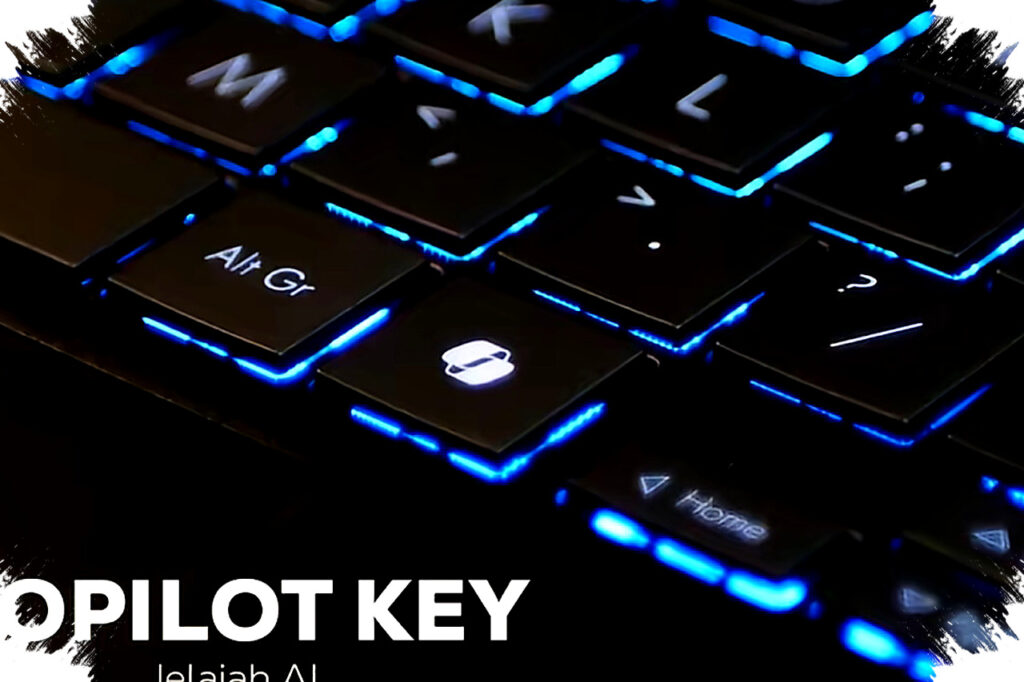
The laptop also includes a Copilot key. This gives users faster access to Microsoft’s AI assistant features in Windows, which can support productivity tasks such as summarizing information, drafting text, and organizing work more efficiently.
Design and portability for everyday use
ASUS Vivobook 14 A1407CA is described as weighing only 1.46 kg and measuring 17.9 mm thick. The article says it is around 13% lighter than laptops in its class, which makes it easier to carry for work, classes, and meetings outside the home.
Lightweight design matters because people who attend meetings on the move need portability as much as performance. A thinner and lighter laptop fits better into a daily commute or travel routine without sacrificing useful features.
The design is also described as minimal and available in three attractive colors. That makes the laptop suitable for users who want a device that looks clean and professional in both personal and business settings.
Security and durability add value
The Vivobook 14 line includes a Full HD camera with infrared support for face login. That gives users a faster and more secure way to sign in without typing passwords every time.
ASUS also highlights US military-grade durability on the device. For mobile users, that kind of build standard can help provide extra confidence when the laptop is often moved between desks, bags, classrooms, and meeting spaces.
The warranty package is another notable point. ASUS offers 2 years of international warranty plus 2 years of ASUS VIP Perfect Warranty, which adds after-sales support for buyers who plan to use the laptop as a daily work device.
Quick reasons the Vivobook 14 stands out for online meetings
- AI Noise-Canceling helps reduce background sound during calls.
- It can filter more than 500 million types of noise.
- The feature is easy to enable through MyASUS.
- The 14-inch 2K IPS display supports clear visuals during meetings.
- The lightweight body makes it easy to carry for mobile work.
- The Copilot key adds faster access to AI tools in Windows.
- The IR camera supports face login for convenience and security.
All of these details show that ASUS Vivobook 14 is aimed at users who want a laptop that works well for modern communication needs. With AI Noise Cancellation at the center, the device offers a more reliable meeting experience for employees, students, freelancers, and anyone who needs their voice to stay clear in a noisy world.