


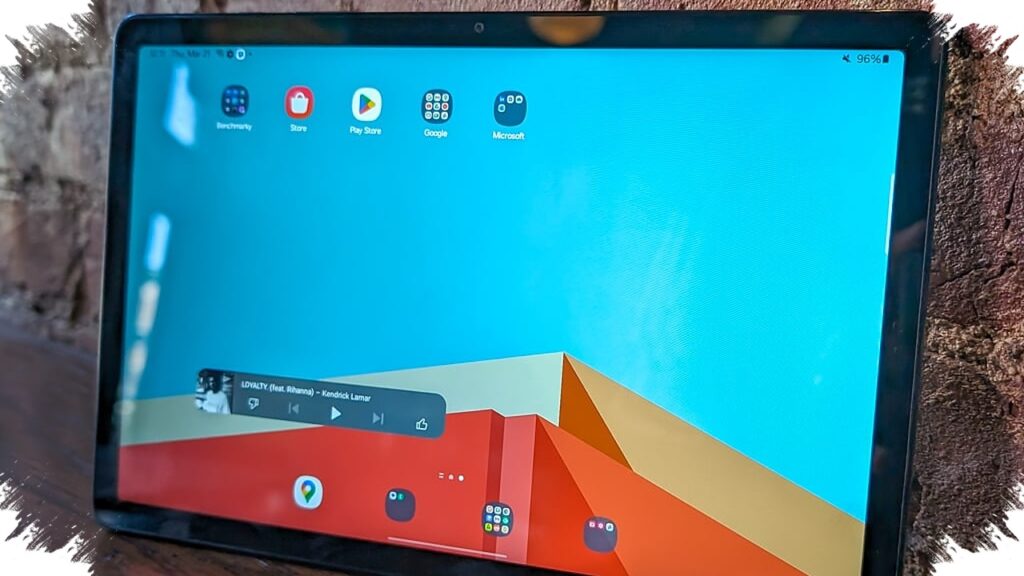
Affordable tablets have become a practical school device in 2026, especially for students who rely on Google Classroom, video calls, PDFs, and light multitasking. In the Indonesian market, the strongest demand now sits in the $75 to $95 range, where several tablets already promise stable performance without pushing families into higher budgets.
The big shift is simple: entry-level tablets are no longer only for streaming or casual browsing. With better chipsets, at least 4GB of RAM, and larger batteries, many models can now handle classroom apps more smoothly than earlier budget devices.
Why budget tablets are getting better in 2026
Manufacturers have started treating the low-cost segment more seriously. Instead of using outdated hardware, many now pair Android optimization with more efficient processors and enough memory for daily school tasks.
That matters because school apps can be demanding in a different way. Google Classroom, Zoom, document editors, and browser tabs often run at the same time, and weak tablets tend to stutter when students switch between them.
What students actually need from a school tablet
For learning, the most useful tablet is not the one with the highest benchmark score. It is the one that stays responsive during class, opens files quickly, and does not freeze when notifications, browser tabs, and video calls happen together.
A practical school tablet in 2026 should offer the following:
- At least 4GB of RAM for basic multitasking.
- A battery around 6,000 mAh for longer study sessions.
- A screen near 10 inches for reading and typing comfort.
- Stable Wi-Fi or optional 4G if the student studies outside the home.
- A chipset that is known for efficiency, not just low cost.
Six affordable tablets worth watching for school use
Below is a simple comparison based on the latest reference data and current market positioning.
| Model | Key specs | Estimated price |
|---|---|---|
| Advan Tab V8 / VX Lite | 10.4-inch IPS, Unisoc T618, 4GB RAM, 6,000 mAh | $81–$95 |
| itel VistaTab 11 | 10.1-inch display, Unisoc T615, 4GB RAM, 4G LTE | $89 |
| Samsung Galaxy Tab A9 (WiFi) | 8.7-inch display, Helio G99, 4GB RAM | $95 |
| Redmi Pad SE 8.7 | HD+ display, stable performance for study | $89 |
| Evercoss Bravo Tab X7 | Large display, suitable for school tasks | $76 |
| Infinix XPad entry model | Larger RAM for light multitasking | $95 |
Which models feel most stable for Google Classroom
Among the devices in this range, the Samsung Galaxy Tab A9 stands out for performance stability because it uses the Helio G99 chipset. That chip is widely known for delivering consistent everyday responsiveness in the entry-level and midrange class.
The Advan Tab V8 and itel VistaTab 11 also look relevant for students who want a bigger screen and enough power for school apps. Both sit in the budget class, but they now offer a configuration that is far more usable than older cheap tablets.
Why 4GB RAM has become the new baseline
In the budget tablet market, 4GB RAM is no longer a luxury. It is now the minimum level that helps Android stay smooth while students move between learning apps, browser pages, and reading files.
The reference data also notes that some entry-level tablets now reach 8GB RAM in certain variants. That is important because more memory reduces lag when multiple apps stay open in the background.
Best use cases for families and students
Budget tablets in the $75 to $95 range fit several school scenarios. They work well for elementary to high school students who need online classes, digital notes, and assignment submission.
They also suit college students who need a secondary device for reading, note-taking, and video meetings. For parents, these tablets can serve as a dedicated learning device for children without requiring a larger electronics budget.
What to prioritize before buying
A cheap tablet can still disappoint if buyers focus only on price. The better approach is to check whether the device has a steady processor, enough RAM, and a screen size that supports long study sessions.
- Choose Wi-Fi models if the tablet will mostly stay at home.
- Choose 4G-capable models if mobility matters.
- Avoid tablets below 4GB RAM unless the use is very light.
- Prefer 10-inch or larger screens for reading and document work.
- Check battery size if the device will be used for online classes.
Why inexpensive tablets are more realistic now
The gap between budget tablets and premium tablets has narrowed because software and hardware have improved together. Android devices are better optimized, apps are lighter than before, and newer chipsets are designed to use power more efficiently.
That is why a tablet around $80 to $95 can now be a serious school device rather than a compromise purchase. For many families, the key is not buying the most expensive model, but selecting a tablet that stays stable when school apps need to run every day.