In the tablet market, Android and iPad still dominate with roughly 75% share, but Windows tablets are quietly becoming more relevant for work-focused users. They are no longer seen only as media devices, because many now function closer to compact laptops with full desktop software support.
That shift matters for people who need to type documents, join online meetings, manage files, and run professional applications in one portable device. For office workers, students, and field professionals, the value of a Windows tablet now comes from practicality, not novelty.
1. Full desktop multitasking feels far more productive
Windows tablets offer a desktop-style environment, which makes multitasking less restricted than on many conventional tablets. Users can open several windows at once, switch between them quickly, and access the full File Explorer rather than a simplified mobile file system.
This matters for real work because a person can keep a browser, a document editor, and a communication app open side by side. With enough RAM, the experience feels closer to a lightweight laptop than a typical consumption-first tablet.
2. Professional software support is the biggest advantage
The strongest reason to choose a Windows tablet is compatibility with desktop-grade applications. Tools such as SPSS, AutoCAD, and Adobe Creative Cloud run natively on Windows, while iPad and Android alternatives often come with reduced features.
That difference becomes important in academic, technical, and office environments. Even Microsoft Excel on mobile can feel limited, because advanced functions such as PivotTables and complex macros are not fully available in the same way as on the desktop version.
3. Ports and connectivity help reduce accessory dependence
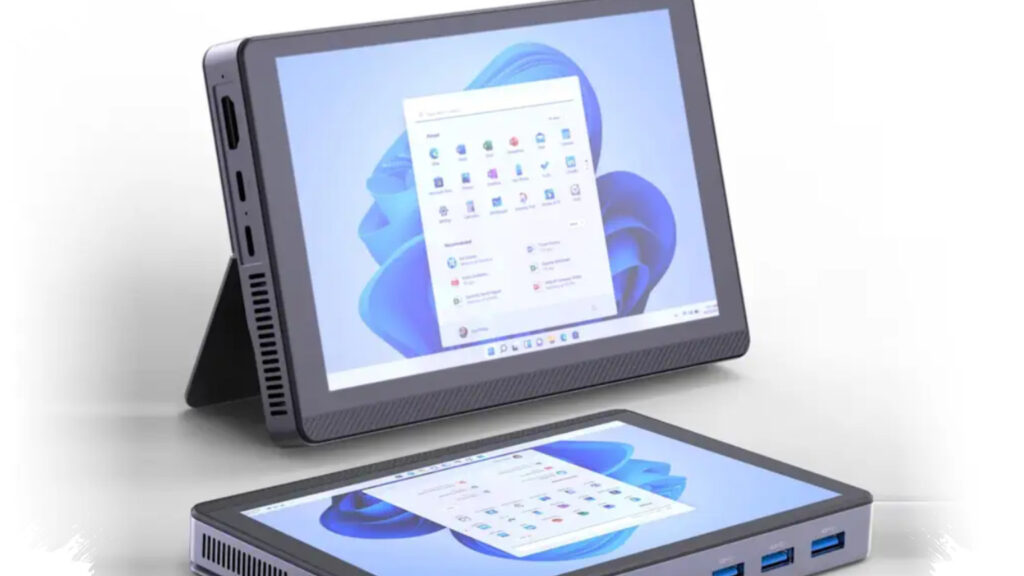
Many affordable Windows tablets now include more practical ports than mainstream tablets. A number of models offer USB-C, USB-A 3.2, audio jacks, and microSD slots, which means users do not always need dongles or hubs for basic work.
For mobile workers, that convenience can save time and reduce clutter. External keyboards, mice, flash drives, and memory cards can connect more easily, which makes these tablets more adaptable in real-world work settings.
4. The purchase package often feels more complete
The real cost of a work device is not just the tablet itself, but also the accessories needed to use it properly. In several cases, Windows tablets are sold with a keyboard case and an active stylus already included, which lowers the effective upfront cost.
One example from the source material is the Advan Evo X, which was positioned at around $375 USD with 512GB of storage, a keyboard case, and an active stylus included. That kind of bundle can be more cost-efficient than buying a tablet first and then paying extra for essentials separately.
5. Software updates are clearer and more predictable
Windows also gives users a more defined update path. As long as the device remains supported, it receives security patches and feature updates directly from Microsoft, which is easier to forecast than update support on many midrange Android tablets.
Some supported Windows devices can receive long-term support for up to 10 years. For offices, schools, and students planning to use one device for years, that predictability adds real value beyond raw specifications.
| Key work advantage | Why it matters |
|---|---|
| Desktop multitasking | Better for documents, browsers, and meetings |
| Professional apps | Supports full desktop software |
| More ports | Less need for dongles and hubs |
| Bundled accessories | Lower total cost to start working |
| Update support | Better long-term reliability |
Still, Windows tablets are not perfect, and buyers need to understand the trade-offs. They are often heavier once a keyboard is attached, and battery life commonly sits around 4 to 5 hours, which is shorter than the roughly 10 hours seen on many iPads.
Thermals also matter on x86-based models such as those using Intel N100-class chips, which often need internal cooling fans to stay stable. Even with those compromises, a Windows tablet now makes more sense for users who need one portable device that can handle serious productivity without depending on mobile-only software.