


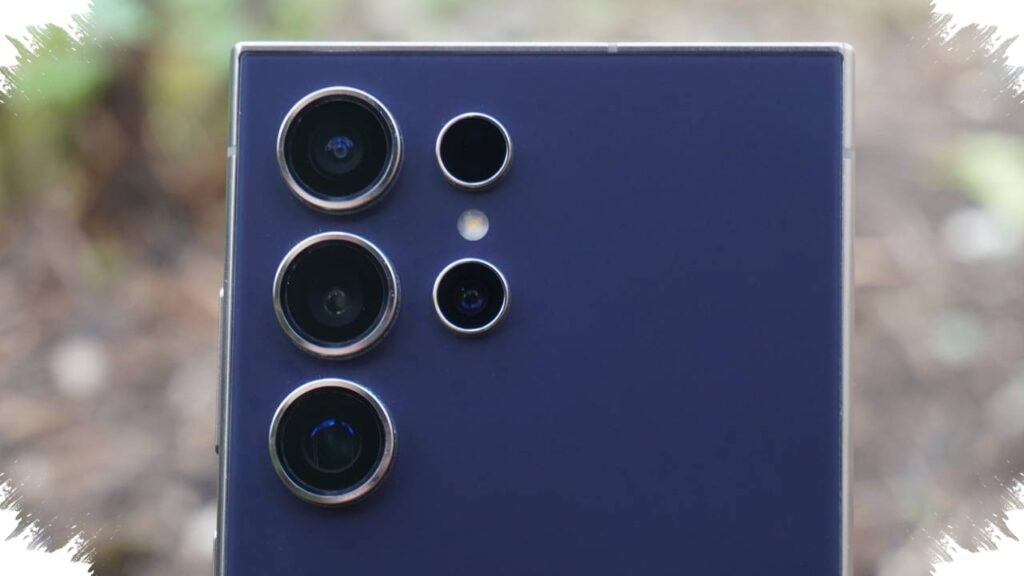
Samsung’s Galaxy S26 lineup may not bring a dramatic leap in camera hardware, but the series still has three software-driven features that could matter more in daily use. According to Android Central, these tools are available across the Galaxy S26, Galaxy S26 Plus, and Galaxy S26 Ultra, even if some of them are tucked away in deeper menus.
That matters because the real difference in this generation may come less from sensors and more from how Samsung lets users control camera output. With 24MP capture, Horizontal Lock, and Photo Assist, the Galaxy S26 series adds flexibility for still photos, stabilised video, and post-shot editing without requiring a major hardware overhaul.
24MP becomes the practical middle ground
Samsung still relies on large sensors in the Galaxy S26 family. The Galaxy S26 and Galaxy S26 Plus use a 50MP main camera, while the Galaxy S26 Ultra carries a 200MP primary sensor.
In normal use, however, the camera does not always shoot at maximum resolution. The default approach still leans on pixel binning to produce 12MP photos, which keeps files lighter and processing efficient. The new 24MP option gives users a more balanced choice between file size, speed, and detail.
Android Central describes 24MP as the most practical setting for everyday shooting because it offers more detail than 12MP without the heavier burden of 50MP or 200MP files. Samsung has also said through its forum that the AI Fusion process in this mode “provides 12MP usability and 50MP quality through an AI-based convergence solution,” which shows the company’s focus on combining convenience with stronger image quality.
Accessing the feature requires the Camera Assistant app from Galaxy Store. After installing it, users need to open Settings, go to Camera app settings, then select Camera Assistant and enable Advanced resolution options. Once active, the camera viewfinder shows 12MP, 24MP, and 50MP or 200MP choices on the main camera, giving more control over how each shot is captured.
Horizontal Lock aims to keep video orientation steady
The second feature is not about still photos at all. Horizontal Lock is designed for video shooting and helps keep the frame level even when the phone is moved aggressively, including when it is rotated or turned upside down.
This function builds on Samsung’s Super Steady system, which is already known for reducing shake. Horizontal Lock adds another layer by focusing on orientation, not just stabilisation, so the horizon stays consistent while recording. That makes it useful during movement-heavy activities such as jogging or cycling, where hand motion can easily disrupt a normal video.
The feature is found in a menu that may be easy to miss. Users need to open the Camera app, switch to Video mode, and tap the Super Steady icon showing a small running figure in the upper-right corner of the screen. From there, selecting Super Steady with Horizontal Lock activates the mode and allows the phone to move more freely while maintaining a visually stable frame.
Photo Assist shifts the advantage to editing after capture
Samsung’s third notable addition appears after the shot has already been taken. Photo Assist lives inside the Gallery app and is meant to improve images that did not come out the way the user wanted in the first place.
Android Central says the tool resembles AI-based editing features seen in other photo services, with one key difference in how it is used. Instead of relying only on preset tools, it allows natural-language instructions, so users can type what they want changed in plain English. The system then processes the image and creates an edited version based on that request.
To use it, a photo must be opened in Samsung Gallery, then the Photo Assist icon with the three AI sparkles in the toolbar has to be selected. After that, users can enter a request in the “Describe what to change” field and tap Generate. If the result is not quite right, the image can be edited further or saved as a separate copy.
Photo Assist also supports multimodal guidance. In addition to text, users can add an image or mark directly on the photo to show which area should be changed, helping the AI understand the intended edit more clearly.
Software becomes the main point of difference
The Galaxy S26 series may not stand out through a dramatic camera hardware upgrade, but the software layer gives it a different kind of value. 24MP capture, Horizontal Lock, and Photo Assist all point to a strategy that places more emphasis on how the camera behaves in real use.
For users, that means the Galaxy S26 family still has room to feel more capable even when the physical camera setup does not change as much as expected. The combination of flexible shooting resolution, better video orientation control, and AI-assisted editing gives the lineup a broader camera experience across all models.