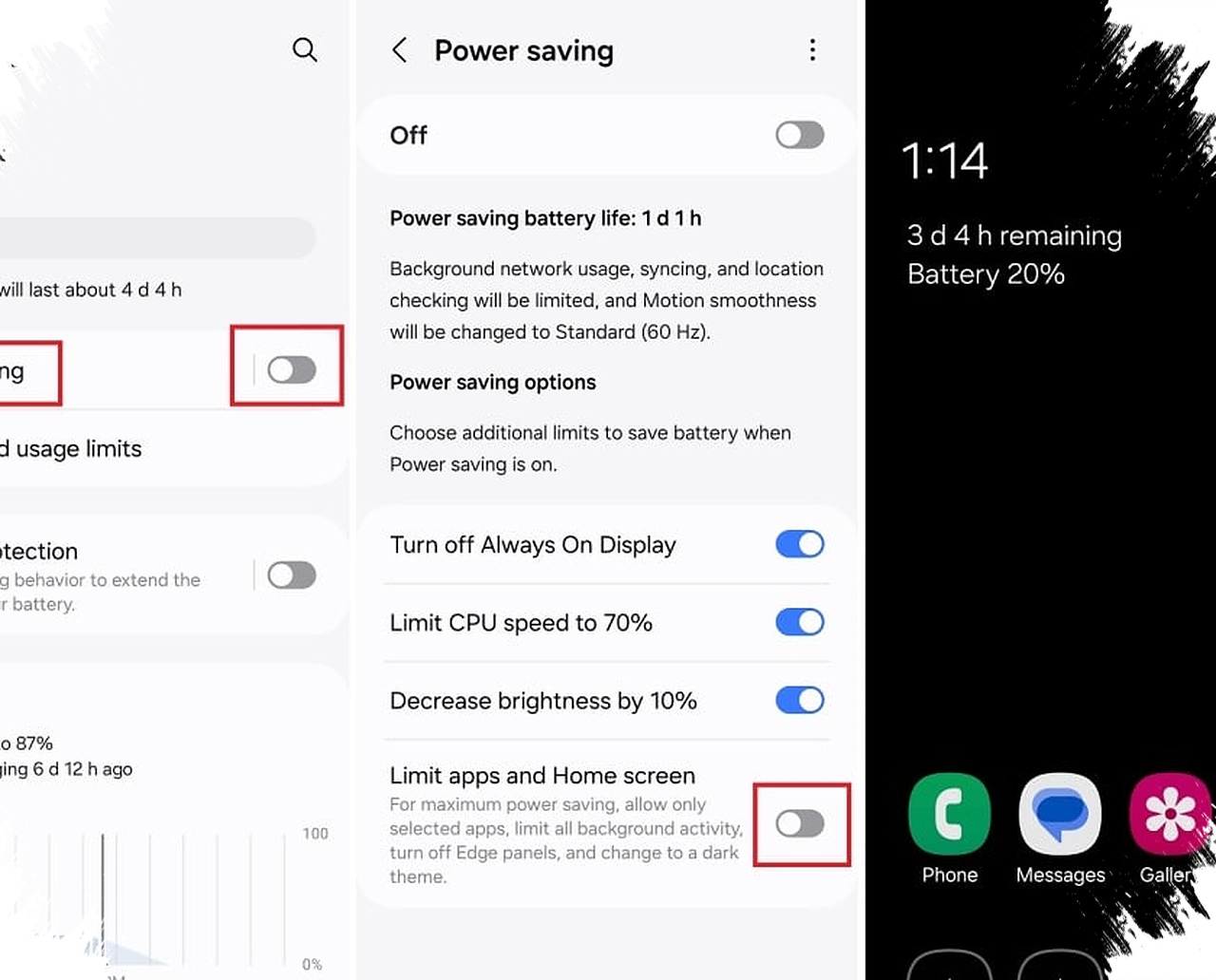
Android 16 can feel far more power-hungry than expected when settings that run quietly in the background are left untreated. The issue is not always the battery itself, because display behavior, background processes, and charging habits can all shape how long a phone lasts in daily use.
That is why a few built-in options deserve attention. When adjusted properly, they can reduce unnecessary drain, help the device stay more efficient through the day, and support better long-term battery health without changing normal usage patterns too much.
Background activity remains one of the biggest causes of drain
Even with Android 16’s improved task management, some apps can still stay active longer than needed. Battery usage settings can show which apps consume the most power, making it easier to limit background activity on rarely used apps.
Android 16 also provides more detailed wake lock information, which can reveal how often an app wakes the processor from sleep. If a social app or weather tracker keeps triggering the phone too often, its settings may need to be reviewed, and restricting background data can help reduce waste.
Adaptive battery works best when it is left alone
Android 16’s adaptive battery feature is designed to learn usage habits over time. It recognizes which apps are opened regularly and reduces the activity of apps that are used less often, so the phone does not spend power on processes that are unlikely to matter immediately.
The effect is not instant, because the system needs time to understand usage patterns. If an essential app still needs priority, App Battery Usage includes an unrestricted option that keeps it from being limited too aggressively.
Screen settings can make a noticeable difference
One of the simplest ways to reduce drain is to use dark mode across the system. On modern Android phones with OLED panels, dark pixels use less power because they do not need to light up as strongly as bright ones.
Android 16 is also said to improve system-level force dark support, which helps older apps without a native dark mode look more consistent. The result is a setting that not only improves visual comfort at night, but also helps the display consume less energy overall.
Always-on display may seem small, but it keeps working
Always-on display is useful for checking the time and notifications without waking the entire screen. Still, the feature continues running in the background and slowly uses battery during normal daily use.
Turning it off allows the screen to stay in a more power-saving state. The reference also notes that sensors such as proximity and the touch layer can carry less of a load when always-on display is not being used.
Charging limits can protect battery health over time
Android 16 includes charging restrictions that are meant to support long-term battery condition. One of the highlighted options is limiting charge to 80% instead of letting the phone remain fully charged overnight.
This is important because the final phase of charging tends to produce more heat, which can increase wear on the hardware. Android 16 is also described as offering scheduled charging, so the phone can charge gradually to 80%, hold there for a while, and finish closer to wake-up time.
Taken together, these settings show that battery life on Android 16 depends on more than one factor. Display behavior, charging control, adaptive system management, and app-level background limits all work together to keep a phone running longer and more efficiently throughout the day.
Source: tech.sportskeeda.com-
-

-

-