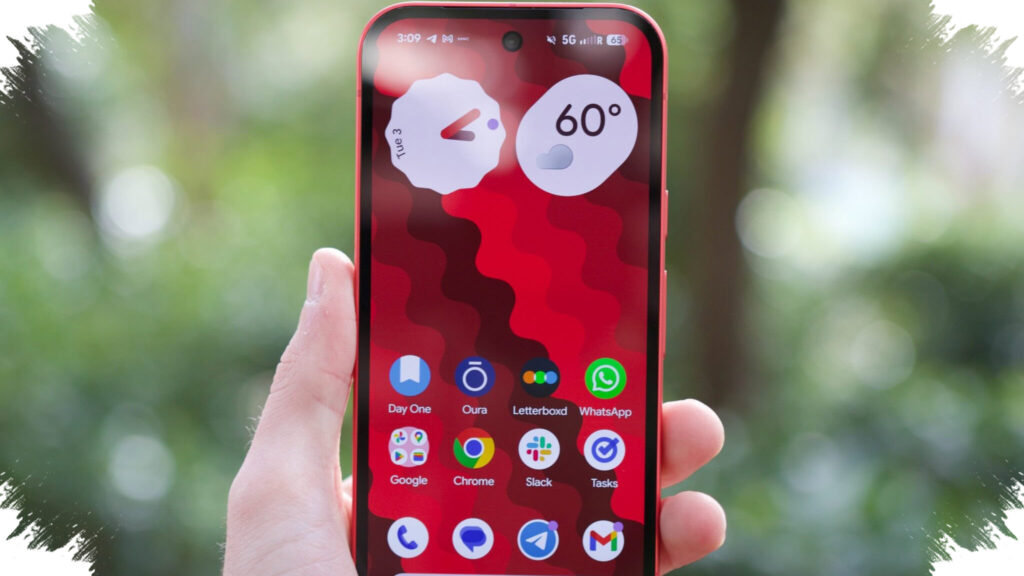
Google’s May 2026 Pixel software update is doing two things at once: fixing several complaints that have affected daily use, while also closing the door on downgrade options for the Pixel 10 family. For many owners, the package is mainly about stability and security, but for Pixel 10 users it also introduces a new technical restriction that cannot be ignored.
The update is part of Android 16 and includes the May 2026 security patch in the same release. That makes it one of the more important maintenance updates for eligible Pixel devices, especially for users who want both bug fixes and current system protection in a single installation.
Fixes for charging, camera, and display issues
One of the most notable fixes targets wireless charging behavior. Google says the issue affected some Pixel phones when the battery was around 75 to 80 percent in certain conditions, causing wireless charging to slow down unexpectedly.
That problem had been reported on a wide range of Pixel models. With the May 2026 package, Google says it has now been addressed, which should matter most to users who noticed charging performance dropping without a clear reason.
Camera behavior on Pixel 10 is also part of the update. Before this release, the Camera app could freeze while recording video if the zoom level was changed at the same time.
Display problems are included as well. Some users saw a blinking white dot or visual noise near the top of the screen in specific situations, while others experienced a screen that looked blurry, froze, or showed noisy lines.
Google says both display-related issues have been fixed in this update. Alongside those targeted repairs, the company also points to broader improvements in system stability and performance under certain conditions.
Broader rollout, but not every fix is identical everywhere
The update is not limited to the newest devices. Google says it covers multiple Pixel models, from Pixel 7a through Pixel 10a, which gives it a broad reach across both older and newer phones.
Even so, Google notes that some fixes may be carrier-specific or region-specific. That means availability and behavior can vary by market, even when the same software package has already been released.
For everyday users, the practical effect is straightforward. Devices that were affected by the charging, camera, or display bugs should become more reliable after installing the update, while the security patch also keeps the software current.
The Pixel 10 limitation that changes downgrade behavior
The most significant change for advanced users is not a bug fix at all. Google has blocked downgrading to older Android versions on the Pixel 10 series after this update is installed.
According to Google’s developer page, the May 2026 update for Pixel 10, Pixel 10 Pro, Pixel 10 Pro XL, and Pixel 10 Pro Fold includes a bootloader component that raises the bootloader anti-rollback version. Once that happens, users can no longer flash and run an older Android 16 build on those models.
This matters most to developers and users who like to experiment with software builds. After the update is installed, the path back to an earlier Android 16 version is closed on the affected Pixel 10 devices.
For most regular users, that restriction may never come up in daily use. Still, it is an important change because it reduces flexibility for testing, troubleshooting, and returning to older builds if needed.
What Pixel owners should keep in mind
The May 2026 package is best seen as a maintenance update with a broad fix list and a security component bundled in. It addresses real issues involving charging, camera use, and screen behavior, while also improving overall system stability.
At the same time, Pixel 10 owners need to be aware of the rollback limitation before installing it. Once the update is in place, returning to an older Android 16 build is no longer possible on the models affected by the new anti-rollback bootloader version.
Users can check for the update manually through Settings, then System, Software update, System update, and Check for updates. That path shows whether the May 2026 release is already available for the device in question.