The shift toward laptop-free work is becoming more visible as tablets grow more capable for everyday productivity. In many cases, a modern tablet can now handle typing, multitasking, video calls, and even light editing with the right accessories.
This trend is especially relevant for mobile workers, students, and creative users who want a lighter device without giving up speed or flexibility. With a keyboard and stylus, a tablet is no longer just a screen for entertainment but a practical tool for work routines.
Why tablet-based work is gaining attention
Tablet adoption for productivity keeps rising because users now expect more than just media playback. Newer models come with faster chipsets, desktop-style interfaces, and better app support, which makes them far more useful for office tasks than earlier generations.
Portability is also a major factor. A tablet is easier to carry to campus, a café, or a meeting outside the office, and that mobility matters for people who work on the move. For many users, the combination of a slim design and long battery life is enough to replace the need to bring a full laptop everywhere.
What makes a tablet ready for multitasking and editing
Not every tablet can realistically replace a laptop. A device needs a strong processor, enough memory, mature multitasking tools, and accessory support to handle serious work.
A useful productivity tablet usually offers these features:
- Split-screen and floating app support
- Keyboard and stylus compatibility
- Large, high-quality display
- Fast chip performance for editing and switching apps
- Desktop-like mode or full desktop operating system
These elements matter because work today often includes document editing, online meetings, presentation preparation, and content review. Without them, a tablet may still feel limited compared with a laptop.
Samsung Galaxy Tab S11 Ultra: large screen, desktop-style workflow
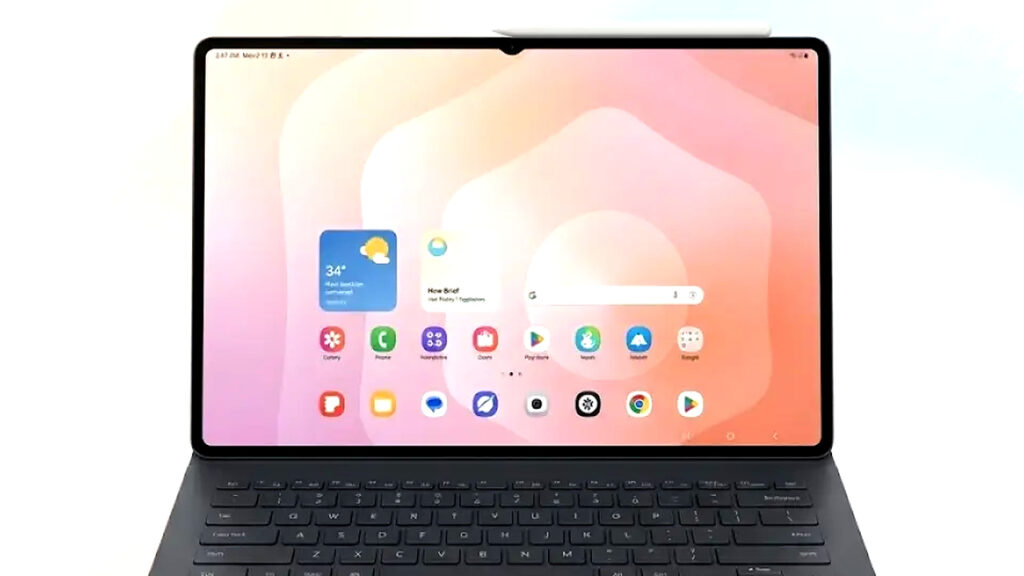
Samsung Galaxy Tab S11 Ultra stands out because of its large AMOLED display and strong performance. The screen gives users more room for multitasking, which helps when working with multiple apps side by side.
Its DeX feature also changes the interface into a desktop-like layout. When paired with a keyboard and mouse, the experience gets much closer to a traditional laptop setup, especially for users who spend a lot of time in documents, browser tabs, and communication apps.
Microsoft Surface Pro 11: closest to a laptop in form and function
Microsoft Surface Pro 11 is one of the most laptop-like tablets available. It runs full Windows, which means it supports a broad range of professional software that many mobile devices still cannot handle properly.
That compatibility matters for users who depend on desktop applications for office work or specialized tasks. The detachable design also keeps it flexible, allowing the device to shift between tablet mode and laptop-style use with minimal compromise.
Apple iPad Pro M4: strong choice for creators
Apple iPad Pro M4 remains a favorite among creators because its M-series chip delivers high performance. That power helps with video editing, graphic design, and other demanding creative tasks that need responsive hardware.
With an external keyboard, typing becomes more comfortable and document work becomes easier as well. For content creators who move between editing, reviewing, and writing, the iPad Pro M4 offers a balanced workflow that feels fast and polished.
Huawei MatePad Pro 12.2: productivity-focused and balanced
Huawei MatePad Pro 12.2 offers a strong balance between price and productivity. It supports office applications well, which makes it suitable for administrative work, document handling, and presentation preparation.
The addition of a stylus and keyboard improves usability further. For users who focus on writing, note-taking, and meeting materials, this tablet provides a practical setup without pushing into the highest price tier.
Xiaomi Pad 7 Pro: a budget-friendly productivity option
Xiaomi Pad 7 Pro is a compelling choice for users who want multitasking support at a more accessible price point. It can still handle everyday productivity tasks well, including meetings, browsing, and typing.
Its workstation mode adds value by creating a more efficient work environment. For students and workers who need a lighter device for routine tasks, it can serve as a useful entry point into laptop-free work.
How far a tablet can replace a laptop
Tablets today can handle many common work activities with ease. Writing documents, joining online meetings, preparing slides, and doing light editing are all within reach for the latest devices.
The gap appears when the workload becomes more complex. Heavy data processing, advanced professional software, and certain desktop-only functions still run better on a laptop. That means tablets work best as a flexible alternative, not a perfect replacement for every type of job.
Best tablet options for productivity at a glance
| Tablet | Main advantage | Best for |
|---|---|---|
| Samsung Galaxy Tab S11 Ultra | Large AMOLED screen, DeX mode | Multitasking and desktop-style use |
| Microsoft Surface Pro 11 | Full Windows support | Professional software and office work |
| Apple iPad Pro M4 | High performance for creative tasks | Editing and design |
| Huawei MatePad Pro 12.2 | Balanced productivity features | Documents and presentations |
| Xiaomi Pad 7 Pro | More affordable multitasking | Students and general office use |
The move away from laptops is not about replacing every notebook use case, but about choosing a device that fits a mobile workflow. As tablet hardware and software continue to improve, more users are likely to treat them as their main work device for document tasks, meetings, and editing that do not require a full laptop.