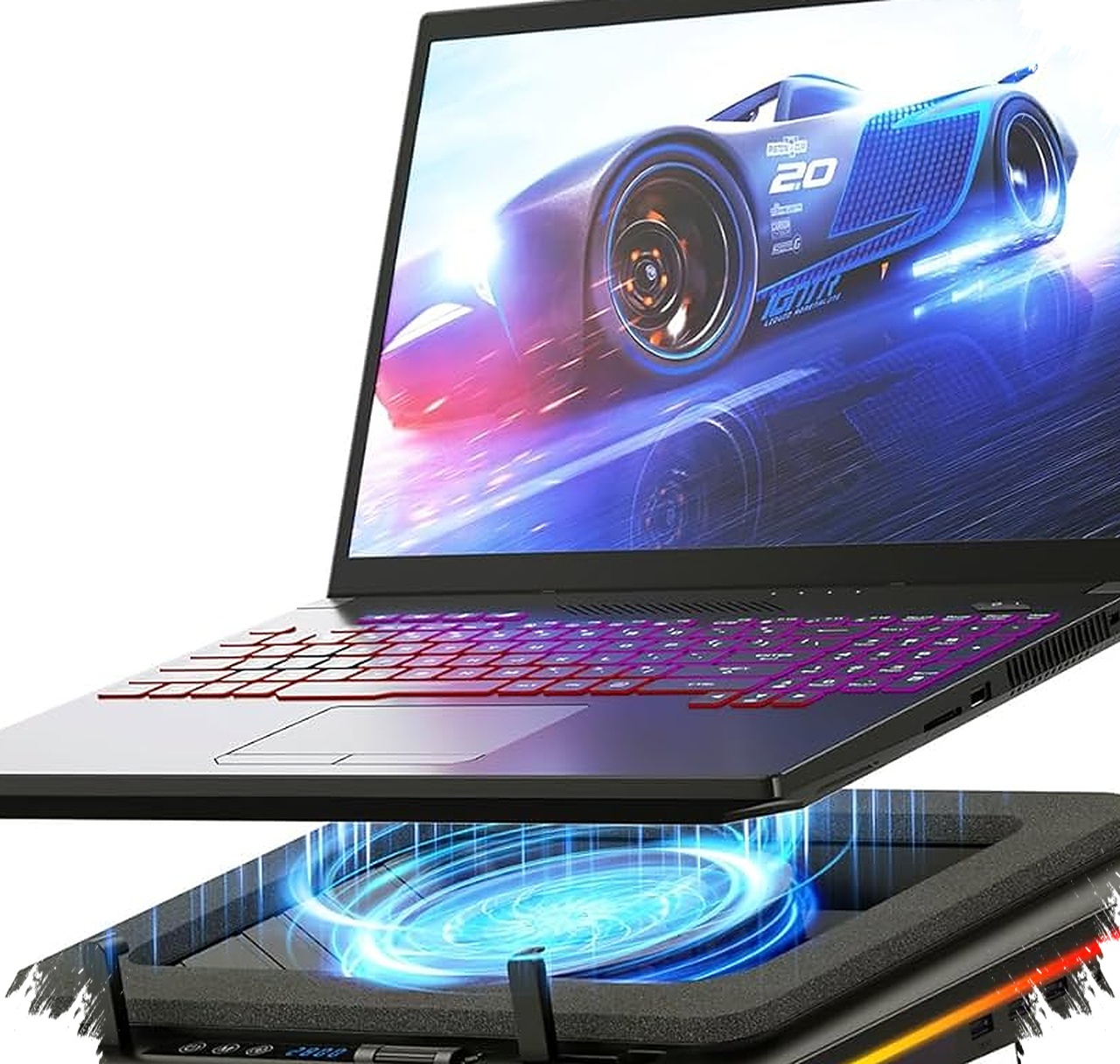
Laptop heat is one of the most common reasons performance drops during heavy work, long gaming sessions, or video editing. When temperatures climb too high, the processor can trigger thermal throttling, which slows the system down to protect internal components.
A cooling pad helps improve airflow under the laptop and keeps temperatures more stable. For users looking for the best cooling pad laptop options, the right choice depends on noise level, portability, size support, and how intense the workload is.
Why a cooling pad still matters for modern laptops


Most laptops use compact internal cooling systems. That design saves space, but it also limits how much air can move through the chassis when the CPU and GPU are under pressure.
A cooling pad creates an air gap under the device and pushes cooler air toward the ventilation area. This can help reduce heat buildup, lower fan strain, and improve comfort during long sessions.
10 recommended cooling pads for stable temperatures
Llano V12
This model targets users who want maximum cooling performance. It uses a large turbine fan that can reach up to 2800 RPM, and it also includes an LED display, touchscreen control, and a dust filter.Rexus Breeze B150
This option fits gamers who want strong cooling and a more stylish setup. It comes with five fans at 2200 RPM, RGB lighting, and four ergonomic height settings for better neck comfort.YLV Cooling Pad
This cooling pad suits users who often run heavy apps at the same time. It offers five turbo fans, three airflow modes, a slim but sturdy body, and dual USB ports.Soru Q3
This product is built for larger laptops, including models up to 18 inches. It features six cooling fans and six adjustable height levels, which gives users more flexibility for long work sessions.UNEED ULS902
This is a practical choice for mobile users and digital nomads. It uses an aluminum alloy body, stays lightweight, and folds easily into a laptop bag.KIVEE SRQ 011
This model focuses on quiet operation, making it suitable for offices, libraries, and shared workspaces. Its silent fan design still moves air effectively without creating much distraction.Fantech NC20
This cooling pad uses a dual-zone design with a large center fan and smaller side fans. That layout helps target different hot spots under the laptop casing.Hagibis Magnetic Cooling Pad
This is one of the most minimalist models in the list. It uses two small magnetically attached aluminum units, which makes it a clean pick for MacBook users or tablet owners.Niscaya Cooling Pad
This option prioritizes durability. It includes six fans at 2400 RPM and a strong anti-slip system that keeps the laptop steady during use.- Tecknet Laptop Cooling Pad
This model is aimed at everyday tasks such as office work and online learning. It is lightweight, affordable, and uses a 1800 RPM fan speed that is enough for standard daily cooling.
How to choose the right cooling pad
The best cooling pad depends on the laptop’s size and workload. High-performance users should prioritize stronger airflow, while office users may benefit more from quiet operation and easy portability.
For gaming and video editing, models like the Llano V12 or Rexus Breeze B150 are more suitable. For travel or minimalist setups, UNEED ULS902 and Hagibis offer better convenience and cleaner designs.
- For maximum cooling: Llano V12 or Soru Q3
- For gaming style: Rexus Breeze B150 or Fantech NC20
- For portability: UNEED ULS902 or Hagibis
- For quiet use: KIVEE SRQ 011
- For daily basic use: Tecknet Laptop Cooling Pad
What makes laptop cooling more effective
Cooling pads do not replace the internal fan system, but they support it by improving airflow beneath the device. That extra space helps fresh air enter through the bottom vents more easily.
As a result, laptops can maintain more stable temperatures during long sessions, which may help reduce lag caused by heat-related throttling. A cooler system also tends to maintain better comfort, especially when the laptop is used on a desk for hours.
Final buying note for different users
Users with powerful gaming laptops need models with stronger fan output and adjustable height. Users who work in quiet environments should look for low-noise options, while frequent travelers should focus on foldable and lightweight designs.
A cooling pad works best when matched carefully to the laptop size, usage pattern, and environment, because consistent airflow support can help keep performance steady and extend the device’s usable life.