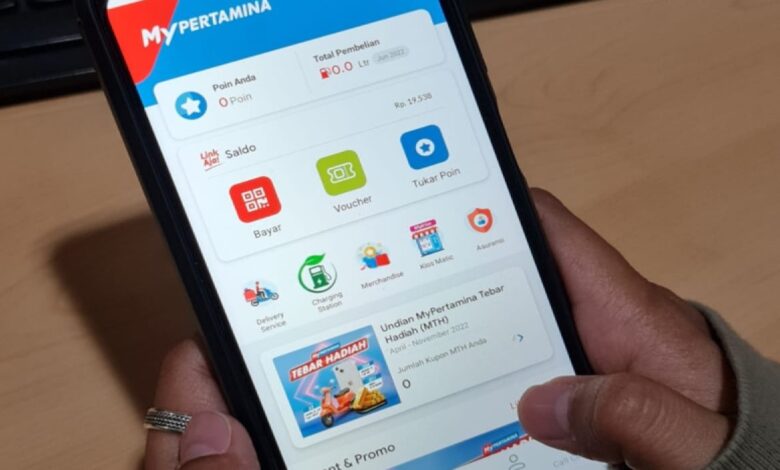
Registering a Pertalite barcode in MyPertamina has become an important step for vehicle owners who want to buy subsidized fuel at SPBU stations. The QR code is used to help track fuel distribution more orderly and to match purchases with the vehicle data that has been registered.
The process also reflects a broader effort to keep subsidized fuel distribution targeted and traceable. For that reason, every detail entered by users must be accurate, complete, and able to pass system verification.
Start with the official app and a verified account
The first step is downloading the official MyPertamina app from Google Play Store or the App Store, depending on the device. Users are advised to install the latest version so the registration features work properly.
After opening the app, the next step is creating a new account through the registration menu. Basic information such as full name, NIK, active phone number, email address, and password must be filled in correctly.
OTP verification is the gate before registration continues
Once the basic data is submitted, the system sends an OTP code to the registered phone number. That code must be entered to complete the account verification process.
Only an active account can be used to access the Subsidi Tepat feature. Without successful account creation, the Pertalite barcode registration process cannot continue.
Vehicle data must match the STNK exactly
After logging in, users need to find the Subsidi Tepat menu on the app’s main page. This feature is the entry point for registering the vehicle that will be used to buy Pertalite or Solar.
The system will then request vehicle data that matches the official documents. The license plate number and chassis number must be entered exactly as written on the STNK, along with the selected fuel type.
Documents and photo quality can determine the outcome
Supporting documents also need to be uploaded clearly, including a photo of the KTP, front and back STNK images, a vehicle photo, and a clear photo of the license plate. Blurry or reflective images can slow down the review process because the information becomes difficult to read.
Before submission, every detail should be checked again. This includes the license plate, chassis number, and all uploaded files, since any mismatch can delay verification.
Approval usually takes 1 to 3 working days
After the data is sent, verification generally takes around 1 to 3 working days. If the registration is approved, the barcode or QR code will appear automatically in the Subsidi Tepat menu on the MyPertamina app.
The barcode is then used during transactions at SPBU stations. The attendant scans it before the fuel is dispensed, so the purchase is recorded according to the registered vehicle.
One barcode applies to one registered vehicle only
When buying Pertalite or Solar, users simply show the barcode in the app to the station attendant. The scan takes place first so the transaction is tied to the vehicle listed in the registration data.
Each barcode is valid for only one vehicle based on the STNK data that was submitted. If ownership changes or the license plate is replaced, the vehicle data must be updated so it remains consistent with the applicable rules.
Simple checks can help speed up approval
To make the review process smoother, users are advised to prepare clear KTP and STNK photos. They should also monitor the registration status regularly through the app or email notifications.
If the barcode has not appeared after 3 days, checking the submission status again is the recommended next step. With complete data and clear photos, the chance of faster verification becomes much higher.