A slow home internet connection is often blamed on the wrong thing. In many cases, the real problem is a mix of older hardware, weak coverage in certain rooms, and Wi‑Fi equipment that no longer matches the needs of newer devices.
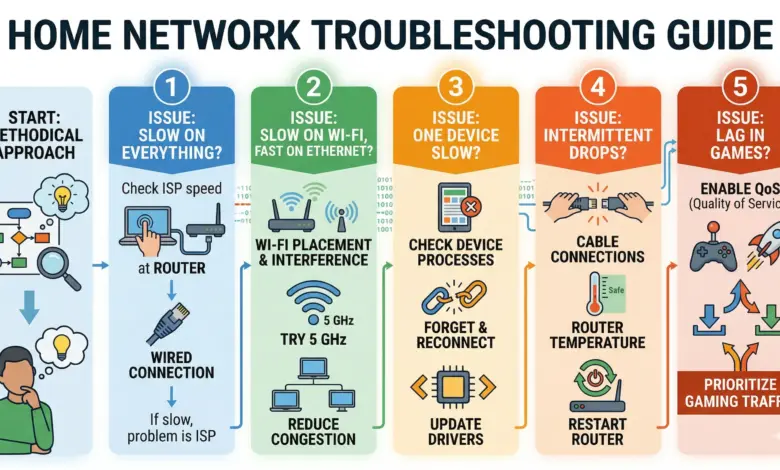
That is why the most effective fix usually starts with a methodical check of the network. Replacing everything at once is rarely the best first move, especially when the issue may be tied to one outdated device or one weak corner of the house.
Start With The Modem And Router
The modem is the box that brings internet service into the home, so an older model can hold back performance even when the subscription itself supports faster speeds. Many customers also use a modem rented from their internet provider, which makes an upgrade question worth asking if the device has been in use for years.
The same logic applies to the router. On many home internet plans, the modem and router are combined in a single unit, and older networking hardware may not fully support what newer plans and devices can deliver.
Compatibility matters just as much as age. If a phone, laptop, or other device supports a faster Wi‑Fi standard but the router does not, the connection speed available to that device will still be limited.
Find The Weak Spots In The House
One of the most common causes of sluggish Wi‑Fi is a dead zone, meaning an area where the signal is weak. This usually appears when the router sits far from a workspace, bedroom, or television used for streaming.
A simple speed test can help identify where the network falls short. Services such as Speedtest, including its app for computers and phones, can reveal whether the slowdown is happening in one room rather than across the whole home.
If the problem is concentrated in one area, a Wi‑Fi extender can provide a fast fix. The device plugs into a wall outlet in the weak-signal zone and repeats the network further into the house.
Some extenders also include an Ethernet port. That makes them useful for devices that benefit from a cable connection, such as a Blu-ray player, a game console, or other hardware that needs a more stable link.
Older laptops can also be part of the problem. Their built-in Wi‑Fi radios may become a bottleneck over time, even when the home network itself is otherwise fine.
In that situation, a newer USB Wi‑Fi adapter can help, including models that support Wi‑Fi 6. One such adapter was cited at around $14, although the laptop still needs a free USB Type-A port to use it.
When A Mesh Network Makes More Sense
For homes that need broader coverage, a mesh network offers a more complete solution than a single extender. It uses multiple nodes that overlap and connect with one another to spread Wi‑Fi more evenly across the property.
In a multi-story home, placing one node on each floor can create a more stable result. That setup keeps the signal stronger in more rooms and reduces the need to keep adjusting the network as people move around the house.
Wi‑Fi 6 mesh systems are considered fast enough for everyday use, including 4K video streaming. Some three-node packages can also deliver twice the bandwidth of the non-plus Eero 6 system, although the higher performance comes at a higher price.
Budget-conscious buyers may find TP-Link Deco mesh packages for under $100, with some two-node sets currently below $70. Adding a third node typically costs about $30 more, bringing the total to around $100.
The right setup depends on home size and layout. A two-node system may be enough for an apartment or a small house, while a third node can be added later if the coverage needs expand.
There are also a few caution points to keep in mind. The Eero recommendation is based on direct experience, while the TP-Link products were tested by a colleague at Engadget, and TP-Link is currently under U.S. government investigation without a final policy decision announced.
For buyers who want other options, Asus and Google also make mesh systems. Those alternatives are said to cost more, so the best choice still comes down to the home’s size, the age of the devices, and how much of the house needs strong Wi‑Fi.