


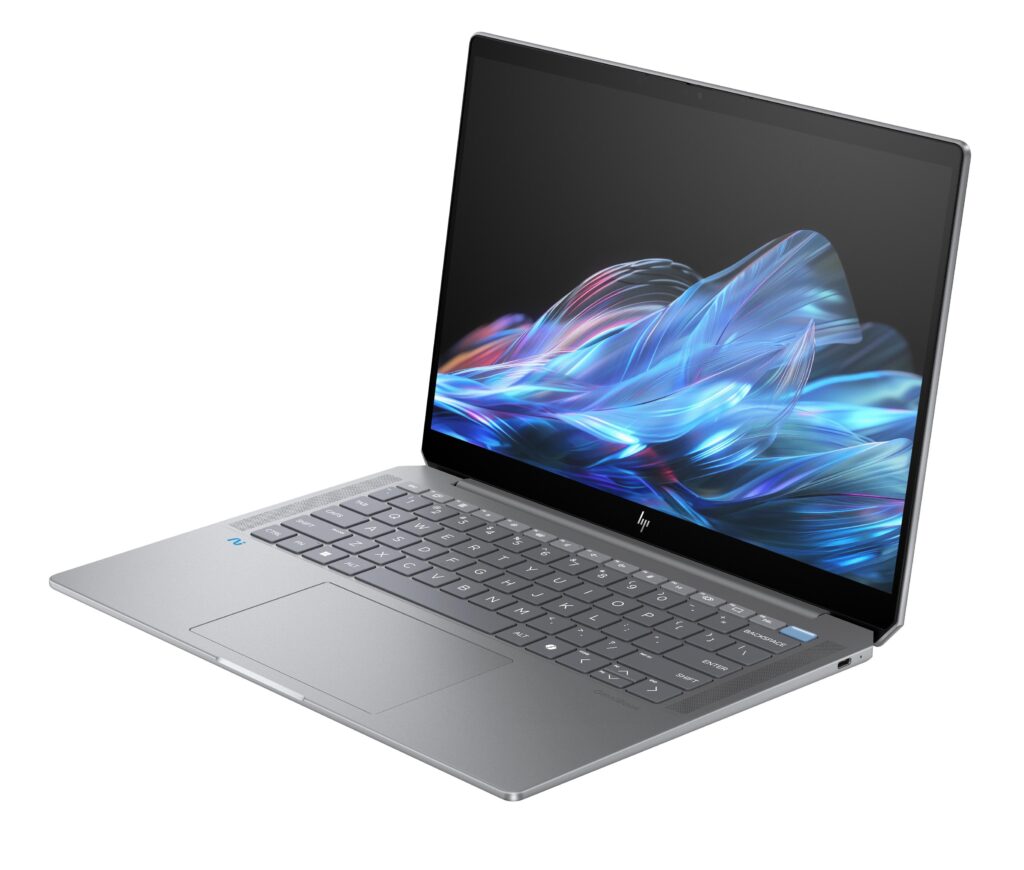
HP’s latest OmniBook Ultra 14 looks like the company’s strongest step yet toward replacing the old Spectre identity in the premium laptop space. The design and performance are widely positioned as the device’s biggest strengths, but two changes stand out for less favorable reasons: the new keyboard and the loss of a built-in USB-A port.
The shift matters because HP launched the OmniBook family in 2024 to take over the flagship role once held by Spectre in the prosumer and convertible segment. Early OmniBook Ultra 14 models still carried some Spectre-inspired details, including the diamond-cut styling, but the 2026 version is described as more independent and more confident in its own visual identity.
A More Mature Design Direction
One of the clearest takeaways from the newest model is that HP has finally given OmniBook a stronger personality. The laptop is presented as one that gets the look and performance balance right, rather than leaning too heavily on its predecessor’s design language.
That said, the transition is not entirely free of compromise. Some of the polish associated with the old Spectre family still feels difficult to match, which suggests HP is moving in the right direction without fully closing every gap in everyday experience.
The Keyboard Is the Most Debated Change
The biggest controversy centers on the keyboard redesign. HP replaced the chiclet layout used on the 2024 OmniBook Ultra 14 with a beveled layout on the 2026 model, and the result does not appear to be an upgrade for everyone.
The key feel is described as softer and shallower than before, which makes typing less satisfying than on the previous generation. That is a notable issue for a premium laptop, especially because Spectre and EliteBook machines have traditionally been known for excellent keyboards.
For users who spend long hours typing, this change could outweigh several of the laptop’s otherwise strong qualities. In a category where comfort matters as much as speed, the keyboard may become the deciding factor.
USB-A Is Gone, and That Changes Daily Use
Connectivity is the other area where the new OmniBook Ultra 14 moves in a less convenient direction. The latest model does not include an integrated USB-A port, a first for the OmniBook family.
That absence stands out because even the thinner OmniBook X still offers USB-A. Users who rely on older accessories may now need a USB-C adapter for routine tasks, which reduces the sense of plug-and-play convenience on a machine in this price tier.
There is also a broader industry trend behind the move. Notebookcheck notes that HP may be following other manufacturers in gradually removing legacy ports from slim laptops, and even the 3.5 mm headset jack could disappear on future OmniBook models, as Lenovo has already done with some Yoga Slim 7 Ultra devices.
Still One of HP’s Best Prosumer Choices
Despite those complaints, the OmniBook Ultra 14 remains one of HP’s most compelling prosumer laptops. Its performance is still considered strong, and its overall positioning keeps it near the top of the company’s premium lineup.
The main drawback is price, since the device is said to cost more than $2000. That makes the trade-offs more important, because buyers at this level will expect both strong hardware and a refined user experience.
For shoppers considering a premium HP laptop, the OmniBook Ultra 14 offers an appealing mix of design and power, but it also asks for compromise in two everyday areas. Whether that compromise is acceptable will likely depend on how much value is placed on typing comfort and old-fashioned port flexibility.