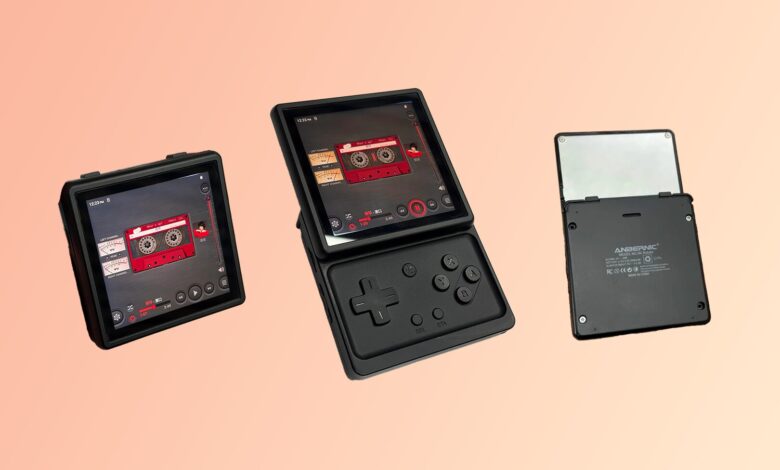
Anbernic has pushed the RG Rotate further into customization territory with a new lock screen update that goes beyond simple visual tweaks. The standout addition is support for custom clock faces, giving the compact emulation handheld a more personal feel.
That change matters because the lock screen is one of the most visible parts of the device in daily use. With a cleaner layout and user-made designs, the RG Rotate can now look less generic without changing its core hardware.
A cleaner lock screen and more control
The update adds several new lock screen elements, including new built-in clock styles and an option to hide the status bar. The hidden status bar gives the display a cleaner appearance and lets the clock design take center stage.
According to Retro Dodo, the custom clock face support is the most notable part of the update. That feature gives the community a simple way to build more creative designs than the included presets allow.
How the custom clock face setup works
Creating a custom clock face appears to be straightforward. Users prepare image files for the background and the three analog hands, then place them in the correct location inside the device’s internal storage.
The process relies on a folder named customize_clock. Inside that folder, the files need to be named clock_background, clock_hour, clock_minute, and clock_second.
That structure suggests a simple file-based workflow rather than a complicated editor. The setup is closer to drag-and-drop customization, which should make it accessible to users who want quick results.
For the clock hands, transparent image files are likely the most practical option. That approach allows the hands to sit cleanly over the background without leaving unwanted visual blocks behind them.
Built-in options are there, but the user-made designs stand out
Anbernic did include a few new preset clock faces in the update, but they are not the main attraction. The stronger appeal comes from the freedom to create a design that feels more distinctive than the official choices.
That is a natural fit for a retro gaming handheld, where personalization often matters as much as the games themselves. Owners usually want their devices to reflect their own taste, not just ship with factory visuals.
A community example shows the potential
Retro Dodo highlighted one example from Brandon Saltalamacchia, who shared image files for a clock face featuring a Pikachu sprite from Pokémon Red and Blue. The example shows how the feature can be used for designs that feel playful and tied to classic gaming culture.
If a design does not include number markers or other time indicators, those details have to be added manually to the clock_background file. That makes the system flexible, but it also places more responsibility on the user to make the final design readable.
The result is an update that does not change the RG Rotate into a radically different device, but it does make everyday use feel more personal. For a niche handheld, that kind of customization can matter just as much as a bigger feature headline.