An aging GPU does not have to become e-waste the moment it stops being ideal for a main PC. In many cases, it still has enough life left to handle focused jobs that are more practical than high-end gaming.
The same logic applies to older CPUs, which can remain useful long after they leave a primary desktop. The key is matching old hardware to lighter workloads, where stability and utility matter more than raw performance.
Home servers remain one of the best uses for old CPUs
Older CPUs can still be a sensible choice for a home server or NAS. Those systems do not need high frame rates or heavy multitasking, because their main jobs are storage, backups, media, and background services.
File sharing, automatic backups, Plex or Jellyfin, Pi-hole, Home Assistant, and light Docker setups can all run without cutting-edge hardware. In some cases, media features matter more than clock speed, especially when hardware transcoding is available.
Power use still matters, though, because a home server may stay on all day. A very old chip or an inefficient high-end model can cost more to run than its benefits justify.
Old GPUs are useful far beyond gaming
A GPU that feels too slow for a main gaming rig may still be valuable elsewhere. As long as driver support remains available, the fans work, and VRAM is sufficient for the task, the card can still serve a purpose.
Video encoding is one of the clearest examples, along with recording, streaming, and media processing. Older cards can also assist with Blender rendering, DaVinci Resolve, upscaling tools, and local AI experiments.
AI work is where expectations should stay realistic. A 10-year-old GPU cannot be treated like a serious AI machine, because both VRAM capacity and software support strongly limit what it can do.
Spare hardware can save time when problems appear
Keeping an old GPU or CPU also helps during troubleshooting. A spare graphics card can expose artifacting, display faults, and sudden performance drops, while an older CPU can still be useful if a compatible motherboard is available.
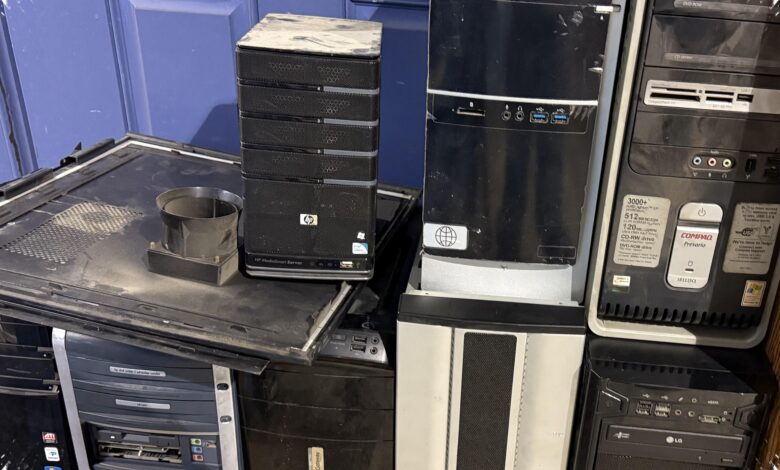
Loose spare parts often prove more practical than they first appear. A temporary PC built from old components can serve as a work machine, a BIOS flashing station, a Linux test box, a drive-testing system, or a safe place to try risky software.
That backup role becomes even more valuable when the main system fails unexpectedly. Instead of waiting for repairs, older parts can provide a fast diagnosis path and an emergency fallback.
When to keep them and when to let them go
Not every old CPU or GPU deserves to stay on a shelf. If a component is truly dead, its resale value may be minimal, and letting it go can be the more practical choice.
But if it still works, holding on to it often makes sense. Hardware that no longer belongs in a main PC can still become a home server, a troubleshooting tool, or a reliable backup machine later on.