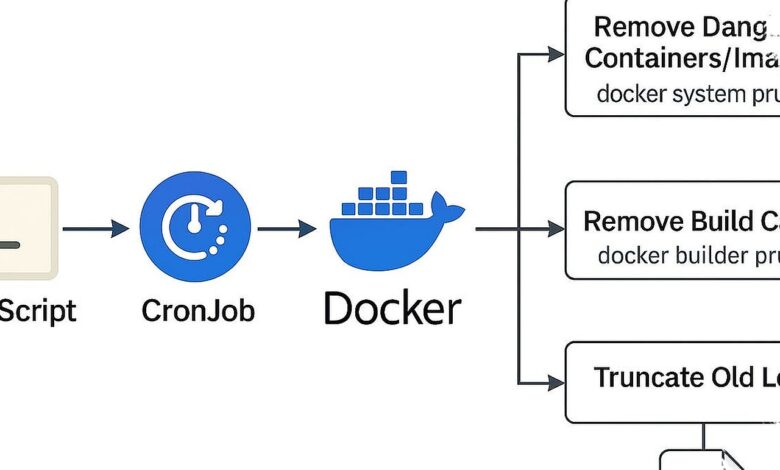
What looked like a routine cleanup inside Docker quickly turned into a full loss of FreshRSS, after the container tied to the service was removed with an aggressive command. The episode shows how easily a storage purge can cross the line from maintenance into accidental deletion.
The problem began when disk space shrank fast on a machine used heavily for experimentation. A check with docker system df showed that build cache, active images, inactive images, containers, and related volumes were consuming most of the storage.
Why the cleanup escalated
Docker was initially the main suspect because the system had been used almost exclusively for testing for a full week. Better cleanup options were available, including docker image prune --all and docker builder prune, but the mistake came from a command that included rm and removed the FreshRSS container itself.
That distinction mattered. In Docker, an image serves as the template for an application, while a container is the running instance built from that template, so deleting the container removes the live instance rather than putting it into a recoverable state.
| Docker Area | What It Does | Relevance Here |
|---|---|---|
| Build cache | Stores intermediate build data | Took up significant disk space |
| Images | Templates used to create containers | Included active and inactive items |
| Containers | Running instances of an image | The FreshRSS container was removed |
| Volumes | Hold related persistent data | Also contributed to storage use |
The recovery depended on prior preparation
There was still a path back because a rebuild plan had already been set up. FreshRSS was installed again from scratch using Docker Compose, following the same process used for the original setup.
The most important recovery step was importing feed subscriptions from an OPML file. That file had been exported earlier while experimenting with newsboat, and OPML served as the format for importing, exporting, and backing up the entire feed list.
After the new FreshRSS image finished building, a new user account was created first. The menu path Subscription Management > Import/Export > Import was then used to select the OPML file, and the RSS feeds from the previous instance came back successfully.
FreshRSS returned with better settings and safer backups
Once the service was running again, several preferences were changed. Options such as Hide articles after reading and Clicking outside of article text area closes the article were enabled because they were considered better than the earlier configuration.
A new backup routine also followed. The OPML file was exported through Subscription Management > Import/Export > Export and downloaded as a ZIP file, ensuring a copy of the feeds would remain available if the same mistake happened again.
That experience turned into a regular habit. OPML backups are now created whenever a feed is added or removed, roughly every two weeks.
A small mistake with a clear lesson
The incident underlines a familiar risk in hobby projects: experimentation allows room for errors, but careless command-line cleanup can still wipe out something important. The loss of personal feeds was manageable, yet the episode made it clear that Docker commands should never be guessed at during storage cleanup.
With a proper backup in place, FreshRSS could be rebuilt and its subscriptions restored. The result is a practical reminder that even when a Docker container is gone, recovery can still be straightforward if the data has been prepared in advance.