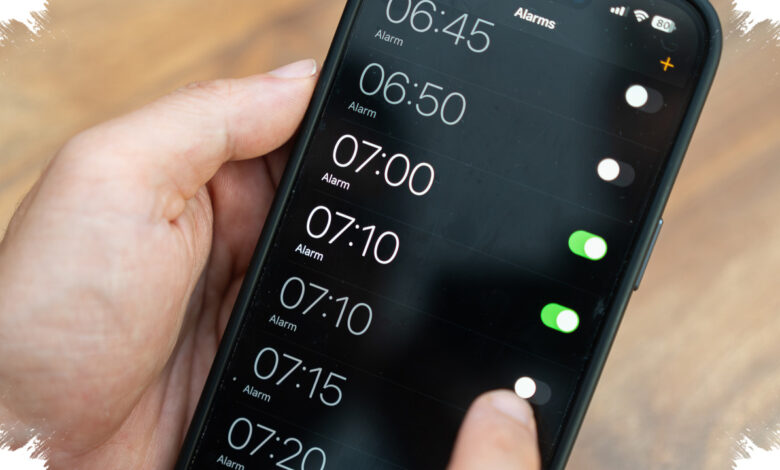
Apple is giving iPhone users a more precise way to manage sound in iOS 27, and the biggest change is simple but important: alarm volume can now be adjusted separately. For many users who rely on their phone to wake them up, that means less guesswork and fewer accidental oversights.
The update addresses a familiar iPhone limitation that tied several sound controls together. Until now, ringtone, notifications, and alarm behavior were closely connected through the same volume setting, which made fine-tuning difficult in everyday use.
More control over the sounds that matter most
With iOS 27, users can now manage alarm volume independently through Settings > Sounds & Haptics. Apple also adds a Match Ringtone Volume toggle that can be turned off for more detailed control.
This change means an alarm no longer has to follow the same volume level used for calls or other system sounds. Users can raise the alarm louder without affecting the rest of the phone’s audio behavior.
That adjustment directly responds to a complaint that has followed the iPhone for years. Some users have reported alarms that were too quiet or difficult to hear because they were still linked to system volume settings.
In some cases, that issue has even been blamed for people waking up late. As a result, this update feels more practical than cosmetic, especially for anyone who depends on the iPhone as a daily alarm clock.
| iOS 27 sound control | What changes | User benefit |
|---|---|---|
| Alarm volume | Adjusted separately | Alarm can be louder without changing other sounds |
| Match Ringtone Volume | Can be turned off | More granular sound management |
| Sound categories | Ringtone, alarm, timer, and system sounds | Cleaner separation of audio settings |
Apple moves closer to Android’s long-standing approach
The new structure brings iPhone closer to what Android users have had for a long time. On Android, different sound types are generally managed independently, giving users more flexibility from the start.
Apple is now separating volume into several categories, including ringtone, alarm, timer, and system sounds. That makes the phone easier to tailor to personal habits without forcing one setting to affect everything else.
The update also keeps older habits in mind. Users who prefer the previous combined approach can switch back to the familiar mode if they do not want separate sound control.
That flexibility gives iOS 27 a broader appeal, because it supports both users who want more precision and those who still prefer a simpler setup. For everyday use, the most visible impact is that the alarm can finally be tuned on its own.
The change also highlights Apple’s broader focus on practical comfort in iPhone software. Instead of asking users to work around a shared volume system, iOS 27 lets them set the phone’s alert behavior more deliberately.