


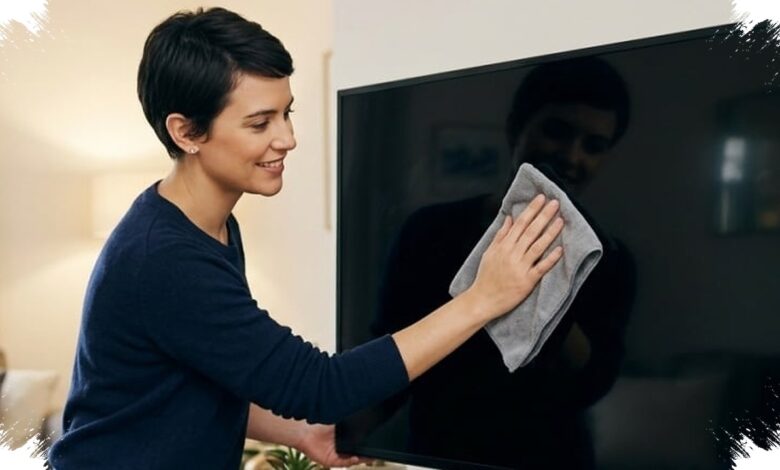
Cleaning an LED TV screen seems simple, but one wrong cloth or cleaner can leave permanent marks. LED, LCD, and OLED panels are far more delicate than older tube televisions, so excess pressure or unsuitable liquids can damage the protective layer and even affect pixels.
The safest approach starts before the cloth ever touches the screen. The television should be turned off and unplugged first, both for electrical safety and to make dust, fingerprints, and smudges easier to see on a dark surface.
Why microfiber is the safest choice
A soft microfiber cloth is the most reliable tool for routine cleaning. It lifts dust effectively without scratching the surface, and it works best when used with light pressure rather than force.
Cleaning should be done slowly, using gentle strokes in one direction or small circular motions. Heavy pressure can stress the panel and cause damage that is difficult to repair.
How to handle stubborn marks
When dry wiping is not enough, the microfiber cloth can be slightly dampened with distilled water. A screen-specific cleaner may also be used, but it should always be sprayed onto the cloth instead of directly onto the television.
Direct spraying is risky because liquid can seep into the frame gap and create an electrical problem inside the device. A careful wipe with a lightly damp cloth is enough for most stubborn spots, and the process can be repeated gently if needed.
After cleaning, a dry part of the microfiber cloth should be used to remove any remaining moisture. The screen must be completely dry before the TV is plugged back in and turned on.
What should never be used
Glass cleaners are not suitable for LED screens because harsh ingredients such as ammonia or alcohol can damage the coating. Paper towels and tissue are also poor choices, since their texture can leave fine scratches that become more visible over time.
Sharp objects and fingernails should never be used to scrape away dried dirt. That kind of handling can ruin the outer layer and leave permanent marks on the panel.
Turning the TV on while the screen is still wet should also be avoided. Heat and leftover moisture can combine to create stains or worsen damage to internal components.
| Recommended Action | What to Use | What to Avoid |
|---|---|---|
| Routine dust removal | Dry microfiber cloth | Paper towels, tissue |
| Stubborn spots | Microfiber cloth with distilled water | Direct liquid spray on screen |
| Cleaning products | Screen-specific cleaner sprayed on cloth | Glass cleaner with ammonia or alcohol |
| Drying step | Dry microfiber cloth before powering on | Turning the TV on while wet |
A careful routine keeps the display clear without creating avoidable damage. The key is simple: use a soft cloth, keep liquids under control, and avoid any material that can scratch or weaken the screen surface.