A phone can continue to run normally even after its security protections are no longer updated. That is why users should check the Phone Support Period rather than relying only on how long they have owned the device.
When operating system and security updates stop, the device does not immediately become unusable. However, it may become more exposed to malware and hacking because routine protection is no longer refreshed.
Support duration varies by manufacturer and device category. Premium models such as the Samsung Galaxy S26 and the latest Google Pixel phones are said to receive operating system and security updates for up to seven years.
Some mid-range Xiaomi and Motorola phones, meanwhile, generally receive support for about three years from launch. The specific model matters because devices from the same brand can follow different update policies.
| Device Category | Examples | Estimated Support |
|---|---|---|
| Premium | Samsung Galaxy S26, latest Google Pixel | Up to 7 years |
| Mid-range | Xiaomi, Motorola | Generally 3 years from launch |
Using warranty information for an iPhone
iPhone owners can use warranty details to estimate when a device was first activated. This can be particularly useful when the purchase date or original box is no longer available.
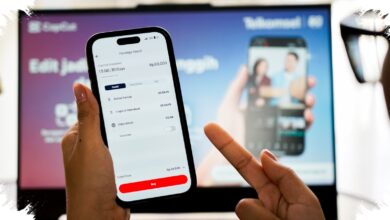
Open Settings, select General, then About, and note the number listed under Serial Number. The serial number can then be entered into Apple Check Coverage in a browser along with the verification code.
The service provides information including the Valid Purchase Date and warranty status. Users can estimate the first activation date by subtracting one year from the displayed warranty end date.
Warranty information does not by itself determine when an iPhone will stop receiving updates. Still, the iPhone Activation Date offers a more reliable indication of device age than an approximate purchase date.
Finding an Android device’s update status
Android users should first identify the complete model name through the Settings menu. A specific name, such as Samsung Galaxy A73, is important because older models may not receive support for as long as newer devices.
CNN Indonesia reported that users can check listed devices through endoflife.date by selecting Device, choosing the phone brand, and searching for the appropriate model. The site provides release timing, Android update coverage, and security update information for available devices.
Yellow and red warnings on the site indicate devices that are nearing the end of support or have already passed it. This helps users assess the status of Android Security Updates before continuing to use a phone as their main device.
Extra caution is advisable when security updates have ended, especially when installing applications, opening links, or storing important data. Checking support status can also help buyers evaluate used phones before making a purchase.