


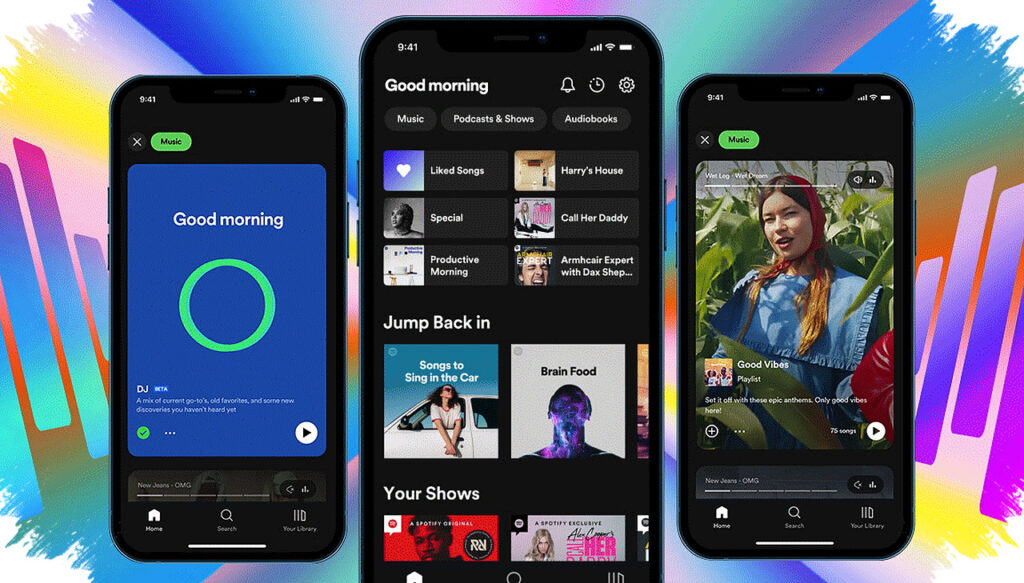
Spotify has rolled out a long-requested control that lets users turn off video content across the app, a move that puts audio back at the center of the streaming experience. The update applies globally and is available to both free users and paid subscribers.
The change comes after years of complaints from listeners who wanted Spotify to stay focused on music and podcasts instead of adding more visual elements. Spotify now says users can disable music videos, other video content, and Canvas-style visuals through the app’s settings.
Spotify gives users a clearer audio-first experience
Spotify built its name as a music streaming service, but its video features have expanded over time. Music videos arrived first in select international markets and later reached the United States late last year, bringing Spotify closer to rivals such as YouTube Music and Apple Music.
Even so, the company had not offered a simple way to switch off video content entirely until now. According to Spotify’s announcement, and reporting cited by The Verge, the new controls are designed to let users shape the app around their own listening preferences.
The feature sits in Settings > Content and display, where Spotify has split the controls into separate toggles. That structure gives users more choice than a single on-or-off button would have done.
What users can turn off
Spotify’s update does not remove every visual element at once. Instead, it lets users adjust specific parts of the app experience depending on what they want to see.
- Music videos – turns music videos on or off.
- All other videos – disables other video content, including vertical creator clips and video podcasts.
- Canvas – switches off the short looping visuals that play while a track is running.
This separation matters because listening habits vary. One user may want to block music videos but still watch podcast episodes, while another may want a pure audio interface with no extra visuals at all.
The settings also work across platforms. A change made on one device should carry over to mobile, desktop, TV, and the web version of Spotify.
Free users and paid subscribers both get access
One notable part of the rollout is that Spotify did not limit the new controls to premium subscribers. The company says the feature is available to both free and paid accounts.
That is important because many digital platforms usually reserve advanced controls for premium tiers first. Spotify’s choice makes the update more broadly useful, especially for users who only want a simpler listening environment.
The company also expanded controls for family accounts. Family plan managers already had the ability to manage video visibility for users under 13. Now, Spotify says similar controls are also available for regular Family Plan members, giving account managers more flexibility over what appears on shared accounts.
Video ads are still part of the mix
Although the update gives users more control, it does not create a completely visual-free app. Spotify says users may still see video ads, along with Canvas-like visuals in some audio ads.
Spotify stated, “Users will still see video ads, as well as Canvas-like visuals on some audio ads.” That means the new controls are aimed mainly at organic video content inside the app, not every visual element tied to advertising.
The result will also differ by account type. Free users are likely to encounter more video ads than premium subscribers because advertising remains part of the free tier’s business model.
How to check whether the feature is available
The rollout is global, but it is not arriving everywhere at the same time. Spotify has not published a country-by-country timetable, so some users may see the settings immediately while others may have to wait.
To check for the feature, users can follow these steps:
- Open the Spotify app.
- Go to Settings.
- Tap Content and display.
- Look for toggles for Music videos, All other videos, and Canvas.
If the options are missing, the update may still be rolling out to that account or region. Because the setting syncs across devices, one change should affect the same Spotify account on multiple platforms once it becomes available.
Spotify’s move reflects a wider shift in streaming, where some users now want fewer distractions and more control over how content appears. For listeners who mainly use the service for music and audio podcasts, the new video switch marks a practical return to a simpler, audio-first Spotify.