Xiaomi is strengthening one of the biggest reasons many users stay loyal to Apple: fast, seamless file transfer between a phone and a MacBook. With its cross-device connectivity tools, the company now offers an experience that feels close to AirDrop, and for some users, that alone may be enough to reconsider their next phone upgrade.
The appeal is simple. Many people do not choose a device only for hardware specs, but for how smoothly it works with the laptop they already use every day. In that space, Xiaomi is making a notable push, especially for users who want faster transfers without relying on email, messaging apps, or cloud storage.
A Familiar Convenience, Now on Xiaomi Devices
According to Tech Advisor contributor Anurag Singh, Xiaomi’s interconnectivity feature lets a phone connect directly with a MacBook through a dedicated app available on the App Store. The process is designed to feel natural, with file sharing starting from the phone’s share menu and ending with the MacBook appearing as a nearby device.
Once the MacBook is selected, the file is transferred within seconds. That speed matters because it removes one of the most common frustrations in Android workflows, where users often depend on slower or less elegant alternatives such as WhatsApp, email, or cloud uploads.
Singh said the convenience was striking enough to challenge a long-held habit. He noted that AirDrop had been one of the main reasons he stayed with the iPhone, writing, “I’ve always gone back to iPhone because I didn’t want to lose AirDrop.” His experience with the Xiaomi 15T Pro and Xiaomi 17 changed that view.
Why This Matters to iPhone Users
For many iPhone owners, AirDrop is not just a nice extra. It is part of the daily routine, especially for anyone moving photos, documents, or screenshots between a phone and a MacBook.
That is why Xiaomi’s move is drawing attention. It targets a practical need that can outweigh raw performance numbers, camera megapixels, or chipset benchmarks in real-world use. A phone that fits smoothly into a laptop-based workflow often feels more valuable than one that wins on paper alone.
The shift is also important because Android brands have long struggled to match Apple’s ecosystem feel. Xiaomi’s latest approach suggests that the gap is narrowing in everyday tasks that matter most to mobile users.
Beyond Basic File Sharing
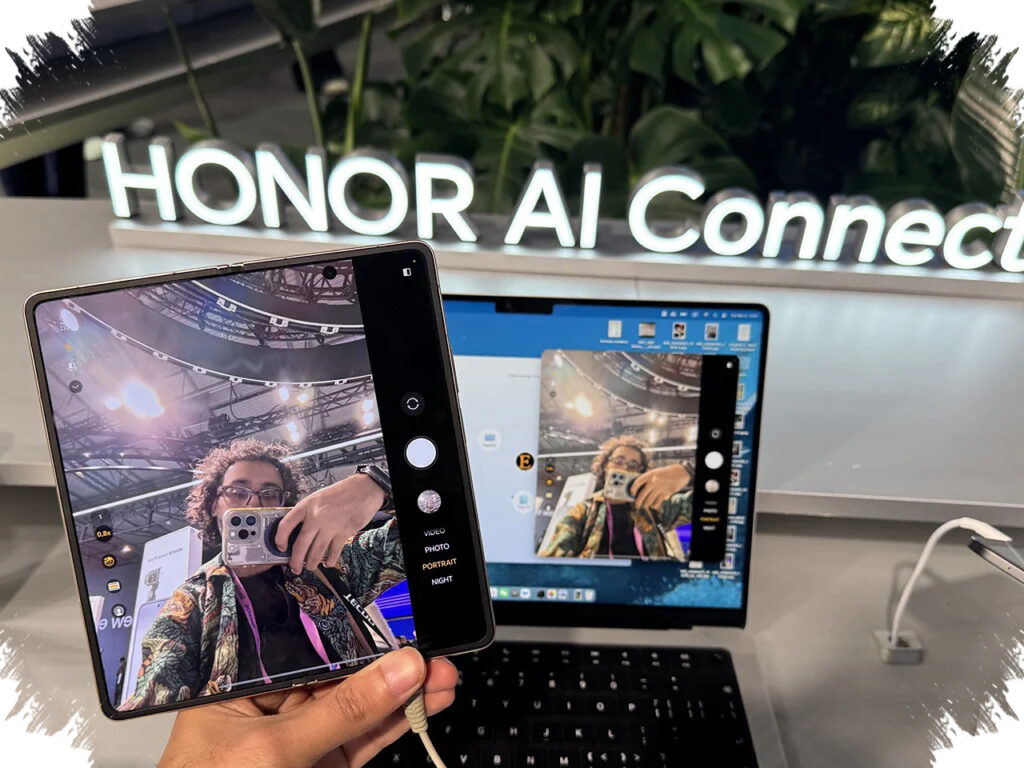
Xiaomi’s connectivity features go beyond sending files from phone to laptop. The system also lets users view and control the phone screen from the Mac, making it possible to open apps, browse photos, or reply to messages without touching the handset.
That can be useful in situations where the phone is charging in another room or already in use for something else. Singh said that this kind of control made the experience more practical in daily life, especially when the device was not immediately accessible.
The feature set also includes remote options such as finding the device, locking the phone, and turning on a hotspot from the laptop. Together, these tools turn Xiaomi’s ecosystem into a broader productivity feature rather than a single-purpose transfer function.
How the Xiaomi-to-MacBook Transfer Works
- Open the gallery or file manager on the Xiaomi phone.
- Tap the share button.
- Select Xiaomi Share.
- Wait for the MacBook to appear as a nearby device.
- Tap the MacBook, and the file sends in seconds.
This process is simple enough to reduce dependence on extra apps or complicated steps. For users who often switch between a phone and a laptop, that simplicity can become one of the most noticeable differences in daily use.
A Real Challenge to Apple’s Comfort Zone
Singh noted that there may still be a slight delay when mirroring screens, but he still found the overall experience strong enough for everyday tasks. His broader point was clear: the value of the feature lies not in copying Apple, but in solving a problem that users feel every day.
That perspective helps explain why Xiaomi is becoming more interesting to people who once considered Apple’s ecosystem hard to replace. If a non-Apple phone can offer near-AirDrop convenience, plus added tools for remote access and device management, the argument for staying locked into one ecosystem becomes less absolute.
For users who own both a MacBook and a Xiaomi phone, the experience may now be close enough to feel familiar while offering the flexibility of Android. That combination could prove especially attractive for iPhone users who have been waiting for a smoother cross-device alternative without giving up laptop compatibility.