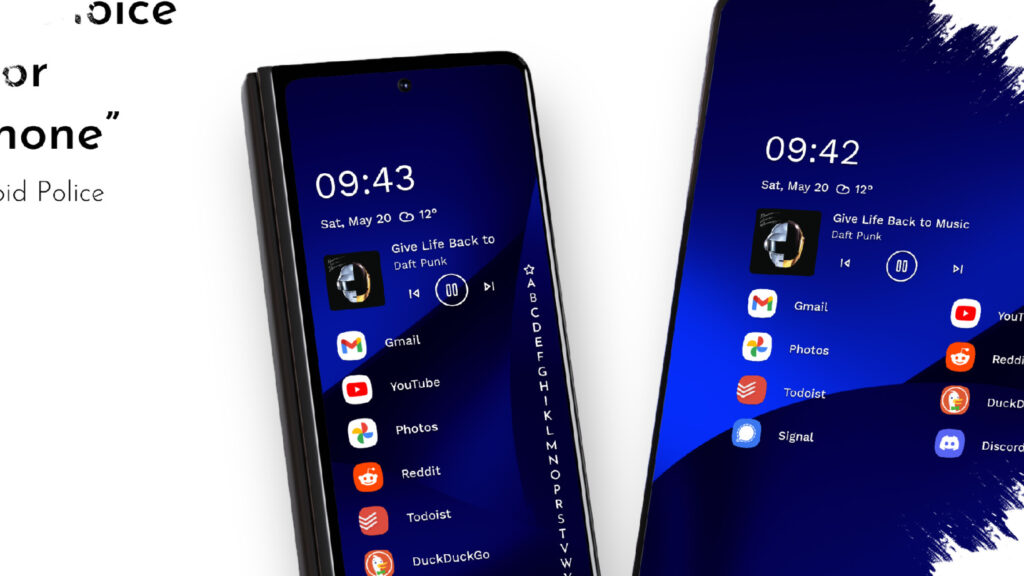
Niagara Launcher is getting a more flexible update without giving up the clean look that made it stand out on Android. The latest change introduces Niagara Studio, a central place where theme, icon, and visual settings can now be managed more easily.
For users who have always found launcher customization on Android a little scattered, this update brings a more orderly workflow. Instead of jumping between different tools, Niagara now lets more of the visual setup happen from one place while keeping the interface simple.
A cleaner way to customize
According to Android Authority, Niagara Studio first reached users through the community channel before rolling out more broadly through a Google Play app update over the following weeks. Once installed, the theme menu appears inside Settings, and a Create Theme option is available for starting a new look.
That shift matters because Niagara has long handled customization in a more fragmented way. With this update, visual controls are grouped into a single editor, which makes the process feel less scattered and easier to follow.
What Niagara Studio changes
The new studio does not change the launcher’s core identity. Niagara still uses a vertical app list instead of a traditional icon grid, so the focus remains on reducing distractions and keeping the home screen efficient.
What changes is the amount of freedom available around that minimalist base. Users can now shape the home screen’s appearance without relying on separate apps for wallpapers, icons, and widgets.
- Theme creation is now easier to access from Settings
- Theme switching and sharing take fewer steps
- Wallpaper, icons, and system colors can be aligned in one workflow
- The overall visual setup stays consistent instead of looking mixed together
Anycons gets a wider role
One of the most noticeable parts of the update is the expansion of Anycons, Niagara’s adaptive icon system. It helps apps look more uniform even when the original developer does not provide a custom icon.
Android Authority noted that the expanded Anycons lineup includes styles such as Stellar and Watercolor. Those options give users more room to express a personal style while still preserving Niagara’s minimalist appearance.
More than appearance alone
The update also adds practical improvements beyond visuals. The search bar now includes web suggestions and quick calculations, making it more useful for simple daily tasks without opening other apps.
Niagara Pro users get an additional convenience feature as well. Contacts can be searched and then used directly for calls or messages from the alphabet scroll bar, which matches Niagara’s focus on fast access.
Updated studio identity
Along with the product changes, Niagara’s development studio has also been renamed to Mellowdrop Studio. The new identity is described as reflecting a young, independent, creative, and energetic team.
The branding change does not alter the launcher’s direction. Niagara still stays clean and functional, but the new Studio update gives users more control over how personal the home screen feels without making the experience more complicated.
Source: www.androidauthority.com