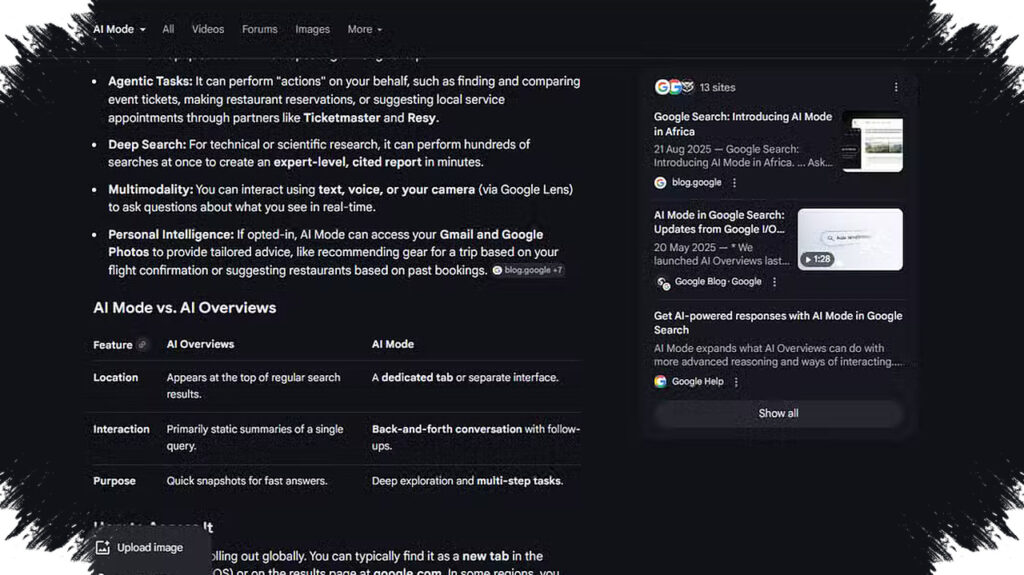
Google is pushing its AI search experience deeper into Windows, and the latest update makes that access feel much more direct. Instead of starting in a browser, users can now open Google’s AI Mode from a desktop app, turning search into something that sits closer to the operating system itself.
The rollout is broader than before. Google said the Windows app is now available more widely around the world in English, moving beyond its earlier U.S.-only limit and giving more Windows users a faster way to search from the desktop.
A desktop shortcut to search, files, and apps
The new Google app for Windows is designed to bring several kinds of search into one place. It combines web search, local files, installed apps, and Google Drive files inside a single quick-access box.
Users can open that box with the keyboard shortcut Alt + Space. From there, they can search the web, look through files stored on the PC, launch installed apps, and reach Drive content without switching windows first.
Google described the feature in its own wording: “Access everything from the Search box: With a simple keyboard shortcut (Alt + Space) you can instantly find what you need on your desktop—including information from the web, your computer files, installed apps, and Google Drive files.”
AI Mode no longer depends on a browser first
One of the biggest changes is how Google separates AI search from the browser experience. The app lets users enter AI Mode directly, which means the search flow starts on the desktop rather than inside Chrome or another browser.
That shift matters for speed and convenience. It also shows how Google is positioning AI Search as a core part of how people find information, rather than an extra feature added on top of regular search results.
For users who move constantly between documents, programs, and internet queries, the new setup reduces the number of steps needed to find what is needed.
Lens now extends to the Windows desktop
Google also added Lens support to the Windows app. This gives users a visual search tool that works from the desktop and uses screenshots as input for analysis.
With Lens, users can upload a screenshot for Google’s AI to examine. The feature can identify objects, copy text from images, and translate visual content more quickly.
That makes the tool useful in a range of everyday tasks, including working with presentations, documents, images, or screenshots taken from other apps.
What the Windows app currently offers
- Direct access to Google AI Mode without opening a browser.
- Web search from the desktop.
- Search across files stored on the Windows computer.
- Access to installed applications.
- Search in Google Drive files.
- Desktop visual search through Lens.
- Quick launch using Alt + Space.
Google’s move also reflects how much its AI search products have evolved. Early AI Overviews drew attention after some incorrect answers went viral, including a widely shared suggestion about adding glue to pizza to keep the cheese in place.
Since then, Google has continued refining the quality of its results and adjusting how AI features appear across its products. In Windows, that effort now shows up as a unified desktop search experience that brings AI, files, apps, and web content into one place.
For now, the app remains available globally in English, and support for other languages has not been broadly announced. Even so, the update makes clear that Google wants AI Search to become a central entry point for desktop use, not just a feature hidden inside a browser tab.