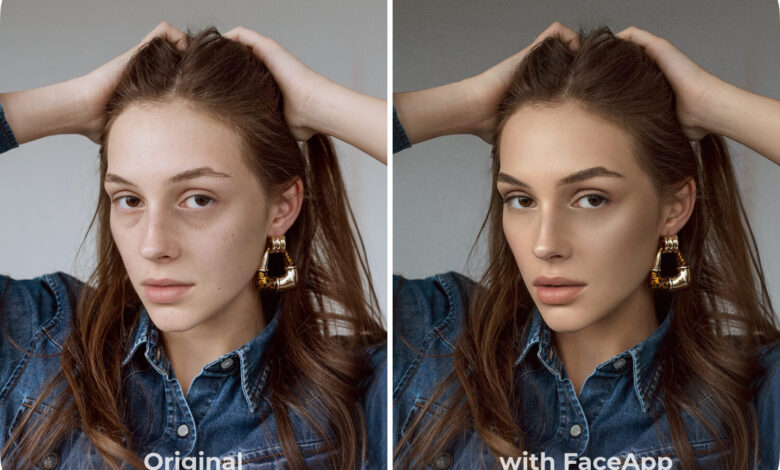
Natural-looking selfies are becoming easier to create as more users turn to Gemini AI for subtle photo enhancement. The appeal is straightforward: keep the image attractive while preserving the spontaneous, warm, and authentic feel of the original moment.
This preference reflects a wider visual trend that favors real expression over overly staged poses. AI is increasingly being used not to replace a person’s face, but to refine the image while keeping identity and character intact.
Why natural selfies continue to stand out
Selfies that look natural often feel closer and more believable at first glance. Expressions that remain relaxed also help create a stronger emotional connection with viewers.
That is why this style is frequently chosen for social media, professional profiles, and personal use. Modern photography also values spontaneous moments because they tend to look more alive and less rigid.
The role of precise prompts
In AI photo editing, clear instructions matter greatly. A detailed prompt helps the system understand the intended mood, expression, lighting, and overall character of the image.
The best results usually come from directions that emphasize realism. Soft lighting, lively eye contact, and natural skin texture can all help keep the final image from looking exaggerated.
Photogenic selfies are not always about perfect facial symmetry. Gentle lighting, comfortable eye contact, and a fitting background often have a bigger impact on the final result.
Six prompt styles for a more realistic result
Several Gemini AI prompts can be used to make selfies feel more lifelike. The pattern is similar in each one: preserve the original face, then adjust the camera angle, expression, lighting, and background so the photo feels authentic.
The first prompt asks for a camera angle slightly above eye level, around 20 degrees higher, with the head tilted slightly upward and a subtle natural smile. A city park background, side lighting from the afternoon sun, and a light blur effect are used to reinforce the feeling of a spontaneous selfie.
The second prompt points to a modern selfie with the camera placed slightly above the face and shifted to the right. It combines a relaxed expression, cafe window light, and a modern interior background so the result looks like a high-quality smartphone photo.
The third prompt uses a camera angle about 25 degrees higher to create a social-media-style selfie. The face is directed slightly upward, with golden hour light, a modern city street background, and a natural bokeh effect.
The fourth prompt keeps the face as the main focus with a camera placed slightly above eye level. It calls for a light smile, soft morning illumination, and a calm beach background with realistic blur.
The fifth prompt presents a premium selfie with the camera positioned higher and angled slightly downward. A modern library background, warm expression, and natural surrounding light are used to create a professional yet still natural impression.
Night scenes and visual detail
The sixth prompt is designed for a nighttime portrait with the camera angle 15 to 20 degrees above the face. A rooftop background with city-light bokeh, balanced night lighting, and a relaxed, confident expression are used to keep the result authentic.
Across all six examples, the same details are carefully preserved: the original facial identity, natural skin tone, skin texture, and lively eyes. That approach makes the final image feel much closer to a real selfie taken directly with a premium smartphone camera.
The broader lesson is that natural selfie quality does not depend on heavy effects. Instead, the right prompt, soft lighting, a suitable angle, and a supportive background are what make the image feel real.