


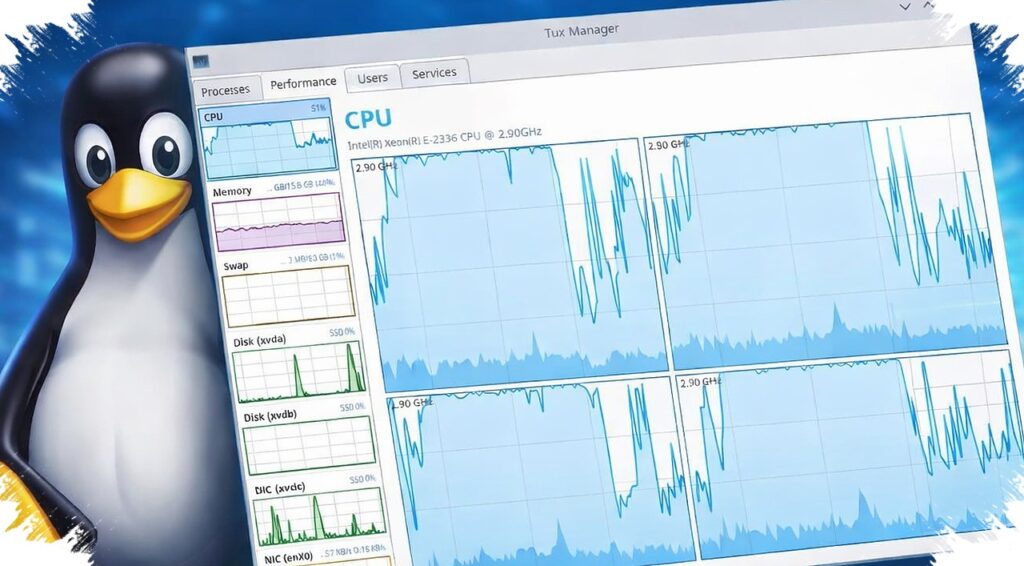
For Linux users who miss the simplicity of Windows’ Task Manager, Tux Manager is designed to fill that gap with a familiar layout and a light footprint. The application is presented as a practical monitoring tool that keeps the focus on core functions without adding unnecessary complexity.
Rather than trying to reinvent system monitoring on Linux, Tux Manager aims to make the experience feel immediately understandable. It is built to show processes, resource usage, and basic control options in a way that feels close to what many users already know from Windows.
A familiar interface for a different platform
The main appeal of Tux Manager is its effort to reduce the adjustment period for users who are new to Linux. Many system-monitoring tools already exist on the platform, but they do not always feel intuitive to people coming from Windows.
Tux Manager takes the opposite route by leaning into a Task Manager-like presentation. That familiar visual approach can make it easier to inspect running processes, track system load, and handle unresponsive applications without having to learn a fresh workflow first.
Built with Qt and designed to stay lightweight
The project’s technical foundation is one of its key selling points. Tux Manager is built with Qt, and the developer says that choice helps the app load quickly while avoiding excessive resource usage.
That matters for a system-monitoring tool, since the application itself should not become a burden on the machine it is checking. In a Linux desktop environment, keeping RAM and CPU usage low is especially important when the goal is to observe performance rather than add to the load.
The developer also describes the project as following a “KISS” approach, meaning keep it simple. That philosophy is reflected in the emphasis on a small codebase, minimal system footprint, stability, and easier debugging.
A simple development philosophy
Tux Manager is not positioned as a feature-heavy package. Instead, the project intentionally avoids unnecessary complexity and extra functions that are not essential to its core purpose.
The developer’s stated priorities include keeping the application simple, reducing RAM and CPU usage, improving reliability, and trimming third-party dependencies beyond Qt. The project also aims to keep packaging straightforward and documentation complete.
Those choices show that the app is not only trying to resemble Task Manager visually. It is also being shaped around practicality, stability, and ease of maintenance, which fit well with how many Linux users expect desktop tools to behave.
Main distribution and install options
Tux Manager is available through GitHub, which serves as the project’s primary distribution hub. Users can also find multiple installation paths, including packages for popular distributions, an AUR entry, and support through a Nix flake.
That range of options matters because Linux users often rely on different package ecosystems. Broader packaging support makes adoption easier and reduces the need for manual builds, which can be a barrier for less technical users.
The developer also stresses that packaging should remain simple, ideally requiring only a script or a one-line command. That approach extends the project’s convenience beyond the app itself and into the installation process.
Why the project is getting attention
Tux Manager stands out because it treats familiarity as a feature. On Linux, a polished system tool does not always need to look new; sometimes it only needs to feel understandable from the first launch.
For users who have recently moved away from Windows, that can make a meaningful difference. A recognizable interface can lower friction when checking processes, reviewing resource consumption, or closing problematic programs.
Tux Manager therefore arrives as more than a visual imitation. It combines a familiar workflow, a lightweight Qt-based design, and flexible installation support in a way that may appeal to Linux users who want a straightforward alternative for everyday system monitoring.
Source: www.xda-developers.com