A blurry night photo on iPhone often has less to do with weak camera hardware than with how the shot is taken. In low light, the phone needs more time to gather detail, and that longer exposure makes even minor hand movement enough to soften the image.
That is why a simple switch to the main 1x camera can make a noticeable difference. Source guidance from iPhone Photography School emphasizes that the sharpness of night images usually depends on stability, lens choice, shooting mode, and how the file is processed, rather than on one setting alone.
Why low-light shots lose sharpness
When the scene gets dark, the iPhone must capture more information to preserve detail. That process extends the time the camera spends recording the image, which increases the chance that small shakes will appear as blur.
This means the problem is often not that the phone cannot shoot well at night. The real issue is that the device needs to stay still long enough for the exposure to finish without interruption.
The main 1x lens is usually the safest choice
Many users switch between all available lenses at night, but the source makes clear that the main 1x camera is the best option in low light. The reason is the larger sensor, which can collect more light than telephoto or ultra-wide lenses.
A larger sensor generally produces cleaner detail and a more usable image in darker scenes. By contrast, the telephoto lens is more vulnerable to blur and typically requires a more demanding shooting setup, especially when no tripod is available.
For that reason, moving back to the 1x camera can be the fastest way to improve a night photo without installing extra apps or changing advanced settings.
Stability matters more than many settings
Keeping the iPhone steady is one of the most practical ways to improve a dark shot. Holding the phone with both hands and tucking the elbows close to the body can reduce small movements that are easy to overlook.
If possible, the device should be placed against a solid surface such as a table, wall, or railing. Even a simple support can help the camera remain quiet while the exposure is still running.
A tripod offers a stronger solution in darker conditions, especially when Night mode is active. It reduces the risk of shake and gives the camera a much better chance of producing a sharper frame.
Night mode helps, but only when the phone stays still
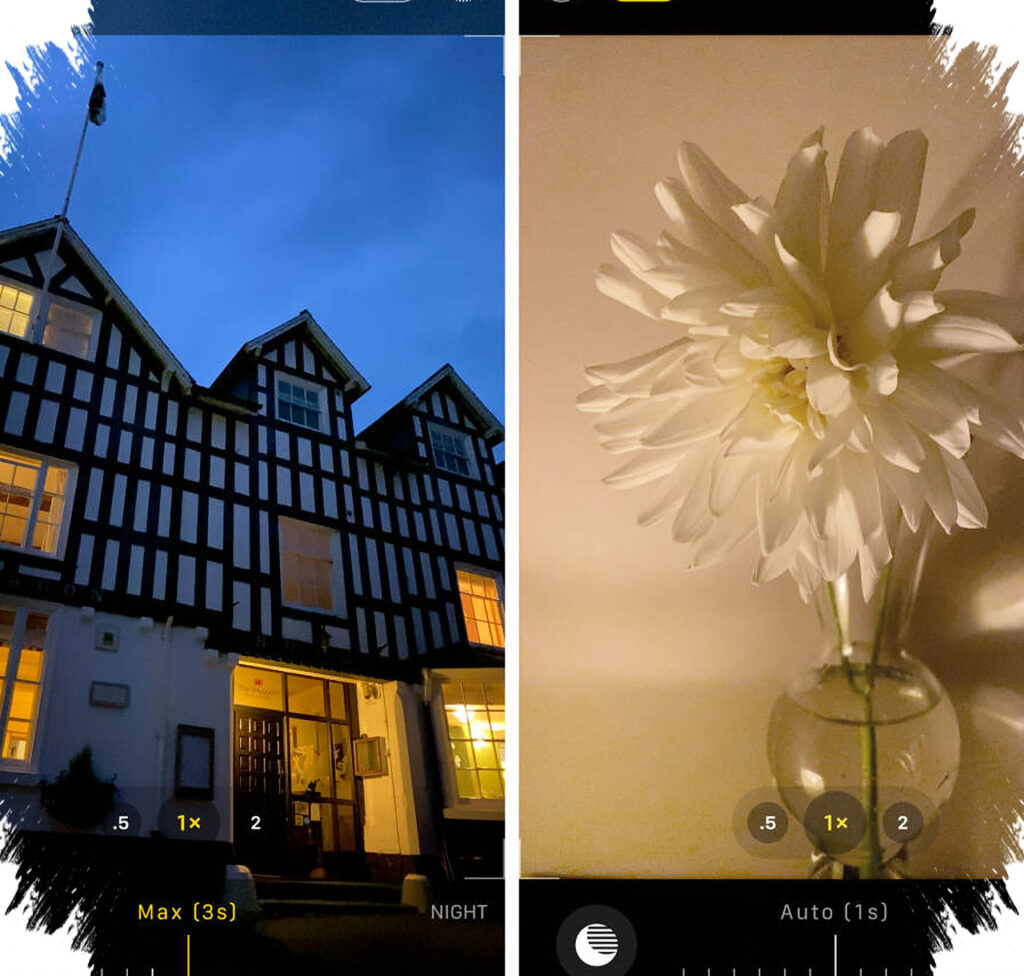
Night mode is designed to improve images in dim environments by extending the exposure time. The feature allows the camera to gather more light and more visible detail, but it still depends on steady handling throughout the process.
If the iPhone moves while Night mode is working, the result can still look soft. The feature can be adjusted through the Night mode icon, allowing exposure length to be tuned according to the scene.
Longer exposure may help in very dark places, but the phone still has to remain stable while the camera completes the capture. That balance between brightness and motion control is what shapes the final result.
Small capture habits can improve the result
Pressing the shutter can create enough motion to affect sharpness, so a timer or remote shutter can be useful. This reduces the chance that finger contact will disturb the phone at the critical moment.
Taking multiple photos of the same scene also increases the odds of getting at least one frame that stays sharp. In night photography, small differences in steadiness from one shot to another can lead to very different outcomes.
Available light in the environment can also help the camera read the scene more effectively. Street lamps, window light, or even candlelight can add visual structure and make the frame easier to process in a dark setting.
ProRAW gives more room for editing
For users who want more flexibility after the shot is taken, ProRAW is a valuable option. The format combines RAW-style editing freedom with computational processing such as Night mode, giving the file more image data than standard JPEG.
That extra data can help preserve detail in bright and dark areas, while also making exposure, color, and noise adjustments more usable during editing. It is a practical choice for night photos that need a more natural look without losing fine detail.
Light post-processing can also help. Simple adjustments to brightness, contrast, and sharpness may improve the final image once the shot has already been captured.
The source also notes that Night mode images are limited to 12 megapixels regardless of the iPhone’s resolution settings, so the main focus remains on technique rather than on headline resolution numbers. Using the 1x lens, keeping the phone stable, applying Night mode properly, and choosing ProRAW when needed are the core steps that can turn a blurred night shot into a much clearer image.