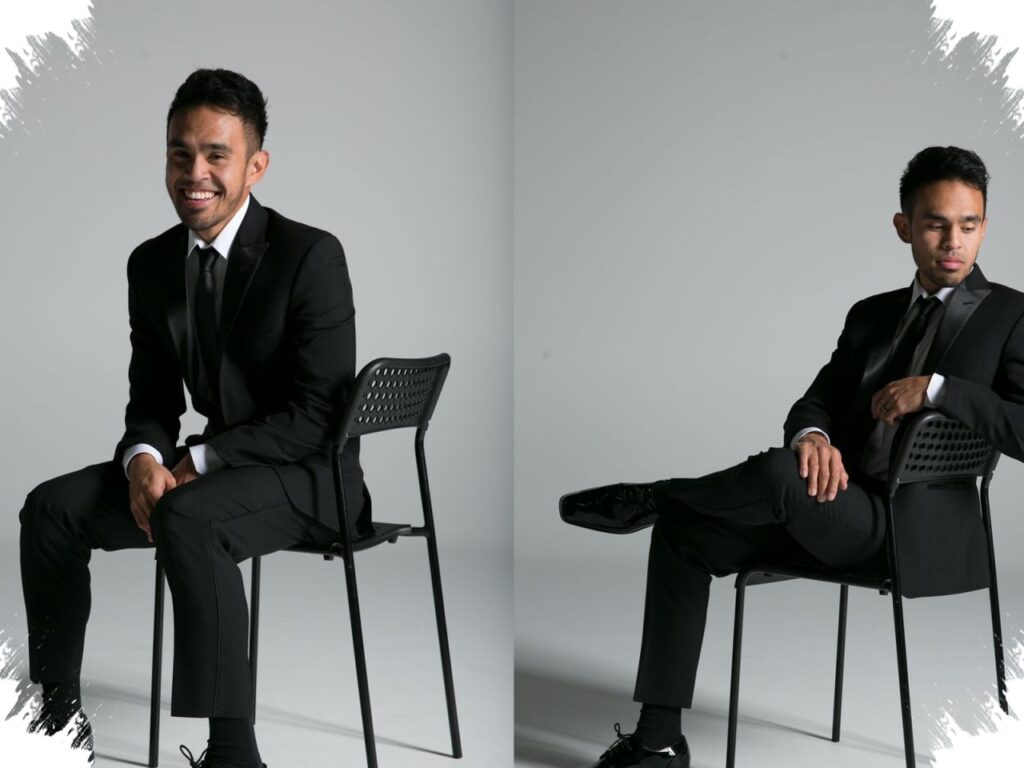
The growing need for polished profile photos has made Gemini AI a practical option for people who want a formal look without booking a new studio session. The focus is not only on adding a suit, but also on keeping the face recognizable and the result believable.
That balance is what makes this kind of editing popular for work profiles, CVs, portfolios, and personal branding. A strong prompt can guide Gemini AI to produce a neat, professional image while preserving natural facial details and realistic lighting.
Why suit photos remain in demand
A suit still signals confidence, authority, and readiness for professional settings. For that reason, many people use suit photos for profile pictures, presentations, and branding materials that need a more serious impression.
Gemini AI becomes useful because it can support that purpose in a simple way. Instead of arranging a new photo shoot, the user only needs a clear prompt that tells the system how the final image should look.
What makes the result look natural
A convincing edit does more than place formal clothing over a portrait. The prompt needs to protect the original identity, including facial lines, skin texture, and the general shape of the face.
Lighting also matters because harsh or uneven light can make the result look artificial. Soft front light, natural side light, or warm indoor office lighting helps the suit, expression, and skin tone appear more realistic.
6 Gemini AI prompts for a formal suit look
Black suit, white shirt, and an elegant slim tie, with a straight standing pose facing the camera. A modern office lobby background and soft studio lighting create a clean formal impression.
Premium navy suit with the body slightly turned and the head looking toward the camera. One hand adjusting the suit sleeve adds a dynamic feel, while a modern workspace background supports the professional tone.
Gray suit and black shirt for a calmer formal appearance. A seated pose in an office chair with one hand on the table and a premium meeting room background gives the impression of an important business discussion.
Matte black suit with a dark tie and a standing pose with both hands in the trouser pockets. A slight side gaze and a modern office corridor make the image look firm and elegant.
Dark brown formal suit with a cream shirt in a half-body composition. One hand holding the lapel, a premium plain wall, and a soft bokeh effect help form a studio-like professional result.
- Exclusive black suit with a standing pose in front of an office desk while holding documents. A face turned toward the camera, a thin professional smile, and natural overhead light make the photo suitable for personal branding.
Background and pose shape the final impression
The right background can strengthen the formal feel significantly. Modern offices, premium meeting rooms, building lobbies, or elegant plain walls keep attention on the main subject instead of distracting from it.
Pose also plays a major role in how serious the photo looks. A straight stance, a neat seated posture, a slight head turn, or a controlled hand position can make the image feel composed without looking stiff.
Prompt details that protect the original face
Good prompts usually ask Gemini AI to keep the eyes lively, the skin natural, and the hair unchanged. These details reduce the risk of the portrait looking overly edited or like a different person entirely.
That is why the best results come from specific instructions rather than general ones. The more clearly the prompt defines the suit, posture, light, and setting, the more likely the image will stay formal while still preserving the original face.
Source: radartasik.id