A USB cable that looks ordinary on the outside can still sit in a very different price class once its internal design is taken into account. The difference is not only about the brand label or the connector shape, but also about what sits inside the cable, how much power it can safely carry, and how long it is built to last.
That is why two cables on the same shelf can behave very differently in daily use. One may be enough for basic charging, while another is designed for faster data transfer, heavier power delivery, and more demanding devices.
The outside material already changes the cost
One of the clearest differences starts with the cable jacket. Lower-cost USB-C cables often use simpler PVC plastic, while more expensive models may use nylon braided or silicone materials that are tougher and less likely to bend out of shape.
That choice affects durability in everyday use. A cable with a more basic outer layer tends to wear out faster because it is less resistant to repeated bending and deformation.
What is inside matters just as much
The internal build is another reason prices can vary widely. Lower-priced cables usually have fewer pins, which limits how much data they can move and what kind of performance they can support.
Higher-performance cables usually need more pins to do more work. As a result, two cables that appear similar on the outside can deliver very different results when used for charging or transferring data.
Labels and certification are part of the price
Packaging and markings can offer clues about quality and safety. USB-IF certification indicates that a cable has passed official testing and has more reliable build quality, especially when the logo is laser-printed on the connector head.
Safety labels also matter. Marks such as UL, cUL, CE, UKCA Mark, and FCC show that a cable meets national safety standards or broader universal standards, including requirements related to overheating risk.
A small chip can raise the value
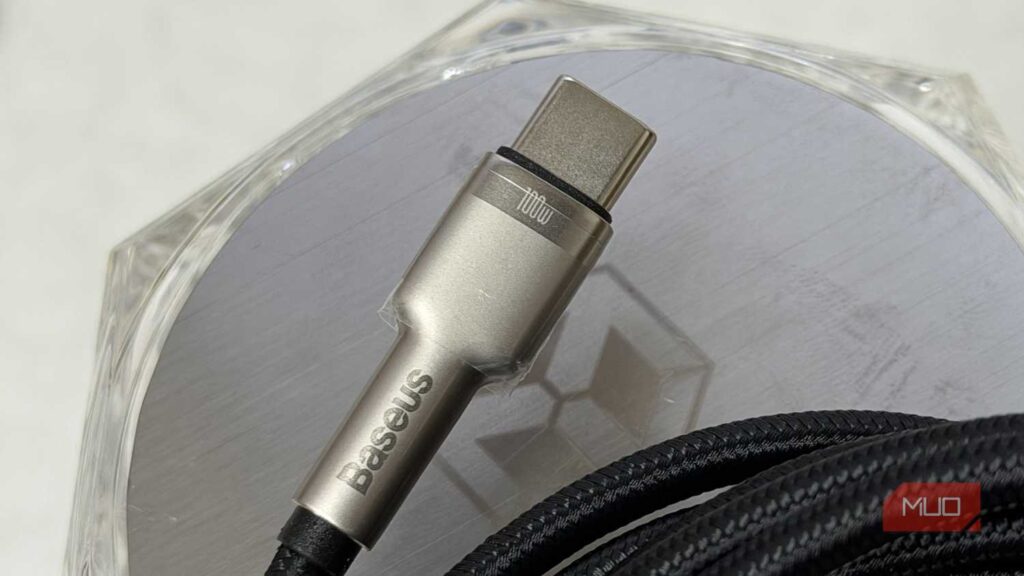
The price can climb again when a cable is made for higher power loads. Cables that need to carry more than 60W must include an E-marker Chip so power can be delivered correctly between the adapter and the device.
That chip helps make high-power charging safer. In practice, a well-made phone charging cable can also be used for a laptop, as long as the specifications support that use.
USB generation still separates basic and premium cables
USB version also plays a major role in pricing. USB 2.0 and USB 3.0 cables may look alike and even use the same USB-A connector, but the newer version supports much faster charging and data transfer.
USB-A cables in USB 3.0 and later versions use more pins, reach transfer speeds of up to 5 Gbps, and support 900 mA at 5 volts, or 2.5 watts. On USB-C, the generation naming looks similar, but the actual power and speed depend on the specification listed on the package.
The newest USB-C USB 3 generation can support transfer speeds of 5-20 Gbps. At the top end, USB4 version 2 is the most expensive standard and can reach 80 Gbps and 240 watts.
Visual clues help, but only up to a point
USB-A cables sometimes give away their generation through connector color. USB 3.0 and newer often use blue, yellow, or orange interiors, while USB 3.1 and USB 3.2 often appear in teal and red.
USB 2.0 USB-A connectors are generally black inside. USB-C does not use the same color code to signal performance, so buyers need to read the technical specifications more carefully before choosing.
In the end, the price of a USB cable reflects more than what is visible on the shelf. Material, pin count, certification, power support, and USB generation all help determine whether a cable is only suitable for basic charging or ready for faster data transfer and heavier power demands.