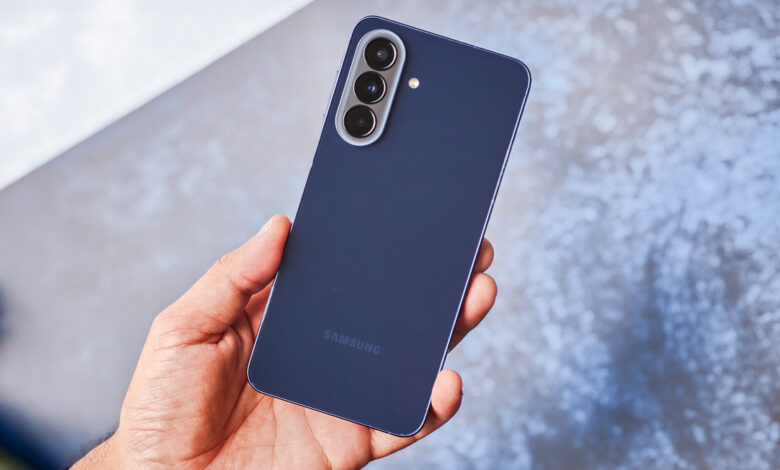
Galaxy A57 5G is being positioned as more than a camera-focused phone. Samsung has packed in tools that are meant to simplify the daily workflow of young content creators, especially those who want to shoot, edit, and post directly from a smartphone.
The appeal is not only about better photos and videos. It is also about reducing the friction between recording, organizing ideas, and making quick edits without relying on extra apps for basic tasks.
That direction fits Samsung’s understanding of how many Galaxy A Series users behave. MX Product Marketing Senior Manager Samsung Electronics Indonesia Annisa Maulina said many Galaxy A57 and A37 buyers come from Gen Z, a group interested in traveling, photos, videos, and content that can be shared easily on social media.
Multi Window turns the phone into a simple prompter
One of the most practical features for creators is Multi Window. It can be used as a makeshift prompter when recording selfie videos with the front camera.
Users can open Samsung Notes and the camera app side by side in split-screen mode. That keeps the script visible during recording, which is useful for talking-head clips, product reviews, or short explainers.
Instead of memorizing a full script or stopping repeatedly to check notes, creators can keep talking while following the text on screen. For fast social media production, that can save time and make recording feel much less disruptive.
Camera Assistant adds more control
Galaxy A57 also supports Camera Assistant through the Good Lock app. After installation, users gain access to additional camera settings that are not available in the default interface.
One of those options is Prioritize Focus, which helps the camera lock onto moving subjects more reliably. That is especially relevant for recording active scenes or subjects that do not stay still for long.
Another option is Distortion Correction, designed to reduce the curved look that can appear when using the ultra-wide camera. It is a useful adjustment for landscapes, buildings, and wide compositions that need a cleaner finish.
There is also Screen Dim While Recording. As the name suggests, the display automatically dims during video capture to help conserve battery life.
For creators who record longer clips, that extra efficiency can matter. A more controlled battery drain can help the phone last through a session without running down too quickly.
Drag and Drop helps with quick visual editing
The phone also brings a feature that is useful for light editing. Galaxy A57 can be used to make a digital scrapbook directly on the device.
This format has become popular as a Reels cover style and as a social media post format. It is often used to give content a more personal and aesthetic look.
On Galaxy A57, that process is supported by Drag and Drop in One UI 8.5. Users can select an object from a photo and move it to another canvas.
The selected object can then be combined with another image or extra visual elements. That makes it possible to build scrapbook-style compositions, cover images, and social media visuals without installing a separate editing app.
Built for the full content workflow
Together, these features show that the Galaxy A57 is not being marketed only as a tool for taking pictures and recording video. It is also designed to support the workflow behind content creation, from shooting to basic editing.
Multi Window helps during scripted recording, Camera Assistant adds technical flexibility, and Drag and Drop in One UI 8.5 gives users a faster way to assemble visual layouts. For young users who post content frequently, that combination makes the phone feel more complete.
Samsung’s approach is clear in how the device is shaped around practical creator habits rather than camera specs alone. The result is a smartphone that aims to make everyday content production simpler from the palm of the hand.