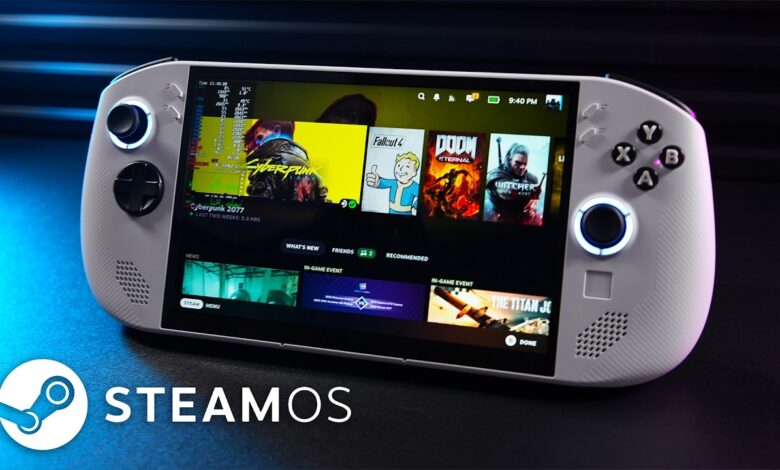
Valve has released SteamOS 3.8 with a broader reach than many users expected. The update now covers Steam Deck and other officially supported handheld devices, including Lenovo Legion Go 2 and Lenovo Legion Go S, while also laying groundwork for more hardware types in the future.
What makes this release stand out is not just the expanded device support, but the scope of the changes underneath. SteamOS 3.8 touches graphics drivers, firmware, desktop behavior, audio, connectivity, and system performance in one package.
Graphics, display, and gaming stability
Valve says the graphics driver update brings performance and stability improvements, along with added graphics features needed by certain games, including Crimson Desert. That makes the update relevant not only for system polish, but also for game compatibility.
The release also introduces early support for HDMI VRR on devices with native HDMI output. Valve has further improved VRR frame pacing, which can help make motion appear smoother on supported displays.
For handheld owners, the firmware updates are just as important. SteamOS 3.8 includes firmware changes for Steam Deck LCD, Steam Deck OLED, Lenovo Legion Go 2, Legion Go, Legion Go S, the ROG Xbox Ally series, the ASUS Ally series, and other compatible devices.
A newer system base and a cleaner desktop experience
Under the hood, SteamOS now uses a newer Arch Linux base and upgrades KDE Plasma from 6.2.5 to 6.4.3. It is not the latest KDE release available, but it is still a meaningful jump that brings newer features, fixes, and security updates.
Desktop Mode now uses Wayland by default, while language and keyboard layout settings in Desktop Mode follow the same setup used in Game Mode. Valve has also adjusted window behavior for games launched through Proton, which should improve the experience when running non-native Linux titles.
Everyday features that matter more than they look
Several additions in SteamOS 3.8 are aimed at daily convenience. Steam Controller users can now wake supported devices from sleep, and Valve says future operating system updates should install much faster on high-speed connections.
Game Mode also gains stronger screen casting support, including use cases such as OBS and Discord. For users who stream, record, or share gameplay, that makes the handheld more practical as a content device.
Valve has also expanded support for certain USB racing wheels and for USB devices that boot in non-standard modes. On the controller side, Steam Deck controller firmware updates now show progress on the splash screen.
Audio, connectivity, and accessibility changes
Audio handling gets several useful refinements in this release. SteamOS 3.8 can detect HDMI channel count and show surround configurations when available, while Bluetooth headset microphones are now supported with the expected trade-off of reduced playback quality during recording.
Valve has also restored internal audio devices after reboot if they were previously set to “Off” in Desktop Mode. HDMI suspend timeout has been extended as well, helping prevent the start of audio from being cut off after a few seconds of inactivity.
Accessibility receives a small but practical addition with an option to force mono output. Bluetooth Wake on Steam Deck LCD has also been re-enabled.
More signs of a larger SteamOS roadmap
SteamOS 3.8 includes early support for a future Steam Machine, reinforcing the idea that Valve is still preparing the platform for more than just Steam Deck. The update also brings Linux kernel 6.16 into the mix.
For developers and advanced users, Desktop Mode’s default move to Wayland is paired with steamos-manager handling desktop session detection and switching. Valve has also added support for setting desktop passwords through developer settings and early guest VM support through the virtio guest driver.
Other technical additions include third-party device support for triggering the SteamOS boot menu through an EFI variable, a custom-update command in atomupd-manager for testing specific builds, and expanded audio debug information in system reports. Valve has also added early support for the LAVD CPU scheduler through the steamosctl set-cpu-scheduler lavd command.
How to install the update
Compatible users can install SteamOS 3.8 from Settings, then open the System tab and make sure the System Update Channel is set to Stable. After that, select Check For Updates.
If SteamOS 3.8 appears with a yellow exclamation mark, choose Apply and restart the device after installation completes.
With changes spanning graphics, desktop behavior, firmware, audio, and broader handheld compatibility, SteamOS 3.8 is one of Valve’s most significant platform updates yet. For Steam Deck owners and users of supported devices like Lenovo Legion Go 2, it is a meaningful step toward a steadier gaming handheld experience.