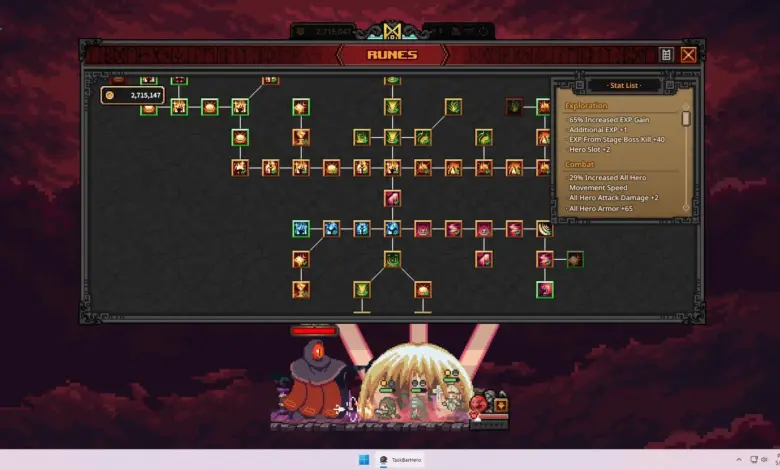
Some TBH: Task Bar Hero players are running into an unusual display problem that leaves the desktop background black while the game itself still appears normally. The issue does not crash the game, but it can make the PC feel far less usable when the title is played in a windowed setup.
The most likely cause is not the game’s graphics settings. Instead, the problem appears to come from Windows display behavior, especially the system’s fullscreen optimizations feature, which can interfere with a game that is not meant to run in traditional fullscreen mode.
Why Windows is the likely culprit
TBH: Task Bar Hero is designed as an idle RPG that works best in a windowed format. When Windows tries to treat it more like a fullscreen application, the operating system can affect how the desktop layer is rendered behind the game.
That is why the game may remain visible while the rest of the screen turns black. The problem is different from a crash or a launch failure, because the issue is tied to display handling rather than the game closing unexpectedly.
The setting worth changing first
The most direct fix is to disable fullscreen optimizations for the game’s executable file. This adjustment tells Windows to stop forcing presentation behavior that can conflict with a windowed idle game.
Players can open their Steam Library, find TBH: Task Bar Hero, then use the Manage menu to reach the game folder. The file can also be located through the default Steam installation path at C:Program Files (x86)SteamsteamappscommonTaskbarHero.
Once the folder opens, locate the .exe file for the game. Right-click it, choose Properties, then open the Compatibility tab and check “Disable fullscreen optimizations.”
After saving the change, launch the game again and see whether the black-screen behavior on the desktop disappears. The goal is to keep Windows from modifying the way the game is presented over the desktop background.
What this fix can and cannot do
This adjustment is widely considered the most sensible first step, but it is not guaranteed to solve every case. If another display issue is involved, the black background may still appear even after the setting is changed.
Still, the fix is simple, quick, and does not require any complex system tweaks. That makes it a practical test for players who want to keep TBH: Task Bar Hero running while they continue using their PC for other tasks.
For an idle RPG that is meant to sit comfortably beside other desktop activity, stable windowed behavior matters. When Windows changes that behavior on its own, the result can be a black screen effect that is more distracting than damaging, but still annoying enough to interrupt play.