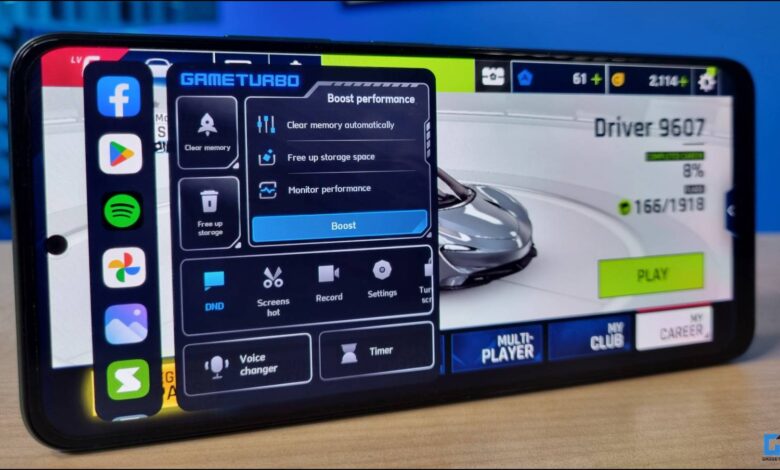
Some Xiaomi users are discovering that their gaming limits are not always tied to the chipset. In several devices, the 60 FPS cap comes from software designed to manage heat and power use.
That means phones capable of 90 FPS or even 120 FPS may still be held back in games. For users willing to modify the system, there is a way to remove that ceiling and let supported hardware run more smoothly.
How the FPS limit is removed
The method centers on a Magisk module called FPS Limit Remover. Its purpose is straightforward: remove the frame-rate restriction so games can run closer to the device’s full capability.
That process is not a simple app install. It requires root access, which places the phone into a more advanced modding state and brings system-level changes with it.
Bootloader unlocking comes first
Before anything else, the Xiaomi bootloader must be unlocked. That step erases all data on the device, so backups are essential before moving forward.
Xiaomi also requires users to wait several days after submitting an unlock request. Because the process varies by model, the guide must match the exact device and should be as current as possible.
Magisk becomes the main foundation
Once the bootloader is open, Magisk must be installed to gain root access. It also serves as the platform for installing modules such as FPS Limit Remover.
There is no universal Magisk installer for every Xiaomi phone. The installation path can differ by model, so the instructions need to be adjusted to the specific device in use.
If a device is already rooted with Magisk, this step can be skipped. Users can then open the Magisk app and look for the FPS Limit Remover module.
If the module does not appear in the list, it can be downloaded manually and installed through Magisk. Any confirmation prompts during installation need to be approved until the process finishes.
Restarting the phone activates the change
After the module is installed, the phone must be restarted. The new FPS behavior only takes effect after the reboot is complete.
The change can be meaningful, but results still depend on the hardware. On the Xiaomi 12T Pro, PUBG Mobile reportedly moved above 90 FPS with Ultra graphics settings after the module was installed, instead of staying locked at 60 FPS.
That kind of improvement is not guaranteed on every device. Phones that overheat easily or use older chipsets may see only a limited boost.
By contrast, the biggest gains are expected on devices that are already capable of high frame rates but are being held back by software. In those cases, gameplay can feel noticeably smoother and more responsive.
The trade-offs are significant
Higher FPS also increases battery drain. The higher the frame rate, the more power the game consumes while running.
Heat is another concern. If temperatures rise too much, the system may reduce performance automatically, and in some cases the phone can even restart on its own.
Not every game will respond to the change either. Some titles enforce their own internal FPS limits, which means Android-level modification will not always make a difference.
There are also warranty and stability issues to consider. Rooting can void the official warranty, and if something goes wrong after the modification, the user is responsible for the outcome.
Devices with root access also do not always behave smoothly with every system update or app. For that reason, the method is better suited to users who are already comfortable with Android modification and understand the risks involved.
For everyday users who only want smoother gaming without touching the system, the process may be too aggressive. For users who know how to unlock the bootloader, use Magisk, and manage modules, it offers a way to get more out of Xiaomi hardware that was already capable of more.