


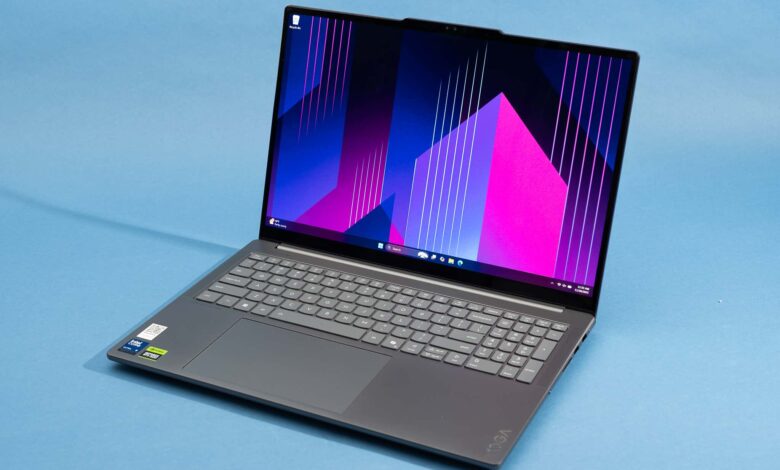
Finding an ASUS laptop in the Rp5 million range that can still handle video editing is no longer unrealistic. For beginner editors, the more important question is not whether a laptop can open an editing app, but whether it can keep up without slowing every basic task down.
That is why SSD storage, 8GB of RAM, and a capable processor matter so much in this price segment. Those three elements help the system feel more responsive when loading project files, moving clips on a timeline, and running editing software alongside everyday work.
What makes these models relevant for beginner editors
The lineup is built around practical use rather than heavy production work. Most of the models still make sense for light video editing, office tasks, streaming, and daily multitasking.
Among the options discussed, AMD Ryzen 3 and Intel Core i3 Gen 10 appear as the most reasonable processors for light creative workloads. ASUS also offers several models with SSDs and Full HD displays, which improve both speed and viewing comfort.
| Model | Main Appeal | New Price Range | Used Price Range |
|---|---|---|---|
| ASUS VivoBook Go 14 | AMD Ryzen 3, 8GB LPDDR5, portable form factor | Rp5.900.000 – Rp6.700.000 | Rp4.500.000 – Rp5.900.000 |
| ASUS A509FA | Large display, SSD storage, suitable for basic to mid-level tasks | Rp4.395.000 – Rp5.695.000 | Rp3.300.000 – Rp4.700.000 |
| ASUS VivoBook 14 N4020 | 8GB RAM, SSD up to 512GB, Full HD 14-inch screen | Rp4.900.000 – Rp5.200.000 | Rp2.900.000 – Rp3.500.000 |
| ASUS VivoBook 14 Ryzen 3 | Ryzen 3, Radeon Graphics, 45% NTSC color gamut | Rp5.900.000 – Rp6.700.000 | Rp4.500.000 – Rp5.300.000 |
| ASUS VivoBook 15 | 15.6-inch screen, Intel Core i3 Gen 10, broad workspace | Rp4.900.000 – Rp6.999.000 | Rp3.200.000 – Rp4.000.000 |
ASUS VivoBook Go 14 and VivoBook 14 Ryzen 3
ASUS VivoBook Go 14 stands out because it combines mobility with usable performance. It uses AMD Ryzen 3 and 8GB LPDDR5 RAM, making it a practical choice for office work and light editing.
ASUS VivoBook 14 Ryzen 3 is aimed more directly at users who are starting to learn photo editing or light video editing. Its Radeon Graphics help simple rendering run more steadily, while the 45% NTSC color gamut supports early creative work.
Models that stay practical for daily tasks
ASUS A509FA remains relevant for users who want a bigger screen and SSD-based responsiveness for everyday work. It is positioned as a model for basic to mid-level needs, including streaming and light productivity.
ASUS VivoBook 15 is another option for those who prefer a 15.6-inch display. Its Intel Core i3 Gen 10 is still enough for daily multitasking and productivity applications.
The most affordable entry point in the group
ASUS VivoBook 14 N4020 is the closest thing to a budget-friendly starting point in this list. It offers 8GB RAM, SSD storage up to 512GB, and a 14-inch Full HD display, which is a useful combination for browsing, writing, and basic editing.
Its new price sits at Rp4.900.000 – Rp5.200.000, while the used market places it at Rp2.900.000 – Rp3.500.000. For buyers trying to keep spending low, that gap can be significant.
Price ranges show why used units remain attractive
The used market gives buyers more room to work with, especially for older or more basic configurations. ASUS A509FA, for example, is listed at Rp3.300.000 – Rp4.700.000 in used condition, while ASUS VivoBook 15 sits at Rp3.200.000 – Rp4.000.000.
ASUS VivoBook 14 Ryzen 3 is still relatively close to its new price in the used market, at Rp4.500.000 – Rp5.300.000. ASUS VivoBook Go 14 is also available used at Rp4.500.000 – Rp5.900.000, which may appeal to users who want newer hardware without paying full retail price.
What matters most before choosing one
For light video editing, the safest minimum remains a Ryzen 3 or Core i3 processor paired with an SSD. That combination is what helps editing feel smooth enough for basic project work and switching between apps.
If the goal is only office work, browsing, or streaming, simpler configurations can still be acceptable. But for beginner editors who want a more balanced starting point, the VivoBook and A-series models offer the most practical mix of screen size, memory, and storage.