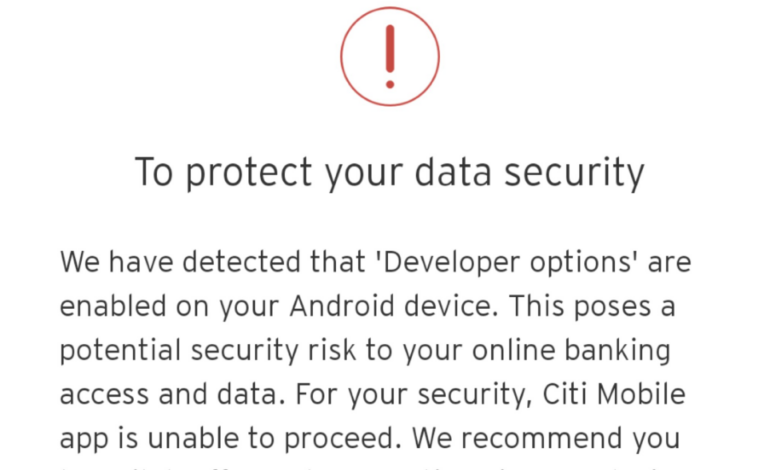
Android may be preparing one of its most restrictive security changes yet: an Advanced Protection Mode that can disable Developer Options. If it ships as expected, users who enable the extra security layer could lose access to one of the platform’s most sensitive menus.
The move highlights a familiar Android trade-off. It strengthens protection for everyday users, but it also narrows the freedom that power users have long associated with the operating system.
Android Authority first uncovered the possible change after examining Google Play Services version 26.25.21. In that APK, the site found strings that point to a tighter link between Advanced Protection Mode and Developer Options.
Two strings in particular stand out: “aapm_developer_options_disabled” and “aapm_developer-options_disabled_summary.” Their presence suggests Google is testing a feature that could either turn off Developer Options when protection is active, or block the menu from being enabled in the first place.
Why Developer Options matters
Developer Options is usually seen as a tool for developers and advanced users, but it also exposes controls that can be abused if a device falls into the wrong hands. That is why a security-focused lockdown at this level could have a meaningful impact.
Among the risks mentioned are wireless debugging, which can be used to run backend commands, and OEM unlock, which is tied to unlocking a phone’s bootloader. Both are powerful functions, and both can be exploited in the wrong scenario.
Blocking access to this menu would therefore do more than hide a setting. It would close a technical path that could otherwise be used to compromise a device.
| Feature | Current Role | Possible Effect Under Advanced Protection |
|---|---|---|
| Developer Options | Advanced system controls for developers and power users | May be disabled or prevented from being enabled |
| Wireless debugging | Allows backend command execution in some cases | Would become harder to misuse if the menu is locked |
| OEM unlock | Related to bootloader unlocking | Could be harder to access through the protected mode |
Part of a broader security push
Advanced Protection Mode is designed to tighten Android security rather than improve convenience. It already blocks sideloading, 2G networks, and unauthorized USB access to connected devices.
Adding Developer Options to that list would expand the scope of the protection and make the mode more aggressive. It would also reinforce Google’s effort to remove several common attack paths at once.
For most users, that may be a practical benefit. They rarely need bootloader tools or developer menus, so the added restrictions would likely be invisible in daily use.
What it means for enthusiasts
For Android enthusiasts, however, the change could feel like another step away from the platform’s traditional openness. Android has long been attractive to users who want to unlock bootloaders, install custom ROMs, or tweak system behavior.
The important detail is that Advanced Protection Mode appears to be a toggle inside Settings. That means the restriction would remain optional rather than mandatory for everyone.
Users who do not need advanced controls could benefit from the extra lock-down, while those who rely on Developer Options would still have the choice to leave the mode off.
Release timing remains uncertain
There is still no official confirmation on when this feature might arrive. The code evidence only shows that Google may be preparing it, not that it is ready for a public rollout.
Even so, the feature is said to have a chance of appearing first in an upcoming Android 17 QPR Beta on Google Pixel devices. With Android 17 QPR1 Beta 4 having just been released, the next update cycle looks like the most likely place for a test.
If Google does move forward, Advanced Protection Mode would evolve beyond blocking network and installation risks. It would also begin shutting the door on some of Android’s most sensitive technical controls.