


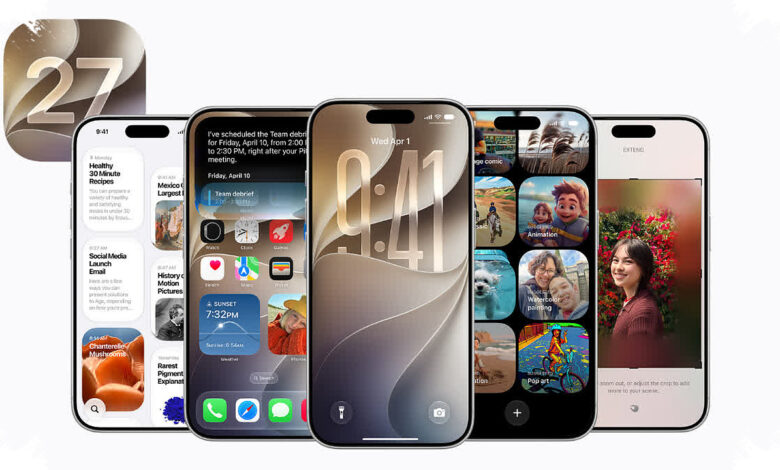
Apple has opened access to the iOS 27 public beta for a wide range of compatible iPhones, giving users an early look at several changes before the final release. The update stands out most for its upgraded Siri, but it also brings deeper changes across Apple Intelligence, Photos, and system performance.
The new version of Siri is one of the main reasons interest in the beta has been high. Apple says the assistant can speak more naturally, understand what is shown on the screen, take actions inside apps, and answer questions in greater detail.
Apple Intelligence and Photos get smarter
Apple Intelligence also receives broader improvements in iOS 27. In Photos, Apple adds three more advanced editing tools designed to handle more demanding tasks with less effort.
| Photos Feature | What It Does |
|---|---|
| Clean Up | Removes larger and more complex objects from images |
| Extend | Expands the photo background |
| Spatial Reframing | Adjusts the camera position after a photo has been taken |
Liquid Glass remains part of the interface, and Apple has added a customization slider. That control lets users shift the look toward greater transparency or a more opaque appearance depending on preference.
Apple also says performance should feel noticeably faster after the update is installed. According to inet.detik.com, apps are claimed to open 30% faster, AirDrop transfers finish 80% faster, and new photos appear in Photos 70% faster.
How to install the iOS 27 public beta
Anyone who wants to try the beta first must join the Apple Beta Software Program. The program is free and does not require a developer account.
Apple recommends installing beta software on a secondary device because it may still contain bugs, reduce battery life, and create compatibility issues with third-party apps. A backup to iCloud or a computer is also recommended so downgrading to iOS 26 will be easier if needed.
| Step | Action | Details |
|---|---|---|
| 1 | Join the Apple Beta Software Program | Select Sign Up or Sign In |
| 2 | Log in with the same Apple Account | Follow the on-screen instructions |
| 3 | Open Settings on iPhone | Go to General > Software Update > Beta Updates |
| 4 | Select iOS 27 Public Beta | Return to the Software Update page |
| 5 | Tap Update Now | Start the download and installation |
Compatible iPhone models
The iOS 27 public beta supports a broad lineup, from the newest iPhone 17 family to older models that are still included in Apple’s software support list.
| Series | Models |
|---|---|
| iPhone 17 Series | iPhone 17, iPhone 17 Air, iPhone 17 Pro, iPhone 17 Pro Max, iPhone 17e |
| iPhone 16 Series | iPhone 16, iPhone 16 Plus, iPhone 16e, iPhone 16 Pro, iPhone 16 Pro Max |
| iPhone 15 Series | iPhone 15, iPhone 15 Plus, iPhone 15 Pro, iPhone 15 Pro Max |
| iPhone 14 Series | iPhone 14, iPhone 14 Plus, iPhone 14 Pro, iPhone 14 Pro Max |
| iPhone 13 Series | iPhone 13, iPhone 13 mini, iPhone 13 Pro, iPhone 13 Pro Max |
| iPhone 12 Series | iPhone 12, iPhone 12 mini, iPhone 12 Pro, iPhone 12 Pro Max |
| iPhone 11 Series | iPhone 11, iPhone 11 Pro, iPhone 11 Pro Max |
| iPhone SE | iPhone SE (3rd generation/2022), iPhone SE (2nd generation/2020) |
The compatibility list shows that Apple is still supporting multiple generations of iPhone, not just the latest models. That gives more users the chance to test the updated Siri, Apple Intelligence enhancements, and faster system behavior before the final version arrives.