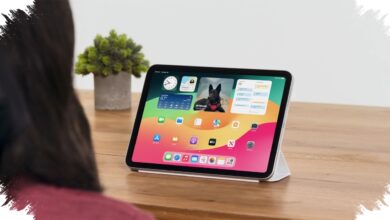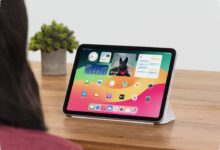
A tablet can remain fully charged and ready for work yet become unusable online when the phone providing its tethered connection runs out of power. That limitation makes cellular tablets, particularly models with 5G Standalone, a relevant option for remote workers who need an independent data path.
Reliable access matters most when a video meeting, information transfer, or rapid response cannot wait for a home network to recover. A dedicated cellular connection can allow the tablet to stay online without relying on another device as its main gateway.
An Independent Connection for Remote Work
A 5G SA Tablet uses 5G Standalone infrastructure with a completely new core network that does not depend on 4G LTE. In a work setting, that architecture supports the idea of a tablet having its own internet supply rather than relying solely on Wi-Fi.
The benefit is not limited to working while travelling. It can also provide a separate connection when a phone is unavailable, its battery is depleted, or tethering is no longer practical.
| Aspect | 5G SA advantage | Remote-work relevance |
|---|---|---|
| Latency | Lower communication delay | Supports high-resolution video conferencing |
| Connection | Independent and stable data path | Does not depend on a phone battery for tethering |
| Security | Cellular network encryption protocols | Safer than free public Wi-Fi access points |
Lower latency is especially relevant for video conferences where image quality and real-time responses are important. Smaller delays can help conversations proceed more smoothly during time-sensitive discussions.
Security is another consideration for people working outside the home. The article notes that 5G cellular networks use encryption protocols considered safer than free public Wi-Fi hotspots.
Why Wi-Fi Dependence Can Interrupt Work
A Wi-Fi Only Tablet can still be sufficient for users who consistently work within reach of a dependable home network. Its limitation becomes more visible when the Wi-Fi connection is disrupted or when work must continue from another location.
Phone tethering is a temporary alternative, but it transfers the burden to the phone. Continuous data sharing can drain the phone battery, and the tablet loses its connection if the phone can no longer provide one.
Public Wi-Fi at cafés may also appear convenient when home internet is unavailable. However, free access points require careful consideration because cybersecurity risks can become a serious issue for work activity.
According to techno.viva.co.id, stable wireless data traffic is increasingly important for efficient information transfer in an era shaped by artificial intelligence. A weak home connection can therefore affect tasks that rely heavily on online communication.
Choosing Based on Working Patterns
Cellular connectivity should not be treated as a necessary feature for every buyer. Users whose work remains tied to a reliable home network may find that a Wi-Fi Only Tablet continues to meet their needs.
The cellular option carries greater weight for people who frequently attend online meetings and need mobility without depending on a phone. Budget, daily work activities, and the availability of supporting network infrastructure should guide the purchase decision.
For Remote Work, connectivity readiness can determine whether a work session continues uninterrupted or stops because internet access disappears. Assessing that need before buying a tablet can help match the device to everyday working conditions.