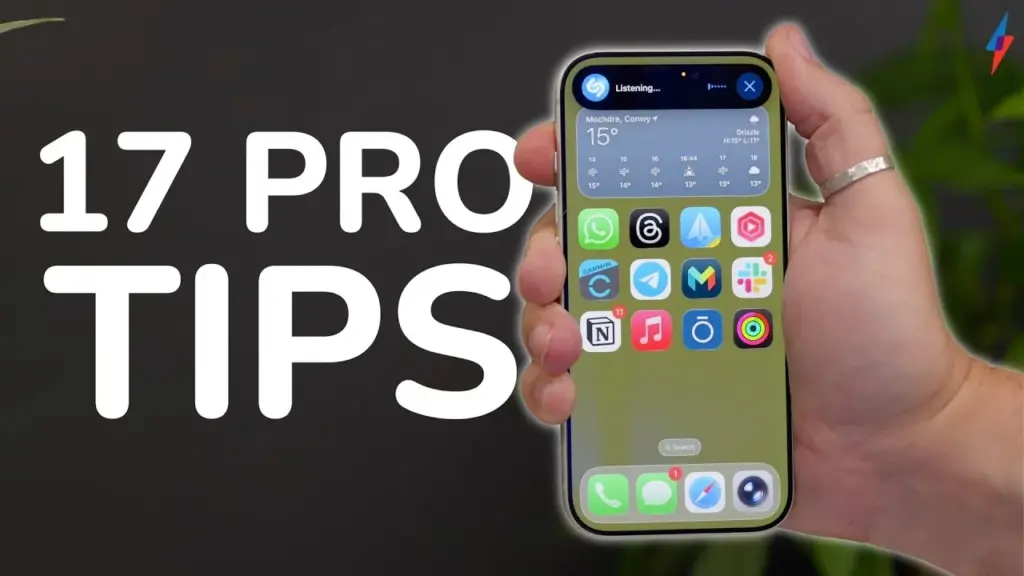
The Apple iPhone 17 Pro running iOS 26 introduces a suite of powerful, user-centric features designed to enhance everyday smartphone interactions. With its revamped Liquid Glass interface and sophisticated productivity tools, the iPhone 17 Pro promises a smoother, more intuitive user experience that addresses common pain points like incoming calls, notifications, and multitasking.
Among the headline improvements, iOS 26 brings transparency effects that elevate aesthetics while maintaining clarity and readability. The all-new Call Screening feature automatically manages incoming calls from unknown numbers, transcribing conversations in real time so users can decide to answer or reject calls without disruption. This, combined with automated callback reminders and spam message segregation, streamlines communication and saves time.
Innovative Liquid Glass Design
The iPhone 17 Pro boasts a visually stunning Liquid Glass UI that transforms the entire look and feel of iOS 26. Application icons take on a transparent, glass-like appearance, creating a sense of depth and modernity. Users will notice dynamic 3D spatial effects on traditionally 2D wallpapers, which respond impressively to device movement. These enhancements facilitate a premium visual experience without compromising on usability.
The lock screen has become notably more customizable. Users can adjust the blur effect on the clock display and enjoy automatically resizing clock elements, further pushing personalization to a new level. This refined design approach offers a unique blend of aesthetic appeal with practical interface improvements.
Enhanced Call and Message Management
iOS 26 addresses call-related frustrations with the introduction of Call Screening. Unlike older versions where users manually decided whether to answer unknown callers, the new system answers automatically, verifies caller identity, and provides a live transcript. This innovative feature reduces unwanted interruptions and enhances privacy, according to recent tech reviews.
Additionally, callback reminders in the Phone app now set themselves automatically for missed calls, ensuring important contacts are never neglected. The Messages app segregates unknown senders into a separate folder when the “Screen Unknown Senders” option is enabled, keeping the inbox clean and focused.
Productivity and Accessibility Upgrades
Editing text has become more efficient as the keyboard converts into a trackpad with a long press on the space bar, allowing precise cursor movement akin to a miniature mouse. iOS 26 also lets users mute keyboard click sounds individually, preserving haptic feedback for tactile confirmation without noise distractions.
Users can now customize the physical Action Button with preferred shortcuts, such as activating the flashlight or camera instantly. Apple’s Adaptive Power Mode dynamically lowers CPU usage and brightness when the battery is low, optimizing energy consumption without manual input.
For gaming enthusiasts, the Apple Games hub consolidates all mobile games in one place, offers AI-powered recommendations, and tracks gameplay progress effortlessly. This centralization enhances user convenience and engagement.
Audio and Multimedia Improvements
Background noise options have expanded with eight new ambient sounds like “Rain On Roof” and “Quiet Night” to improve focus and relaxation. These can be toggled via the Control Center and support unlimited looping through Accessibility settings.
To protect hearing health, iOS 26 automatically compresses loud sounds from the internal speaker, preventing sudden volume spikes while preserving audio detail. Furthermore, AirPods Pro 4 gains advanced camera controls—users can now take photos or record videos hands-free through simple squeeze gestures on the earbuds, facilitating seamless content creation.
Key Features Overview
- Liquid Glass UI with transparent app icons and dynamic 3D wallpaper effects
- Call Screening with automatic answering and real-time transcription
- Automatic callback reminders for missed calls
- Spam and unknown senders segregated in Messages
- Live translation via AirPods during conversations
- Keyboard trackpad mode for precise navigation
- Mute keyboard sound independently while keeping haptics
- Hide app notification badges selectively for cleaner home screen
- Fully customizable Action Button for quick access to favorite features
- Adaptive Power Mode to extend battery life intelligently
- Monthly battery health monitoring within Settings
- Consolidated Apple Games hub with recommendations and progress tracking
- New background soundscapes for focus and relaxation
- Automatic loud sound reduction to protect hearing
- AirPods 4 squeeze gestures to control camera functions
- Personalized lock screen with adjustable clock blur and auto-resizing
These features mark significant improvements over previous iOS iterations by automating routine tasks, enhancing visual design, and boosting overall user efficiency. Table data comparisons illustrate reduced manual intervention thanks to built-in smart automation, improving time management and privacy.
Apple’s iPhone 17 Pro paired with iOS 26 is poised to redefine user expectations with its blend of sleek design and productivity-boosting innovations. These enhancements cater to both casual users and power users seeking seamless interaction and top-tier functionality. Official release details from Apple will confirm these advancements, but early leaks indicate a promising future for the iPhone ecosystem.