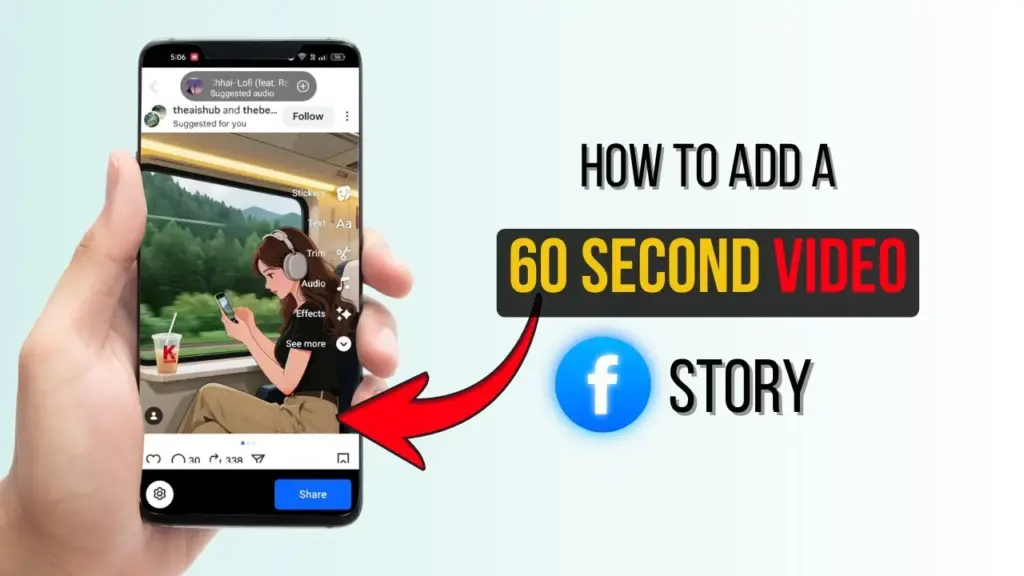
Uploading a 60-second video to Facebook Stories in 2025 is straightforward and efficient. This feature allows users to share longer moments without manual cutting, enhancing content engagement.
To start, open the Facebook app on your smartphone. Make sure it is updated to the latest version to access all current Story features and avoid compatibility issues.
Prepare Your Video and App
Inside the app, you will see the main news feed. Tap the plus icon at the top to create a new Story. You can either record a video directly or select one from your gallery. Choose a video that is exactly 60 seconds to maximize story duration without automatic trimming by Facebook.
Facebook processes longer videos automatically, so you don’t need to split clips manually. Check the video quality before uploading; high resolution ensures a clear viewing experience for your audience.
Use a stable internet connection to avoid upload interruptions. Consider preparing or lightly editing your video in advance using other apps if necessary to improve visual appeal or add basic effects.
Upload and Customize Your Story
After selecting your video, the editing screen will appear. You can add stickers to personalize your Story. Adding brief, relevant text helps convey your message effectively.
If desired, attach background music and adjust its volume so it complements your video without overwhelming it. Apply color filters to enhance the visual style and make the Story more attractive.
Preview the final result before sharing to ensure all elements are well aligned. Tap the Share button to publish your 60-second video instantly to your Story. Friends can watch the full video and swipe for uninterrupted viewing.
This upload method saves time and enables you to focus on creativity rather than technical editing. Adding hashtags can extend your Story’s reach to a broader audience.
Additional Features and Best Practices
For more interaction, include polls to invite audience feedback. Augmented reality (AR) effects are also available to make your Story dynamic and engaging. You can save drafts if you want to refine your Story later.
Sharing your Story in specific groups targets the right viewers and enhances relevance. Pay attention to privacy settings to control who can access your content.
Analyze Story insights after posting to track views and engagement. Use this data to optimize future uploads and improve audience retention.
Collaborate by tagging friends in your Story, which increases visibility. Also, add location tags if relevant for more contextual relevance.
Avoid over-editing; simple edits often lead to a clearer and more effective message. With this flexible approach, you can experiment and keep your Stories fresh and interesting.
This feature, introduced in Facebook’s 2025 update, significantly enhances how users share longer video content in Stories. Its ease of use and creative tools help maintain audience interest for longer periods.
Implementing these steps allows anyone to upload high-quality 60-second videos directly to Facebook Stories quickly. Enjoy utilizing this updated feature daily to share richer, more engaging experiences with your followers.