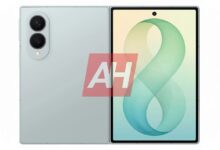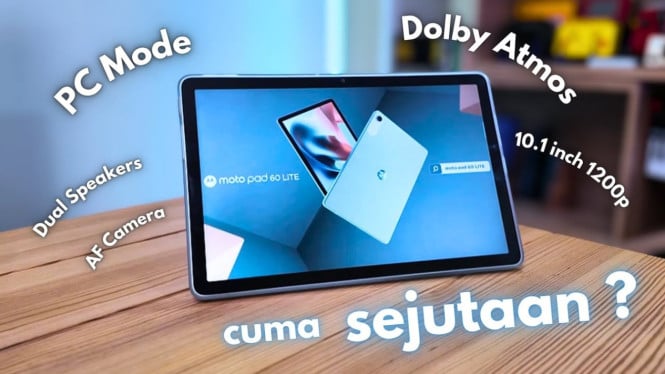
Motorola has launched the Motopad 60 Pro in Indonesia, priced at around $400. This tablet targets users who seek more than just a large-screen Android device by offering enhanced productivity features and a clean software experience.
The Motopad 60 Pro runs on Android 15 with a nearly stock interface called Software 17. This OS is free from complex customizations, delivering smooth navigation and easy access to entertainment content like games, movies, and books. Users can smoothly switch between apps without lag, which is important for both productivity and leisure.
Display and Multimedia
The tablet features a 12.7-inch IPS display with a 3K resolution and 144Hz refresh rate. With a brightness of 400 nits, it provides clear visuals suitable for streaming HD content from Netflix in SDR mode. The 16:9 screen ratio favors entertainment but may feel less ideal for traditional workstation setups. Complementing the visuals, the quad JBL speakers deliver powerful and clear audio, enhancing the immersive experience for movies and music.
Performance and Battery
Inside, the Motopad 60 Pro is powered by the MediaTek Dimensity 8300 chipset alongside 8GB of RAM and 256GB of internal storage. This combination ensures strong performance for multitasking and casual gaming. Although gaming benchmarks were not extensively tested, the device supports Bluetooth keyboards and key mapping for apps like Roblox, allowing for a PC-like gaming experience. The 10,200 mAh battery supports all-day usage, with 45W fast charging helping minimize downtime.
Smart Connect and PC Mode
One standout feature is the Smart Connect functionality, enabling seamless pairing with multiple devices such as smartphones, laptops, computers, and Motorola IoT devices. Users can leverage this feature to upgrade a webcam using the tablet’s camera, share files quickly, and even use cross-device controls. The tablet also offers a PC Mode similar to Samsung DeX, which transforms the interface into a desktop-like workspace for enhanced productivity. Although direct monitor connection has not been widely tested, the USB 3.2 Gen 1 port supports display output.
Productivity and Accessories
The Motopad 60 Pro comes with the Motopen Pro stylus, which is tailored for sketching, note-taking, and professional photo or document editing. Its precision makes it a strong tool for creatives and professionals alike. The tablet is just 6.9mm thick and weighs 620 grams, making it portable despite its large screen.
However, the device currently lacks an official detachable keyboard, which is essential for maximizing productivity. There is a Pogo PIN connector on the side indicating potential future support for an official keyboard accessory. Users needing a physical keyboard experience must still wait for Motorola to release compatible accessories.
Security and Connectivity
Security is supported through a fingerprint scanner located on the power button and facial recognition for face unlock, ensuring data privacy and quick access. The Motopad 60 Pro supports WiFi 5 and Bluetooth 5.2 but does not support cellular networks as the SIM slot is reserved only for storage expansion via microSD cards.
Summary
At around $400, the Motorola Motopad 60 Pro is more than just a large Android tablet. Its stock Android interface, powerful hardware, and features like Smart Connect and PC Mode position it well for users seeking productivity alongside entertainment. Although the lack of a keyboard accessory limits some work scenarios, the inclusion of a high-precision stylus and multi-device connectivity add considerable value. Those looking for a versatile tablet with clean software and strong performance should consider the Motopad 60 Pro in the mid-range segment.