


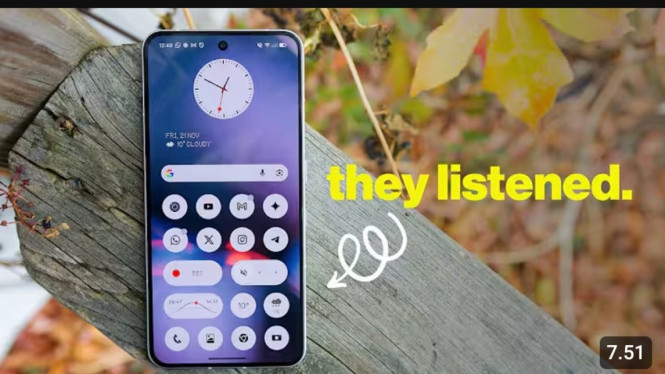
Nothing has officially launched Nothing OS 4.0, the latest update for Nothing Phone 3 based on Android 16. This new version ushers in a fresh interface that is heavily focused on AI capabilities and enhanced integration of the unique Glyph Interface. The update aims to deliver a smoother, smarter, and more intuitive user experience through design refinements and new features.
The interface redesign features more minimalist and consistent app icons, along with polished status icons for battery, signal, and Wi-Fi to achieve a balanced aesthetic. Additionally, two modern clock styles are introduced for the lock screen. Animation transitions when opening or closing apps have been refined to make navigation feel more fluid across the system.
Enhanced Glyph Interface with Live Updates
A standout addition in Nothing OS 4.0 is the Live Updates feature tightly integrated with the Glyph Interface. This allows users to receive real-time information such as delivery progress, travel status, and countdown timers directly via the rear Glyph lights or lock screen. Built on Android 16, this feature now supports a wider range of apps capable of live updates. The update also adds several Glyph-related capabilities exclusive to Phone 3, including Flip to Glyph for quick activation, an improved Pocket Mode, and interactive Glyph Toys like sand timer and moon phase animations. The new Glyph Mirror Selfie feature lets users save photos with glowing Glyph light effects as an extra gallery image, enhancing creative photography options.
Dark Mode and Multitasking Improvements
Another important update is the introduction of Extra Dark Mode, which provides a deeper black tone with higher contrast. This mode not only improves viewing comfort in low-light environments but also reduces power consumption on OLED screens. Core apps such as Essential Space and Launcher already support this mode, with ongoing expansion planned.
Multitasking becomes more versatile with pop-up windows that allow two apps to run concurrently in floating views. Users can switch between apps using simple swipe gestures. The system widgets like Weather, Pedometer, and Screen Duration now support flexible resizing options (1×1 or 2×1), allowing better personalization on the home screen. To protect privacy, users can hide specific apps from the app drawer without uninstalling them, giving greater control over app visibility.
AI Integration and User Transparency
AI functionality gains prominence in Nothing OS 4.0 with an AI Usage Dashboard that tracks when AI models are active and how extensively they are used. This transparency helps users understand the device’s AI processing load. A dedicated AI indicator icon in the status bar signals when AI features are functioning. The preloaded Essential Apps support a new Playground feature, where users create custom widgets by simply typing descriptions in a chatbot interface—no coding required. Future updates promise the Essential Memory feature, which will help the system remember important content and retrieve it contextually to improve daily workflows.
Camera Enhancements
The camera system also sees improvements with the introduction of the TrueLens Engine aimed at enhancing photo quality and gallery performance. Although technical specifics were not fully disclosed, this engine is expected to speed up image processing and improve result stability under various shooting conditions.
Availability and Update Rollout
Nothing OS 4.0 is being rolled out gradually for Nothing Phone 3 users, with the CMF series to follow soon. Other models like Phone 3A Lite are scheduled to receive the update in early 2026. Users are advised to back up their data prior to installation, especially beta testers who will receive smaller installation files compared to general users.
This update solidifies Nothing’s position as a brand committed to blending unique aesthetics with advanced, AI-powered user experiences. The seamless Glyph Interface enhancements, AI-driven widget customization, and refined UI animations illustrate Nothing’s vision for ambient computing—an environment where information is presented subtly, meaningfully, and intelligently without relying solely on the screen.