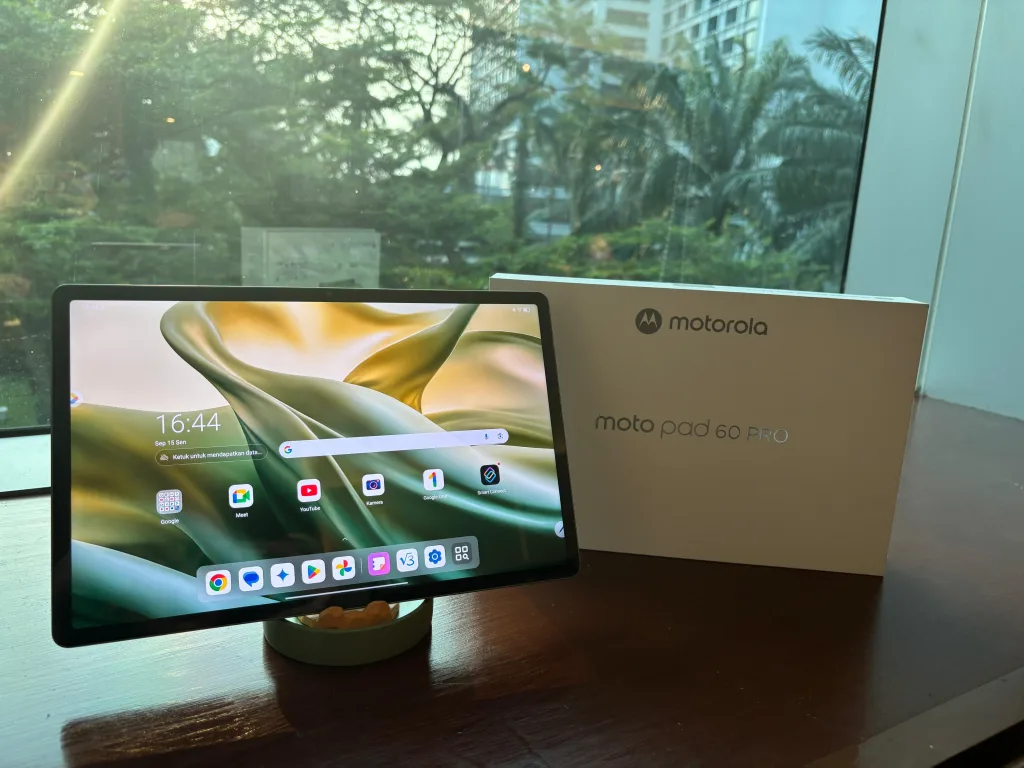
In today’s fast-paced creative world, having the right device to manage multiple tasks simultaneously is crucial. Creators must juggle notes, visual references, design software, and client communications all at once. The Moto Pad 60 Pro emerges as a powerful tool designed to meet these exact demands, offering flexibility and performance tailored for modern creators.
Recently crowned Best Tablet for Creator at the Indonesia Gadget Award (IGA) 2025, the Moto Pad 60 Pro proves its relevance in the multitasking era. It combines a large, vivid display with high-performance internals, a precise stylus, and cross-device connectivity to enhance any workflow.
True Multitasking for Real Productivity
Unlike gimmicky features on some devices, multitasking on the Moto Pad 60 Pro is built for daily use. Users can operate up to four applications simultaneously in split-screen mode and maintain five floating windows on top. This setup allows, for example, writing scripts while browsing for research, reviewing gallery images, and jotting down spontaneous ideas without toggling between apps.
Switching between apps is seamless. After launching one application, users access recent apps and drag others to any screen edge—left, right, top, or bottom. Lock one app in place and add up to three more windows easily. This flexibility supports a fluid, distraction-free creative process, setting the Moto Pad 60 Pro apart from competing tablets.
Floating Windows Enhance Workflow Focus
The floating windows feature provides extra convenience. Lightweight apps like chat, music, or calculator can float over main tasks without interruption. Users can resize, move, or hide these windows according to their needs.
This proves invaluable when editing designs; creators can reply to client messages instantly without leaving the main app. Such small but critical details ensure creators maintain focus and workflow continuity, raising productivity significantly.
Moto Pen Pro: The Perfect Companion for Spontaneous Ideas
A well-rounded creative tablet requires a precise input tool. The Moto Pen Pro stylus fits this role perfectly. It enables note-taking, sketching, and annotations directly on documents or images, enhancing brainstorming sessions.
Illustrators, designers, and visual writers benefit greatly from this natural input method. Quick revisions that usually consume extra time with keyboard or fingertip input become faster and more accurate with the stylus, making it indispensable for creative professionals.
Transform Your Tablet into a Second Monitor
Smart Connect is an innovative Moto Pad 60 Pro feature enabling the tablet to act as a second display for Windows laptops or PCs. Setup involves installing an app on the computer and enabling the feature on the tablet, allowing easy pairing.
Creators find the extended display option especially useful, moving timelines or toolbars to the tablet screen while keeping previews on the main laptop display. This setup expands workspace without needing a dedicated external monitor, saving both space and cost.
Seamless Cross Control and File Transfer
Smart Connect also offers cross control functionality. Creators can control the tablet directly via their laptop’s keyboard and mouse. Additionally, files transfer smoothly through simple drag-and-drop actions.
This integration streamlines workflows. For instance, sketches made with the Moto Pen Pro on the tablet move instantly to editing software on the laptop without dependency on cloud storage or cables. It simplifies creative processes and minimizes technical disruptions.
Performance That Supports Everyday Creative Tasks
While running four heavy apps simultaneously might strain any tablet, the Moto Pad 60 Pro handles everyday tasks such as writing, research, light design, and communication with stability. This responsiveness makes it a reliable companion for creative professionals who value smooth and consistent performance.
As a laptop companion, it extends the creative workspace effectively. Beyond being just an additional screen, it actively participates in the creative journey from concept to final output.
Summary of Key Features:
- Multi-window multitasking with up to 4 split-screen apps and 5 floating windows
- Precise Moto Pen Pro stylus for note-taking and sketching
- Smart Connect feature for second screen and mirrored display options
- Cross control with seamless keyboard, mouse use, and file drag-and-drop
- Stable performance optimized for creative workflows
Priced competitively at around $350 USD, the Moto Pad 60 Pro offers a compelling package for creators seeking versatility and power in one device. Its well-rounded features and intuitive design mark it as a modern creator’s ideal tablet companion.