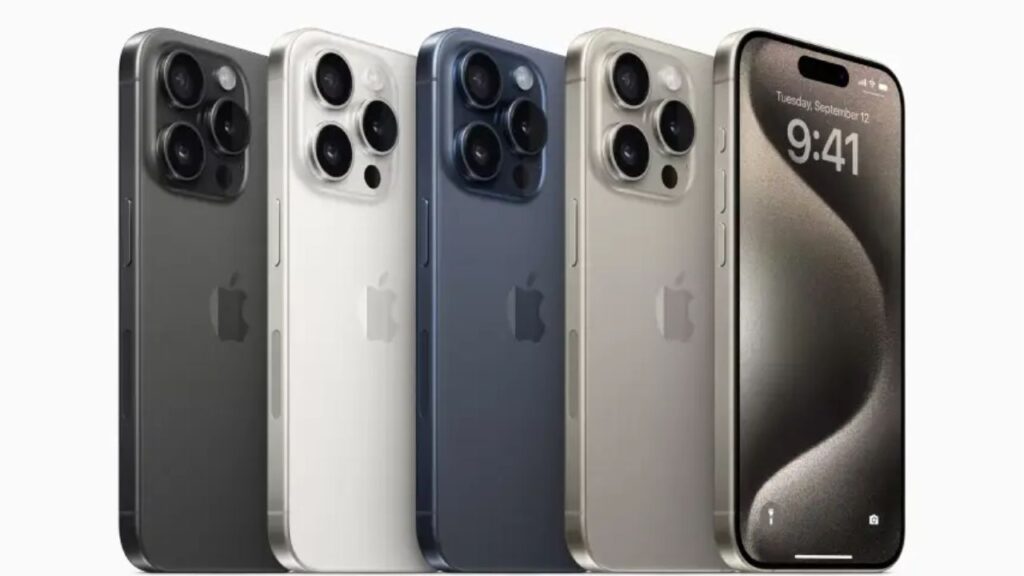
Buying a second-hand iPhone can be a smart choice for those seeking Apple devices at more affordable prices. Apple designs its products for durability and offers long-term software updates, ensuring even used iPhones remain reliable and functional.
However, purchasing a used iPhone requires caution to avoid scams and post-purchase regrets. Following practical guidelines can help buyers secure a safe and trustworthy deal, whether buying online or offline.
1. Buy from Trusted Sellers
Always choose reputable sellers or stores when buying second-hand iPhones online. Verify their return policies, including time limits, conditions, and the returns process.
2. Avoid Activation Lock
If the iPhone is still linked to a previous owner’s Apple ID via Activation Lock, it cannot be used by others. Ask sellers to disable this feature before purchase to avoid a locked device.
3. Inspect Physical Condition
Examine the iPhone’s screen, sides, back, charging port, and buttons carefully. Look for scratches, dents, or dirt that could affect the device’s performance. If the phone doesn’t turn on even after charging, reconsider buying it.
4. Recognize Startup Screens
Upon powering on, three scenarios may appear: a locked screen ready for use, a welcome screen indicating readiness for setup after reset, or a lock tied to the previous owner’s Apple ID. Avoid buying phones stuck on the last screen.
5. Check Component and Service History
On iPhones with iOS 15.2 or newer, component replacement history is accessible via Settings > General > About. Confirm if parts replaced are genuine Apple components to ensure quality and functionality.
6. Assess Battery Health
Battery status is viewable from iPhone 6 onward running iOS 11.3+. Navigate to Settings > Battery > Battery Health to verify capacity and check for warnings. A healthy battery ensures better device longevity.
7. Confirm Carrier Lock Status
To avoid restrictions, check if the iPhone is carrier-unlocked by visiting Settings > General > About and look for “No SIM Restrictions.” This guarantees compatibility with any network provider.
8. Test Basic Features
Test critical functions such as Wi-Fi connectivity, volume and power buttons, camera performance in different lighting, speaker and microphone clarity, plus screen brightness and responsiveness.
9. Verify IMEI and Authenticity
Each iPhone carries a unique IMEI number found in Settings > General > About. Use Apple’s official Check Coverage website to authenticate the device and confirm it is not stolen or locked.
10. Check Warranty and Apple Official Status
Some second-hand iPhones still retain active Apple warranties. Enter the IMEI on Apple’s Check Coverage page to verify warranty validity and repair history, indicating a more reliable purchase.
Following these ten steps helps consumers avoid fraud and acquire quality used iPhones. Apple emphasizes transparency between buyer and seller to ensure smooth transactions and customer satisfaction.
Purchasing a second-hand iPhone is wise when done attentively. Proper verification of components, software status, warranty, and seller credibility can lead to substantial savings while still enjoying Apple’s premium technology.