


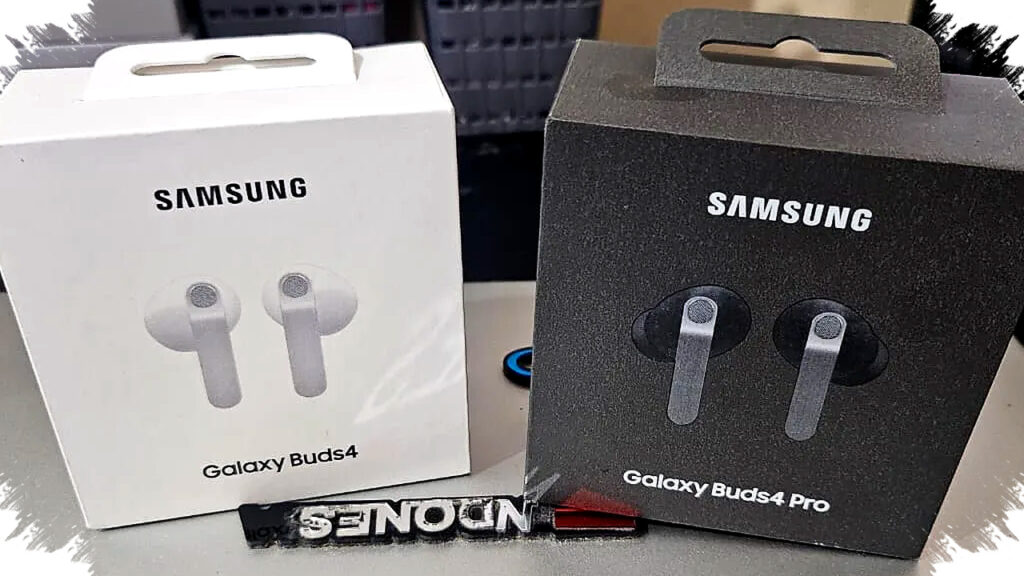
HD Voice technology in the Galaxy Buds4 brings a significant upgrade to voice calls by ensuring superior sound clarity. This enhancement is especially valuable as users increasingly rely on true wireless stereo (TWS) earbuds for important calls in noisy environments. The primary goal of HD Voice is to eliminate disruptive background noise and deliver a conversation experience that feels almost face-to-face.
At its core, HD Voice, or High Definition Voice, expands the frequency range of call audio transmission. Unlike standard Bluetooth calls, which often compress audio leading to clarity loss and thin sound, HD Voice supports extended bandwidths up to 16kHz, referred to as super wide band speech. This wider range preserves vocal nuances, ensuring that soft consonants and fine details remain audible and natural during calls.
How HD Voice Achieves Crystal-Clear Calls
Galaxy Buds4 employs a sophisticated hardware and software synergy to power HD Voice. Multiple integrated microphones are strategically placed to capture the user’s voice from various angles. Accompanying these microphones is the Voice Pick Up Unit (VPU), designed to precisely focus on the speaker’s voice while filtering out ambient sounds.
Beyond hardware, artificial intelligence (AI) processing plays a crucial role. The AI algorithm analyzes incoming audio signals in real-time, distinguishing between important speech elements and background noise such as traffic sounds, wind, or nearby conversations. Instead of bluntly muting all ambient noise, this intelligent system ensures the user’s voice remains intact and natural. Smooth transitions between quiet and noisy surroundings prevent sudden changes in audio quality that could distract the listener.
Benefits of a Wideband Speech Codec
Traditional Bluetooth call audio typically uses a narrower bandwidth of around 8kHz, which limits the range of frequencies transmitted. The Galaxy Buds4’s support for super wide band speech doubles this bandwidth to 16kHz, allowing far more sound detail to pass through. This extended bandwidth captures the full texture and timbre of the user’s voice, making each word crisper and more recognizable.
This richer sound reproduction is particularly noticeable with consonants such as “s,” “z,” or “th,” which are often muffled or distorted in standard calls. By preserving these details, HD Voice reduces the likelihood of misunderstandings during both professional and casual conversations.
Practical Advantages for Various Users
HD Voice is a game-changer for remote workers, freelancers, and anyone who routinely participates in virtual meetings or client calls using their Galaxy Buds4. The clear audio reduces the need to repeat information and helps maintain professionalism by ensuring every word is heard distinctly. This clarity facilitates faster decision-making and smoother collaboration.
For personal use, HD Voice enhances daily communications with family and friends by faithfully reproducing intonation and emotional cues. In public places like cafes, trains, or shopping malls, the earbuds suppress distracting background noise, so users don’t have to raise their voices. Normal speaking volumes suffice, keeping conversations comfortable and private.
An exclusive benefit of the Galaxy Buds4 is that full HD Voice support is optimized when used within the Samsung Galaxy ecosystem, especially paired with devices like the Galaxy S26 series. This deep integration guarantees stable and consistent call quality from start to finish, a feature not commonly found with other Bluetooth earbuds.
Activating HD Voice on Galaxy Buds4
To experience HD Voice, users should first ensure their Galaxy Buds4 or Buds4 Pro is paired with a compatible Galaxy smartphone. Activation involves a simple series of steps:
- Open the Galaxy Buds4 case near the phone to initiate automatic connection.
- Navigate to the phone’s Settings menu.
- Access the Galaxy Buds’ specific options.
- Select “Sound quality and effects.”
- Enter “Advanced quality options.”
- Enable “Super wide band speech” to turn on HD Voice functionality.
Once activated, users can test voice call clarity by making calls in noisy environments and asking the listener to compare audio quality against previous experiences. Typically, the listener will notice markedly reduced background noise, sharper voice clarity, and a more natural sound tone.
A Seamless Audio Experience Beyond Calls
HD Voice on the Galaxy Buds4 is not isolated to call quality alone. Its ability to maintain detailed, hi-res audio characteristics supports seamless switching between streaming music and voice interactions. This results in consistent sound signature and premium audio performance across use cases, elevating the overall user experience.
By combining intelligently placed microphones, AI-powered noise reduction, and a super wide band codec, the Galaxy Buds4 establishes a new communication standard. This innovation reflects Samsung’s commitment to supporting mobile users who demand excellent sound clarity in any setting. With HD Voice, each call feels less like a remote conversation and more like a personal, face-to-face interaction—no matter where you are.