


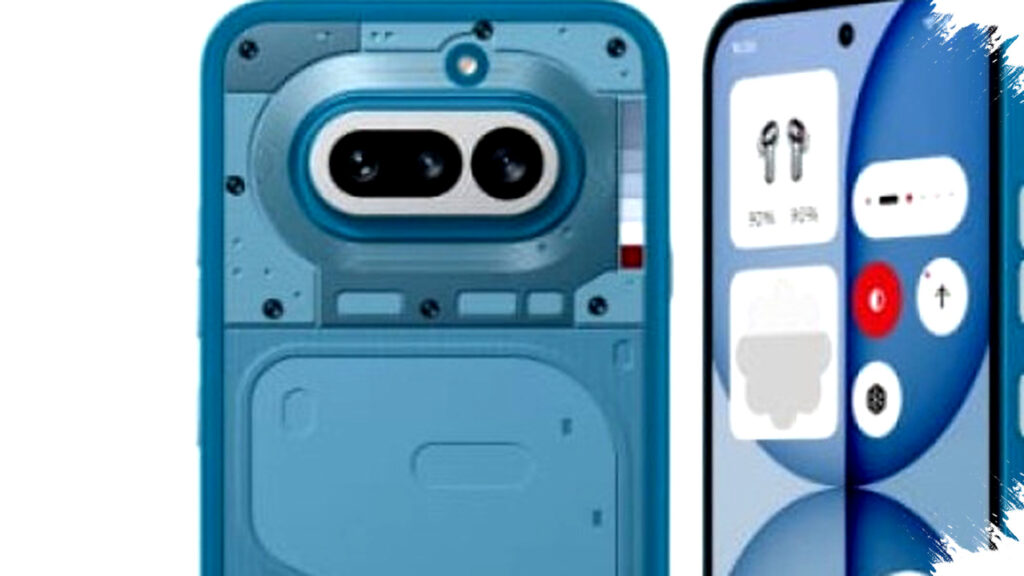
Nothing Technology Limited has rolled out its first software update for the Nothing Phone (4a), arriving just days after the device’s official launch. This update is based on Nothing OS 4.1, identified by build number B4.1-260309-1830, and has a download size of approximately 257 MB. Alongside performance improvements, it also includes the Android security patch for March 2026.
The update brings several notable enhancements across system functionality, user interface, and camera capabilities. One new feature is the “Breathe Break” widget, now accessible from the widget drawer. This widget guides users through relaxation exercises, helping to manage stress conveniently right from their phone.
Expanded Live Update Features
Nothing has broadened the Live Update functionality, which can now be accessed from the lock screen, notification panel, and the Glyph interface. This feature allows users to monitor real-time activity from supported applications such as Google Maps. However, the availability of Live Update depends on app support and regional limitations. Additionally, the status bar now displays a dedicated icon when the phone is connected to Nothing headphones, reinforcing visual consistency within the brand’s ecosystem.
Enhanced Glyph Interface and AI Integration
The Glyph interface’s notification settings have been redesigned for greater clarity and ease of use. Nothing introduced a generative ringtone feature allowing users to create unique notification sounds that sync perfectly with the signature Glyph lighting patterns. This adds personalization options that extend beyond visuals into audio feedback.
Essential AI features have also been upgraded. The widget drawer now includes a recommendations section for quick access to Nothing Playground and AI-powered community content. The Essential Space interface features a cleaner design with new tabs named “For You” and “Library.” Additionally, a new “Events” tool assists with task management, and built-in search functionality speeds up navigation. Some of these AI enhancements rely on further updates delivered through Google Play, signaling ongoing improvements from Nothing.
Visual and Lock Screen Customizations
Visually, the update introduces a new clock display on the lock screen inspired by the Phone (3a) Community Edition, created in collaboration with community creator Jad Zock. Lock screen customization has become more flexible, now supporting a beta version of a depth effect for background images, as well as adjustable clock size and positioning. The lock screen password blur effect has been added for enhanced privacy. Meanwhile, the network indicator in the status bar is simplified to a single icon even when using dual SIM cards.
Camera Improvements and New Presets
Nothing has enhanced the camera experience by adding new presets, including a “Cricket” watermark targeting the Indian market and a new “Amber” portrait mode. The update also enables Playground Sync, which allows users to import presets instantly. For video recording, a low-power mode dims the screen during idle video capture to conserve battery life. Image processing improvements provide better exposure balancing, color accuracy, and high dynamic range (HDR) performance.
System Stability and Performance Boosts
Beyond new features, the update focuses on improving overall system stability, network performance, and fixing bugs identified after launch. Users are warned that the device may heat up temporarily during installation; however, this is a normal occurrence and temperatures will return to normal post-update.
Summary of Main Update Features:
- “Breathe Break” relaxation widget for stress management
- Expanded Live Update on lock screen, notification panel, and Glyph interface
- New generative ringtone synced with Glyph lighting
- Essential AI widget recommendations and redesigned Essential Space interface
- New lock screen clock design with customization and depth effect
- Simplified dual SIM network indicator icon
- Camera presets including “Cricket” watermark and “Amber” portrait mode
- Playground Sync for instant preset import
- Low-power video recording mode
- Improved image exposure, color accuracy, and HDR
- System stability, network, and bug fixes
This initial software update demonstrates Nothing’s commitment to enhancing user experience shortly after launch. By incorporating AI features, smarter Glyph controls, and camera improvements, the Nothing Phone (4a) aims to stand out in a competitive smartphone market while continuously evolving through software refinement.