


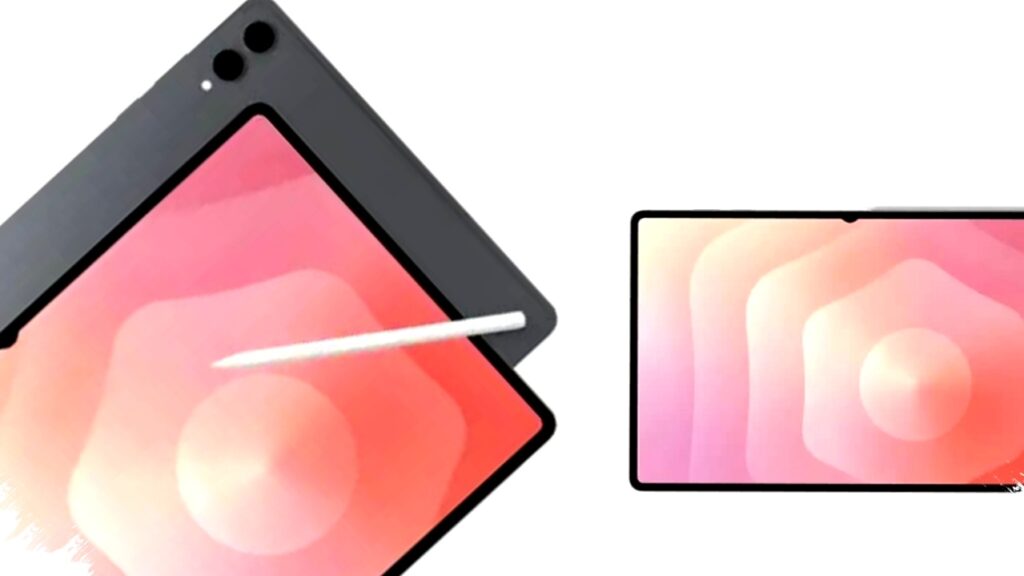
Galaxy Tab S11 Ultra has emerged as one of the most compelling premium tablets for graphic designers, especially for users who want a large display, stylus support, and laptop-like productivity in a portable form. Its appeal lies not only in raw specifications, but also in how those components work together for visual work that demands precision, color confidence, and smooth interaction.
For creative professionals, the core question is whether a tablet can replace part of a desktop workflow without sacrificing accuracy. In the case of the Galaxy Tab S11 Ultra, the answer appears increasingly strong because Samsung has built it around a 14.6-inch Dynamic AMOLED 2X screen, high brightness, a fast refresh rate, and a pen-first experience that suits sketching, retouching, and layout review.
A large canvas matters for design work
The biggest advantage of the Galaxy Tab S11 Ultra starts with its display size. At 14.6 inches, the panel gives designers more room to work on detailed illustrations, UI mockups, photo edits, and multi-layer compositions without constantly zooming in and out.
The tablet uses a Dynamic AMOLED 2X panel with a resolution of 2960 x 1848 pixels and a pixel density of about 239 ppi. That combination helps keep lines sharp and text readable, while high contrast improves the visibility of shadows, gradients, and small interface elements.
Why the display helps graphic designers
- Larger workspace for drawing and editing
- Higher detail for reviewing textures, fonts, and shapes
- Better visibility in bright environments
- Smooth motion for scrolling, dragging, and zooming
The screen also supports adaptive refresh rates up to 120 Hz, which makes interaction feel fluid. For designers who move between brush strokes, canvas zooming, and tool selections, that responsiveness can reduce friction during long creative sessions.
Brightness and outdoor usability are practical strengths
Samsung’s panel is rated at up to 1,600 nits of brightness, which is a meaningful advantage for users who work under strong lighting or near windows. The article reference highlights that the display remains comfortable even outdoors, and that matters for mobile creators who do client work on the move.
High brightness also helps preserve visibility when editing visuals that include dark elements or subtle color transitions. While brightness alone does not determine color accuracy, it supports readability and makes the tablet more versatile in changing environments.
Stylus support gives it a professional edge
A graphic design tablet is only as useful as its pen input, and this is where the Galaxy Tab S11 Ultra earns attention. It is compatible with a stylus that offers high pressure sensitivity, allowing artists to vary line thickness, shading intensity, and brush behavior with greater control.
That level of input precision is important for illustration, photo markup, storyboard creation, and quick concept drafting. Fast stylus response also helps the device feel more natural, which is essential for users who spend hours leaning on pen input rather than keyboard navigation.
Key stylus-related benefits include:
- Pressure-sensitive strokes for detailed art work
- Faster response for smoother lines and gestures
- Better control for annotations and edits
- More natural handwriting and sketching workflow
For many creatives, this can reduce the gap between a digital tablet and traditional drawing tools. It also makes the device suitable for hybrid workflows, where users switch between note-taking, sketching, and final production tasks.
Performance supports demanding creative apps
The article reference notes that the tablet is built with strong chipset performance and large RAM capacity, both of which matter when handling design software. In practice, graphic design apps often need fast processing for layering, exporting, browsing large asset libraries, and running multiple tools at once.
That means the Galaxy Tab S11 Ultra is positioned not just as a media tablet, but as a productivity device for professionals who use large files and expect quick app switching. The roomy internal storage also helps, since design projects, reference images, fonts, templates, and video assets can consume space quickly.
What designers typically need from storage and memory
| Need | Why it matters |
|---|---|
| Large internal storage | Keeps project files, assets, and exports on-device |
| High RAM capacity | Supports multitasking and smoother app performance |
| Fast processing | Reduces lag in edits, previews, and renders |
The reference material emphasizes that the device is built for efficiency and productivity. That makes sense for a premium Android tablet, especially one aimed at users who want a flexible tool for both content creation and review.
The tablet fits mobile creative workflows
One reason tablets continue to gain attention in creative fields is portability. A large monitor can offer better desktop comfort, but many designers also need something light enough to take to meetings, cafes, classrooms, or client sites.
The Galaxy Tab S11 Ultra fits that use case by combining a large display with an all-in-one form factor. Designers can sketch ideas quickly, annotate documents, review brand visuals, or make last-minute adjustments without setting up a full workstation.
This mobility is especially useful for freelancers, agency teams, and students in design programs. A tablet that can handle creative work on the go often becomes a secondary device first, then a primary tool for tasks that do not require a full desktop environment.
How it compares in practical use
In premium tablet markets, users often compare devices based on screen quality, pen experience, and software flexibility. The Galaxy Tab S11 Ultra appears strongest in the first two areas, with its large AMOLED display and stylus support giving it an obvious appeal for visual creators.
Its 120 Hz refresh rate and 1,600 nits brightness also place it in a class suited for premium use. Those specifications do not automatically make it the best choice for every designer, but they do make it highly relevant for people who prioritize drawing comfort and visual clarity.
For graphic designers, the Galaxy Tab S11 Ultra stands out because it combines four important elements in one device:
- A large 14.6-inch screen for detailed visual work
- A high-resolution AMOLED panel for sharp output
- A responsive stylus experience for drawing and editing
- Strong performance and storage for professional files
Taken together, those features create a tablet that is well aligned with modern creative workflows. It supports both inspiration and execution, which is why it is likely to attract designers who want premium hardware that can keep up with demanding visual tasks.