Looking for a cheap Windows tablet in 2026 that can handle email, documents, meetings, and light editing without slowing you down? The good news is that mobile work no longer requires a premium Surface price tag, because several budget models now offer proper Windows productivity features at prices starting in the low hundreds of dollars.
This matters for students, office workers, and field teams who need a compact device that still runs full Windows apps. Based on the latest 2026 market snapshot and the reference data you shared, these five tablets stand out for mobility, value, and practical work performance.
What Makes a Cheap Windows Tablet Worth Buying in 2026
A low price alone is not enough if the tablet cannot handle real work. The best options today combine a good display, enough RAM, fast storage, keyboard support, and useful ports for external accessories.
In daily use, these features matter more than raw branding. A tablet that can open Microsoft Office smoothly, connect to a monitor, and survive a full workday is often more useful than a premium device with limited expansion.
1. Alldocube iWork 20 Pro
Alldocube iWork 20 Pro is one of the most balanced budget Windows tablets for users who want a Surface-like experience at a lower cost. It uses a metal body and a flexible kickstand, which gives it a more professional feel than many entry-level rivals.
Its 10.5-inch Full HD+ screen reaches 100% sRGB, so it is suitable for light photo editing and long document sessions. The strongest point is its connectivity, because it includes a full-size USB 3.0 port, Micro HDMI, and even an M.2 SATA SSD slot for upgrades.
2. Advan Evo X13
Advan Evo X13 is a strong local-market surprise because it offers hardware that usually appears in a much higher price bracket. The tablet comes with a 13-inch 2K IPS panel, 100% sRGB color coverage, 12GB LPDDR5 RAM, and a 512GB NVMe SSD.
That combination makes it very attractive for multitasking, browser-heavy workflows, and office users who keep many apps open at once. It is even more appealing because the retail package includes a stylus pen and a magnetic keyboard, which reduces the total cost of ownership.
3. Microsoft Surface Pro 7+
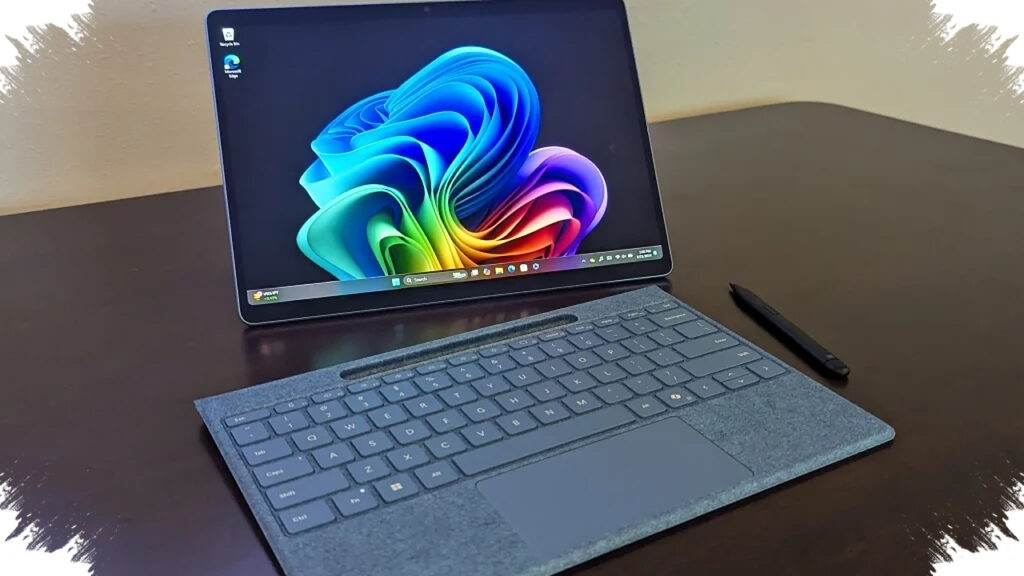
Surface Pro 7+ remains relevant in 2026, especially in the second-hand or clearance market. Its PixelSense display uses a 3:2 aspect ratio, which gives more vertical space for reading reports, editing spreadsheets, and handling long web pages.
The Intel Core i5 11th Gen processor with Iris Xe graphics still delivers solid performance for light video editing and demanding multitasking. It also includes Windows Hello facial recognition, which makes login faster and more secure for users who move between meetings.
4. Chuwi UBook X
Chuwi UBook X is a practical choice for buyers who want a detachable Windows tablet with a strong work focus. It usually lands in affordable territory while still offering enough speed for note-taking, office documents, and cloud-based collaboration.
Its main appeal is the balance between portability and productivity. For users who spend most of the day in Word, Excel, Teams, and browser tabs, the UBook X offers a simple and cost-efficient Windows experience.
5. Jumper EZpad Series
Jumper’s EZpad line has long been known as one of the go-to budget Windows tablet families. In 2026, it still matters because it gives users access to a full Windows environment at a low entry price, often starting around the $200 range depending on configuration and market availability.
Here is a simple comparison of the key strengths:
| Model | Main Strength | Best For |
|---|---|---|
| Alldocube iWork 20 Pro | Upgradeable storage and strong ports | Mobile workers who need flexibility |
| Advan Evo X13 | Big RAM, large SSD, keyboard bundle | Students and office multitaskers |
| Surface Pro 7+ | Premium build and reliable performance | Users who want a proven Windows tablet |
| Chuwi UBook X | Budget-friendly work balance | Note-taking and everyday office use |
| Jumper EZpad Series | Low entry price | First-time Windows tablet buyers |
For buyers in 2026, the smartest way to choose is to match the tablet with the workload. If portability and expansion matter most, the Alldocube iWork 20 Pro is compelling, while the Advan Evo X13 looks stronger for users who need large memory and storage from day one.
If you want a more premium feel and long-term trust in the ecosystem, the Surface Pro 7+ still has a clear advantage. But for pure value, the current budget Windows tablet segment offers enough options to make mobile work feel lighter, faster, and far less expensive.