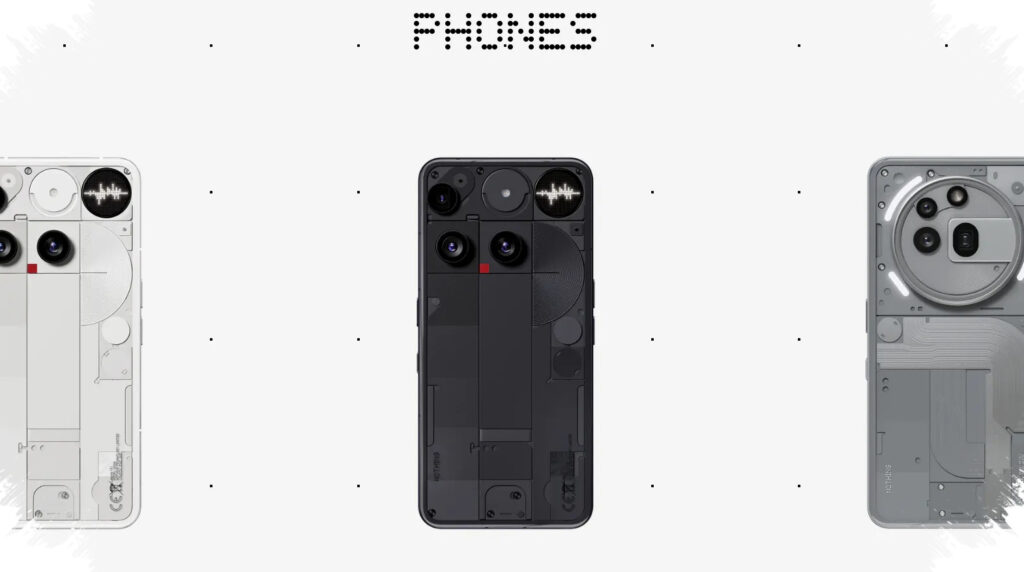
Nothing has introduced Essential Voice as an AI-powered feature designed to turn spoken words into cleaner, more usable text. Instead of stopping at basic transcription, the system aims to make dictated input ready for notes, messages, emails, and other everyday tasks with far less manual editing.
The feature is meant to address one of the biggest frustrations in voice typing. Speech often moves much faster than typing, but the output from standard dictation can still be messy, full of filler words, pauses, and rough phrasing that needs extra cleanup before it is genuinely useful.
AI that does more than transcribe
Nothing says Essential Voice is built to bridge the gap between speaking and typing. The company points out that typing speed is usually around 30 to 40 words per minute, while speech can reach about 150 words per minute.
That difference has not always translated into a real productivity gain, because many voice typing tools only capture words as they are spoken. Essential Voice is designed to change that by reorganizing the output so it reads more like finished text than a raw recording.
The system uses AI to clean up stutters, correct mispronunciations, and shorten the final output where needed. That makes the result easier to use immediately, rather than leaving users with a transcript that still needs substantial editing.
Built for different everyday contexts
Nothing also says the feature includes contextual awareness. In practice, that means the text can adapt to how it is being used, whether the task is writing a message, drafting an email, or entering a search query.
That flexibility matters because mobile writing is not always the same from one situation to another. A quick reminder note does not need the same level of polish as a work email, and a search prompt has different needs again.
By shaping the output around context, Essential Voice is positioned as more than a simple dictation tool. It is intended to produce text that feels closer to a final draft, which can save time for users who prefer to speak ideas quickly and refine less afterward.
Multiple ways to access the feature
Nothing is also giving users several ways to bring up Essential Voice. The feature can be launched through the keyboard, a dedicated shortcut, or the Essential Key available on Nothing phones.
The company has also added custom voice commands for phrases that appear frequently. This adds another layer of convenience for users who often repeat the same kinds of notes or messages throughout the day.
With those access options, Essential Voice is framed as a daily productivity tool rather than a standalone AI demo. The focus is on making voice input faster to start and easier to use in practical situations.
Support for more than 100 languages
One of the most notable parts of Essential Voice is its multilingual support. Nothing says the feature can automatically detect languages and translate across more than 100 languages.
That broad support makes the system more adaptable for users who switch languages while speaking. It also reflects a wider effort from Nothing to make AI features useful in ordinary communication, not just as an added tech showcase.
Language support is only one part of that larger idea. The company appears to be aiming for a feature that fits directly into day-to-day writing habits, where speed, clarity, and context all matter at once.
Privacy is part of the pitch
Nothing has also addressed privacy in its description of Essential Voice. Audio is encrypted during processing and is not stored after use.
That point is important because voice-based AI tools often raise questions about what happens to recorded speech. Spoken input can contain sensitive material, including private messages and work-related notes, so the handling of audio data is a key part of the feature’s appeal.
The privacy approach helps define Essential Voice as a tool meant for practical use, not just convenience. It suggests that Nothing wants users to feel more comfortable relying on voice input for both casual and more sensitive tasks.
Rolling out on selected Nothing phones
Essential Voice is beginning to arrive on Nothing Phone (3) and Nothing Phone (4a). Nothing Phone (4a) is also expected to receive the feature soon.
Users can check for the update by going to Settings, then System, then System Updates, and selecting Check for update. Since the feature arrives through software updates, it is part of Nothing’s broader device experience rather than a separate app.
With cleaned-up transcription, contextual text generation, more than 100 language support, and encrypted audio processing that is not stored after use, Essential Voice is being positioned as a practical AI feature for faster, more efficient voice input on Nothing phones.
Source: gadgets.beebom.com