Samsung appears to be pushing the Galaxy S26 Ultra toward a more proactive kind of AI, one that helps before users even ask. Instead of waiting for commands, the phone is set up to surface useful information, organize alerts, and handle editing tasks with less manual effort.
That shift matters because it changes how Galaxy AI fits into everyday use. On the Galaxy S26 Ultra, the most notable tools are designed to act early, from daily briefings and notification summaries to photo, design, and audio assistance.
A daily briefing that arrives ready
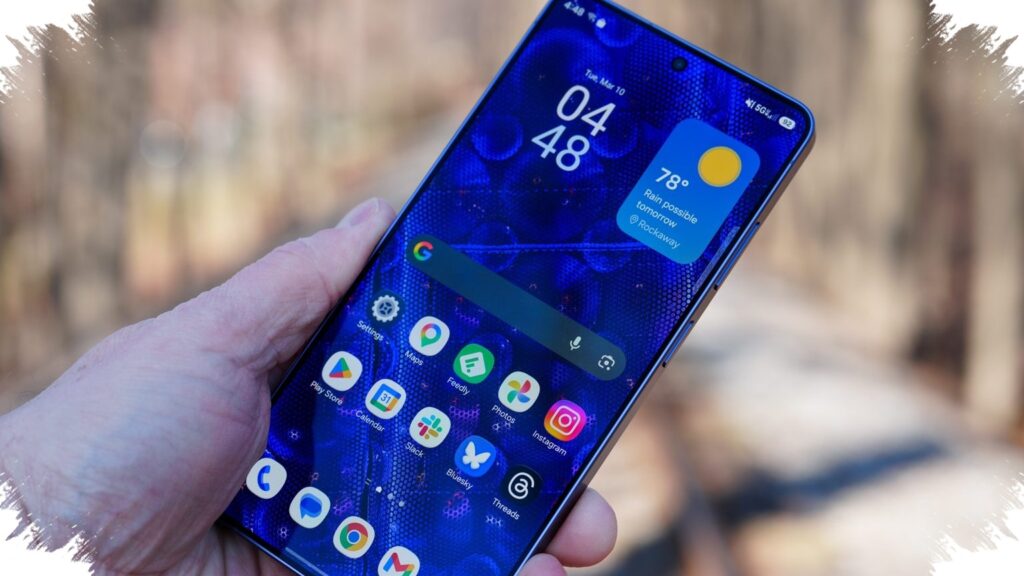
Now Brief remains one of the core Galaxy experiences, but on the Galaxy S26 Ultra it is positioned as a more personal assistant. It combines upcoming schedule items, weather information, and Samsung Health’s energy score into a compact view that is meant to be ready as soon as the phone is picked up.
The goal is simple: reduce the need to jump between apps for basic morning checks. Samsung says the feature requires a Samsung account login and a network connection, which makes it a practical part of the phone’s connected AI layer.
Notifications get shorter before they get in the way
Another feature aimed at convenience is Notification Highlights in One UI 8.5. It uses AI to summarize long notifications, including busy group chats, while the original message remains available once the user opens it.
Samsung says this works automatically without initial setup. The system is designed to activate when it sees a need, especially when notification overload makes quick scanning difficult.
Photo editing becomes a broader AI suite
Photo Assist is also getting a major upgrade. What began as an object-removal tool is now expanding into a fuller editing package, while still keeping the familiar AI eraser for unwanted objects or photobombers.
The updated feature also adds edit history, which lets users step back to a previous result if needed. Samsung has further added an on-device privacy option for object removal, while the Create tab opens the door to generative AI tools that can reshape the mood of a photo using voice or text prompts.
More creative tools inside one app
Photo Assist does not stop at cleanup and tone changes. It also includes a Style tool that can turn photos into 3D cartoons, comics, or clay figures, making the editing experience feel closer to a creative studio than a basic correction tool.
These AI-generated features require a Samsung account login and a network connection. Samsung also says the generated images will carry a visible watermark and that accuracy is not guaranteed.
Creative Studio expands what users can make
Galaxy S26 Ultra is also expected to offer Creative Studio as a standalone generative AI tool. It can create stickers, wallpapers, greeting cards, profile cards, and invitations from text prompts.
The workflow is straightforward: open Creative Studio from the app drawer, choose a template, and describe the visual result. Samsung also supports mixing hand-drawn sketches, existing photos, and text prompts in one process, which makes the tool more flexible for personal projects.
There is also direct integration with Samsung Notes. That allows creations such as stickers or cards to be inserted into notes without switching apps, though the feature still needs a Samsung account and a network connection.
Audio cleanup moves into everyday viewing
Audio Eraser is no longer limited to cleaning up videos users record themselves. Originally introduced with the Galaxy S25 series, it is now broadened in One UI 8.5 so it can be used more naturally during everyday content viewing.
The feature can work in real time while watching videos in supported third-party apps, including YouTube, Netflix, Instagram, TikTok, and others. It can be opened through the Quick Panel without leaving the current app, and Samsung provides a noise-reduction slider plus a Voice Focus button to emphasize dialogue over background sound.
Samsung says the system runs directly on the device and can detect six sound types: voices, music, wind, nature, crowd, and noise. It requires a Samsung account login, and supported app use also needs a network connection.
Taken together, these features show a clear direction for the Galaxy S26 Ultra. Samsung is building AI that is meant to work faster, stay closer to the user, and step in before everyday tasks become interruptions.