Ensuring your skincare product is safe and officially registered is crucial to avoid dangerous chemicals like mercury or excessive hydroquinone, which can harm your skin. The Indonesian National Agency of Drug and Food Control (BPOM) provides a way for everyone to easily check the status of their skincare products online in just a few minutes.
You can now verify the authenticity and registration of any skincare you buy through BPOM’s official website or mobile application. Doing this before use is essential to avoid falling victim to fake or illegal products, which can pose serious health risks.
Fast and Easy Steps to Check BPOM Registration Online
Verifying if your skincare is BPOM certified takes only a few short steps. The official platform, which can be accessed via https://cekbpom.pom.go.id, provides multiple search options for the public.
- Open BPOM’s official website at https://cekbpom.pom.go.id.
- On the homepage, select your preferred search category.
- Product Name
- Brand Name
- Registration Number (such as NAxxxxxx)
- Composition
- Formulation Type
- Registrant’s Name
- Enter the relevant data into the search field. Make sure the details are exactly as shown on the product’s packaging to get accurate results.
- Click the “Search” button to process your request.
- Review the search results:
- If your product is registered, you will see the full details including name, category, registration number, and manufacturer.
- If there are no results, recheck your input. If it still does not appear, the product may not be registered, and you are advised to avoid using it.
This digital service allows anyone to check product information anytime and anywhere, with results displayed in seconds.
Checking BPOM Status via the BPOM Mobile App
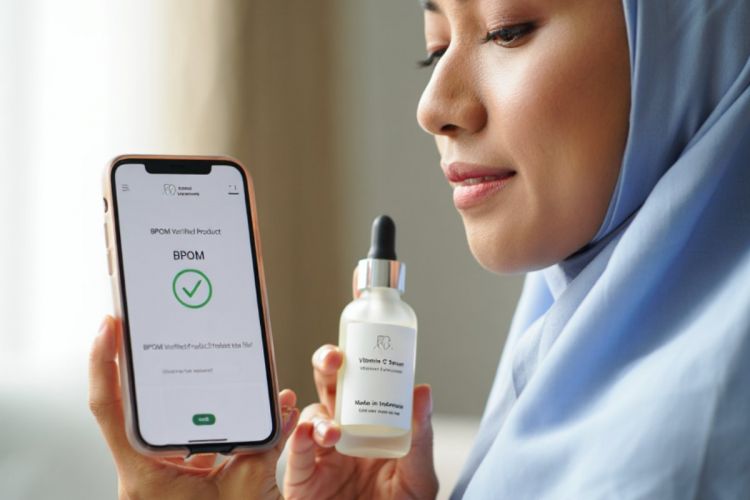
For even more convenience, BPOM offers its own mobile application, available on Google Play Store and App Store. Here’s how to use the BPOM Mobile app to check your skincare:
- Download and install “BPOM Mobile” from your app store.
- Open the app after installation is completed.
- Choose the search option that fits your available information. These include Product Name, Registration Number, and even Barcode Scanning.
- Enter your product data or scan the barcode directly using your phone’s camera.
- Wait as the app displays your product’s details, including status and additional registration information.
The barcode scanning feature in BPOM Mobile makes it even faster to validate the authenticity of products, especially while shopping.
Practical Tips to Avoid Fake Skincare Products
With the abundance of fake or illegal products flooding the market, following these steps will help you safely choose skincare:
Check the BPOM Registration Number:
Look for a registration code beginning with “NA” on the packaging. Make sure that the digits match the format shown in other registered products on BPOM’s website. Any irregularities could signal a counterfeit.Purchase from Trusted Stores:
Always buy skincare from reputable shops, official brand stores, or trusted e-commerce platforms. Avoid deals that seem too good to be true from unofficial sellers.Inspect Packaging Carefully:
Genuine skincare always comes with a clear label, manufacturer information, and expiration date. Fakes often have blurry text, incomplete information, or messy packaging.- Use Barcode Scanner Apps:
Take advantage of mobile apps with barcode scanning to instantly check product data before buying, adding another layer of security for consumers.
List of Popular BPOM-Registered Skincare Brands
For your safety, always choose brands confirmed to be registered with BPOM. Here are several well-known options:
| Brand | Registration Assurance | Remark |
|---|---|---|
| L’Oréal Paris | All face serums tested and officially registered | Registration number printed on packaging |
| The Ordinary | Known for effective active ingredients, all registered | Verified on BPOM database |
| Avoskin | Local brand with natural ingredients, BPOM-certified | Details easily found online |
Refer to BPOM’s website to verify any product from these and other brands before purchasing.
Answers to Frequently Asked Questions
1. Must all skincare products in Indonesia be registered with BPOM?
Yes, every skincare item sold within Indonesia is required to have official distribution approval from BPOM, meeting health and safety standards.
2. How do I find my product’s BPOM registration number?
The number is typically found on the product’s packaging, at the bottom or back. It will start with “NA” followed by a unique code.
3. Do international skincare products sold in Indonesia need BPOM approval?
Yes, imported items must have BPOM approval and registration before they can be legally traded or used in the Indonesian market.
Important Reminders for Consumers
Always check BPOM status before using or buying any skincare item, even if the packaging looks convincing and the store appears trustworthy. According to BPOM sources and verified journalistic reports, using unregistered skincare can expose consumers to toxic ingredients and long-term skin problems that should not be ignored.
Regularly using the BPOM website or app to check your products helps you stay safe—and protects your health and financial investment in skincare. Trustworthy, officially registered products are your best option for healthy and effective skin care solutions.