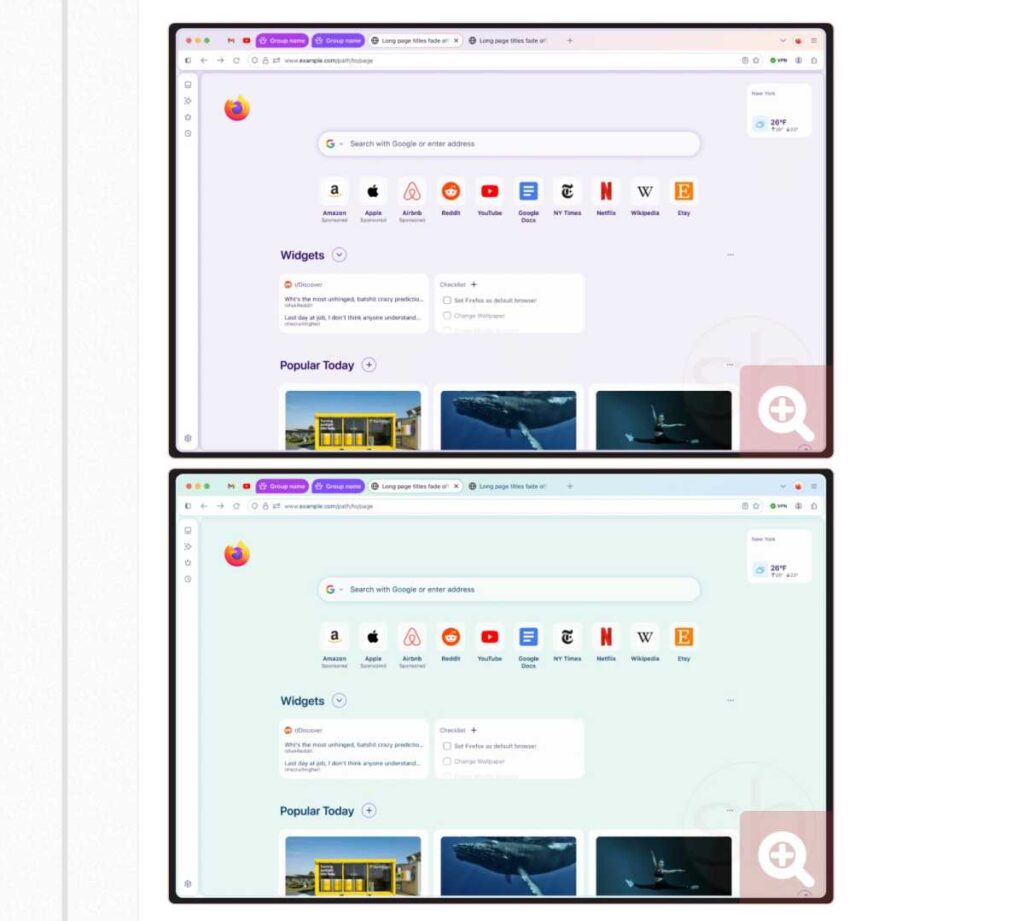
Mozilla is giving Firefox one of its biggest overhauls in years with Project Nova, a redesign that puts a cleaner interface, stronger privacy controls, and an explicit option to disable AI features in the spotlight. The update is set to roll out more broadly toward the end of the year and marks the browser’s largest visual refresh since 2020.
The move comes as browser makers continue to race toward AI-heavy experiences. Mozilla is taking a different route by emphasizing user control, including a kill switch that can turn off all AI-related functions if a user prefers not to use them.
A calmer look across desktop and mobile
Project Nova is not limited to one platform. Mozilla is updating both desktop and mobile at the same time so the browser feels more consistent across devices.
The design changes focus on tabs, icons, spacing, menus, panels, and color choices. Tabs now look rounder and softer, while a gradient effect helps the active tab stand out more clearly.
The color palette is also shifting away from flat tones. Mozilla is moving toward a smoky dark purple combined with warmer, brighter accents that give Firefox a more polished appearance.
On desktop, several productivity tools will be more prominent. Tab groups, vertical tabs, and split view are all getting more visual emphasis, which should make those features easier to notice and use.
Mozilla is also bringing back Compact mode. The option was removed before, but many users who prefer a denser layout had continued asking for it.
Privacy controls are getting easier to reach
Beyond appearance, Mozilla is changing how users find important privacy settings. The Settings menu is being reorganized so data controls are easier to locate and understand.
Built-in VPN access and private browsing will also be more visible in the interface. Mozilla is making the language around Enhanced Tracking Protection simpler as well, with the goal of making the privacy-versus-convenience trade-off clearer.
That approach matters because the browser market is becoming more crowded with AI features from companies such as Google, OpenAI, and Perplexity. Mozilla is trying to show that adding AI does not have to mean giving up control over privacy or browser behavior.
The company’s planned AI kill switch is one of the clearest examples of that stance. It gives users a way to shut off all AI functions entirely, rather than forcing them to keep features they do not want.
Mobile design is being aligned with desktop
Firefox on phones is also part of the redesign. Mozilla is aligning the mobile experience with the desktop version through shared color sets, icons, and basic design elements.
New themes and wallpapers are also being prepared to expand customization options. Mozilla has also indicated that users will get more control over certain interface components, including tab shape, in later updates.
Performance is part of the pitch
Mozilla says performance is another reason behind the redesign. Blocking third-party trackers has helped reduce important page content load times by 9% over the past 12 months.
The company ties that improvement to a simple logic: the fewer external scripts a page has to deal with, the less code it needs to process. That, in Mozilla’s view, supports the broader direction of Firefox’s new design.
For users who want to see Project Nova early, the changes are already available in Firefox Nightly. Activation requires going into about:config, creating a new boolean entry named “browser.nova.enabled,” setting it to true, and restarting the browser, though the Nightly channel remains pre-release and may be unstable.