A home network does not have to rely on a router alone for DNS. A NAS that stays powered on all the time can take over that role and give users more control over how devices in the house resolve domains.
That shift matters because DNS is one of the first services used by phones, laptops, TVs, containers, and smart devices before they do anything else. When DNS remains tied to the router or the internet provider, user visibility is limited and control is often minimal.
Why NAS fits the job
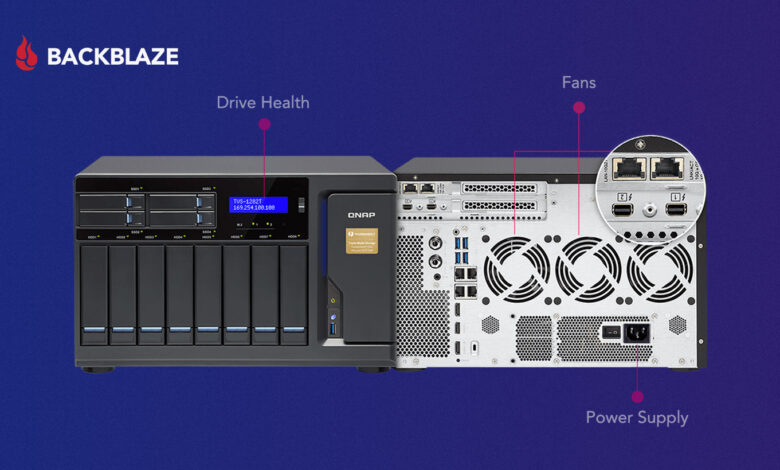
A NAS is already positioned close to the router and is designed to remain online as part of everyday home infrastructure. That makes it a practical place to run a lightweight DNS service without creating much extra load.
Common platforms such as OpenMediaVault, TrueNAS, Unraid, and standard Linux installations can handle this role reliably. On top of that, users can choose from several applications, including AdGuard Home, Pi-hole, and Technitium DNS.
Among those options, AdGuard Home is often seen as the easiest choice for home use because its interface is clean and the initial setup is not too demanding. It gives the network a central point for DNS control without requiring a complex homelab workflow.
What changes when DNS moves to the NAS
Running DNS on a NAS is not only about blocking unwanted requests. It also opens access to dashboards, query logs, block lists, upstream settings, and client statistics.
Those tools make it easier to see which devices are making the most requests and to assign local names to internal services. The result is a clearer picture of home network behavior than most routers provide on their own.
A NAS-based DNS setup also feels more aligned with how the device is already used. Because it stays on consistently, it is a more natural host for light infrastructure services than hardware that mainly exists to route traffic.
Setting it up without unnecessary complexity
On OpenMediaVault, the basic approach is to create a persistent folder for AdGuard Home and then run the container. The persistent folder matters because settings and logs need to survive container updates.
The standard configuration places DNS on port 53 and the web interface on a safer port, while the host maps container port 80 to port 8080. That allows the dashboard to be opened through an address such as http://NAS_IP:8080.
In practice, the DNS service should be bound to the NAS’s real IP address. This becomes especially important when systemd-resolved is already listening locally on port 53.
Start with a simple upstream DNS
AdGuard Home supports DNS-over-HTTPS and other encrypted upstream options, but those are better left for later when debugging. A simpler first step is to use a plain upstream resolver such as 1.1.1.1, 9.9.9.9, or 8.8.8.8.
Once the basic DNS path is working, DNS-over-HTTPS can be considered if there is a need for it. The priority at the beginning is to confirm that requests move through the NAS cleanly.
The easiest test is to query the NAS DNS server directly with dig or nslookup. If the response looks normal, the service is active and answering queries as expected.
A second check is to visit a commonly blocked domain and review the query log in the dashboard. If the request appears and is marked as blocked, the system is functioning properly.
Seeing a resolution to 0.0.0.0 also indicates that the domain has been blocked and the server is behaving as intended. That gives a straightforward confirmation that filtering is taking effect.
Getting the rest of the network to use it
Installing AdGuard Home only solves part of the problem. The other part is making sure the devices on the network actually point to the NAS for DNS.
The cleanest method is to open the router’s DHCP settings and enter the NAS IP address as the DNS server. After devices renew their DHCP lease, they should automatically receive the NAS as their DNS resolver.
If the router does not support custom DNS in DHCP, the setting can still be changed manually on each device. That takes more work, but it still allows the same DNS service to be used across the network.
With that in place, the NAS becomes more than a storage box. It turns into a stable control point for home DNS, with clearer visibility and more practical management than depending on the router alone.