


Apple placed Siri AI and other artificial intelligence features at the center of its iOS 27 presentation, but the most practical changes may come from the smaller tools that sit behind the spotlight. These are the updates that can reduce extra steps and make the iPhone feel easier to use every day.
From more stable connectivity to faster file transfers, iOS 27 appears to focus on convenience that users can notice immediately. Several of the new functions are designed to handle routine frustrations with less manual effort.
Automatic network switching for weaker Wi-Fi
One of the most useful additions is Connectivity Assist, which lets the iPhone automatically use cellular data when Wi-Fi becomes weak or unstable. That means users no longer need to switch networks manually when a connection starts to fail.
The feature is especially relevant for people who often move through places where wireless quality changes frequently. In those moments, the phone can keep the connection going with less interruption.
Clipboard actions become faster
Apple also simplified copy-and-paste with an auto-paste suggestion. After text, images, or screenshots are copied, the system shows a paste option directly above the keyboard.
The experience is similar to automatic OTP code suggestions in Messages. Instead of pressing and holding the screen to find Paste, users get a quicker shortcut at the moment they need it.
Separate control for alarm and ringtone volume
iOS 27 also brings a volume control change that Android users have long been familiar with: alarm and ringtone levels can now be adjusted separately. Previously, lowering the ringtone volume could also affect the alarm.
With this change, alarms can stay loud without forcing incoming call sounds to remain equally strong. Some other system sounds are also said to be adjustable independently, making audio control more flexible.
Quicker access to connectivity tools
Apple has added a new connectivity widget in Control Center to make Wi-Fi, Bluetooth, and cellular settings easier to reach. Users can handle those options without digging through deeper menus.
The change may look simple, but it matters for people who often move between network settings. A shorter path to the right control makes daily use more efficient.
Timers become more compact
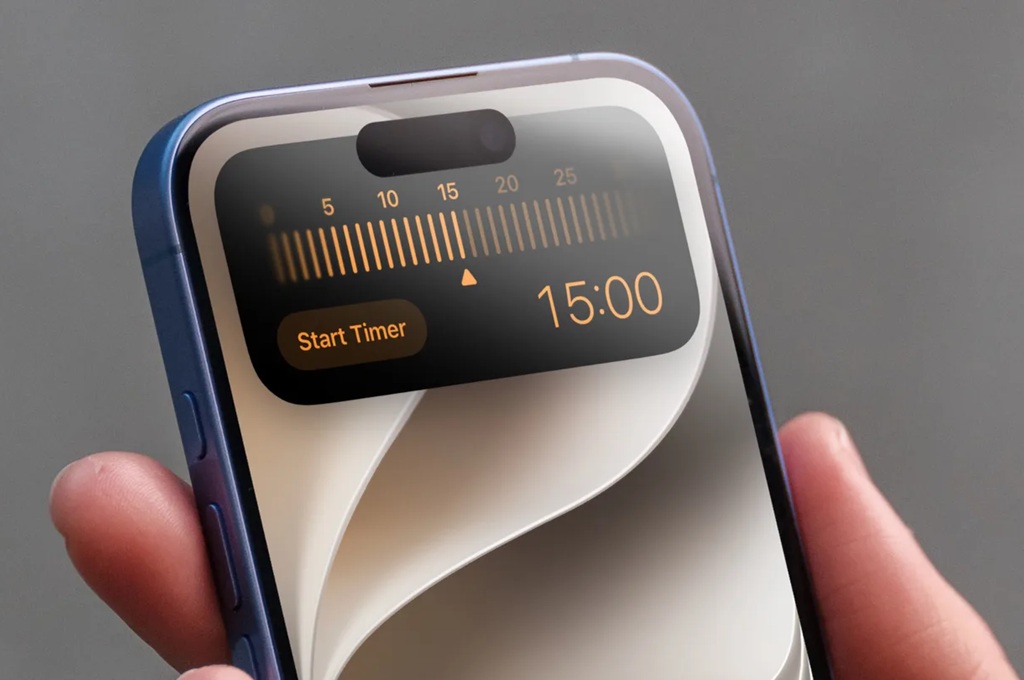
The timer feature also gets a refresh through a slider-based interface when opened from Control Center. That allows users to set a countdown more quickly without opening the Clock app.
It is not a dramatic redesign, but it helps when a timer is needed immediately. Fewer steps make the feature more practical in fast-moving situations.
More natural voice dictation
Apple has also improved Dictation in iOS 27, with voice input said to be more accurate and more natural than before. The upgrade is aimed at making spoken input feel smoother and more reliable.
For users who write messages, notes, or documents by voice, the improvement can reduce dependence on the physical keyboard. That is useful when mobility or speed matters.
AirDrop gets a major speed boost
AirDrop has also been improved, with Apple claiming file transfers can be up to 80% faster than in the previous version. The gain is most noticeable for people who regularly share photos, videos, or documents between Apple devices.
In everyday use, speed improvements like this often matter more than features that look impressive on paper. Faster sharing can save time in routine tasks that happen many times a day.
Taken together, these changes show that iOS 27 is not only about AI. Apple is also paying attention to small but meaningful details that affect convenience, speed, and reliability on the iPhone.
For many users, that may end up being the part of the update they notice most.